All Activity
- Past hour
-

I suspect someone is tryint to hack me.
kmscom replied to WarrenSinden's topic in Kaspersky: Basic, Standard, Plus, Premium
тема перемещена из русскоязычного раздела. -

I suspect someone is tryint to hack me.
WarrenSinden replied to WarrenSinden's topic in Kaspersky: Basic, Standard, Plus, Premium
My native language is English. I'm from South Africa. As soon as I connected to kaspersky support forum on my phone, the header changed & my font changed to I think Russian. I have used google translate to read it. -
I suspect someone is tryint to hack me.
kmscom replied to WarrenSinden's topic in Kaspersky: Basic, Standard, Plus, Premium
скажите, какой язык для вас является родным. мы перенесем вашу тему -
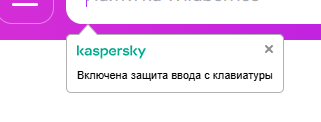
Защита ввода с клавиатуры
kmscom replied to user43r23242's topic in Kaspersky: Basic, Standard, Plus, Premium
можно , вместе с отключением защиты ввода данных с аппаратной клавиатуры https://support.kaspersky.com/help/Kaspersky/Win21.23/ru-RU/70745.htm -

Постоянно блокируются Российские государственные адреса
Danila T. replied to надоел сбор данных's topic in Kaspersky Free
Выложили 24 на сайт. Спасибо. -

Добавление устройства когда уже нет мест.
andrew75 replied to Winder's topic in Kaspersky: Basic, Standard, Plus, Premium
@Winder, изменить количество устройств в подписке можно только при продлении или покупке новой подписки. Иногда бывают акции, которые позволяют это сделать на действующей подписке, но их можно не дождаться. -
Можно ли отключить уведомление о включенной защите ввода с клавиатуры ?

-
I suspect someone is tryint to hack me.
WarrenSinden replied to WarrenSinden's topic in Kaspersky: Basic, Standard, Plus, Premium
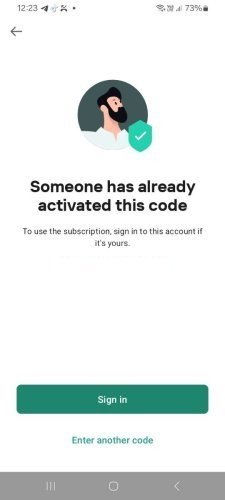
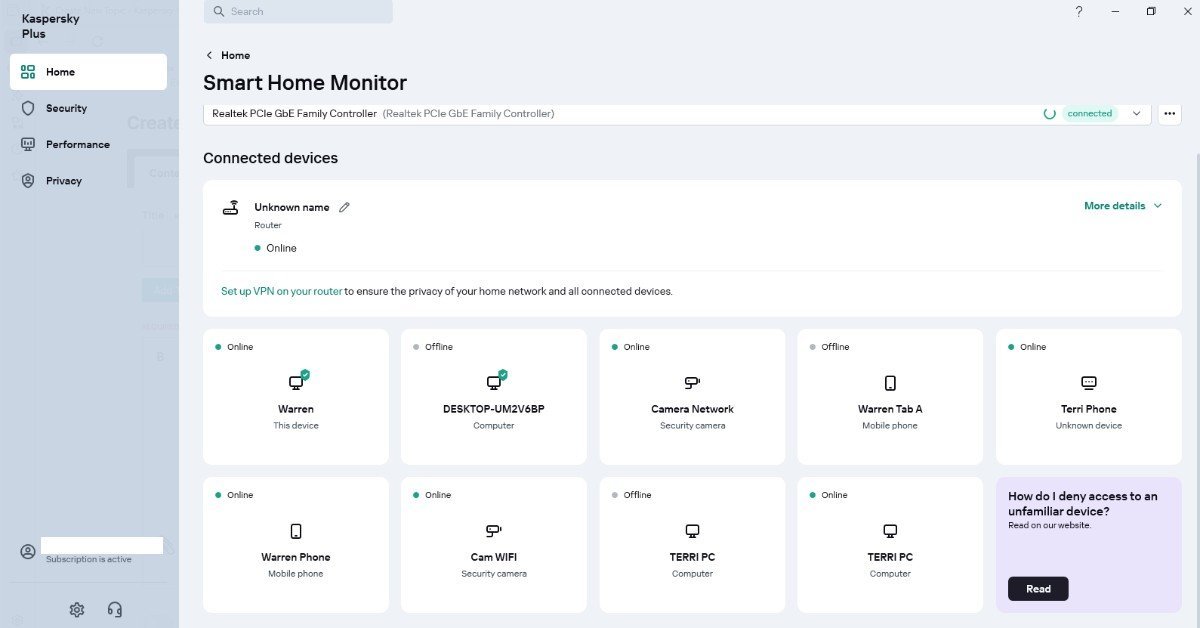
Here is the screenshot from my phone.
-

Issues connecting with Slack (port 443 problems)
harlan4096 replied to Agent's topic in Kaspersky Total Security
Can you upload captures of how did You create those exclusions (Trusted addresses and disable port 443)? -
 user43r23242 joined the community
 -

Issues connecting with Slack (port 443 problems)
AranhaWebs replied to Agent's topic in Kaspersky Total Security
Hello, I had the Slack working with Kasperksy but it cease to work last week. I just added the slack.com to the trusted addresses, disabled the 443 port and still doesn't solve it. The only way to solve is to pause the whole protection. Kapersky Premium 21.24.8.522 Is there something that I missing here? I appreciate the help. -

Добавление устройства когда уже нет мест.
Maratka replied to Winder's topic in Kaspersky: Basic, Standard, Plus, Premium
Подождать 222 дня, и купить лицензию на 5 (или какая там Вам подойдет). Снять автообновление подписки со старой лицензии, если оно установлено. А пока что обойтись бесплатной версией. Это вариант с минимальными затратами. Из этих 222 дня 60 Вы сможете бесплатно использовать пробники, по 30 дней каждый. Одно условие: регистрировать бесплатную лицензию придется в новом кабинете. -
AranhaWebs joined the community
-

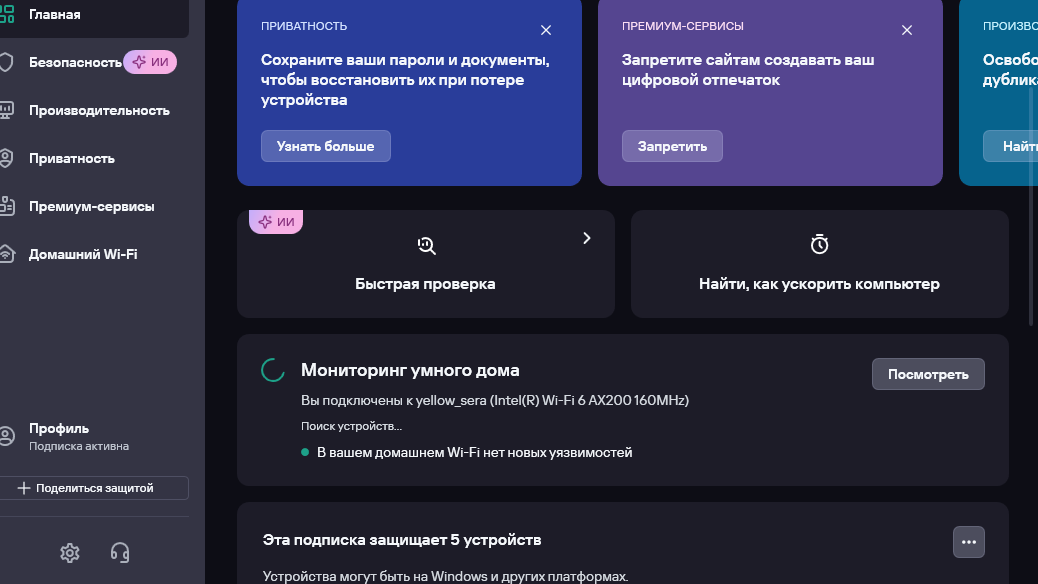
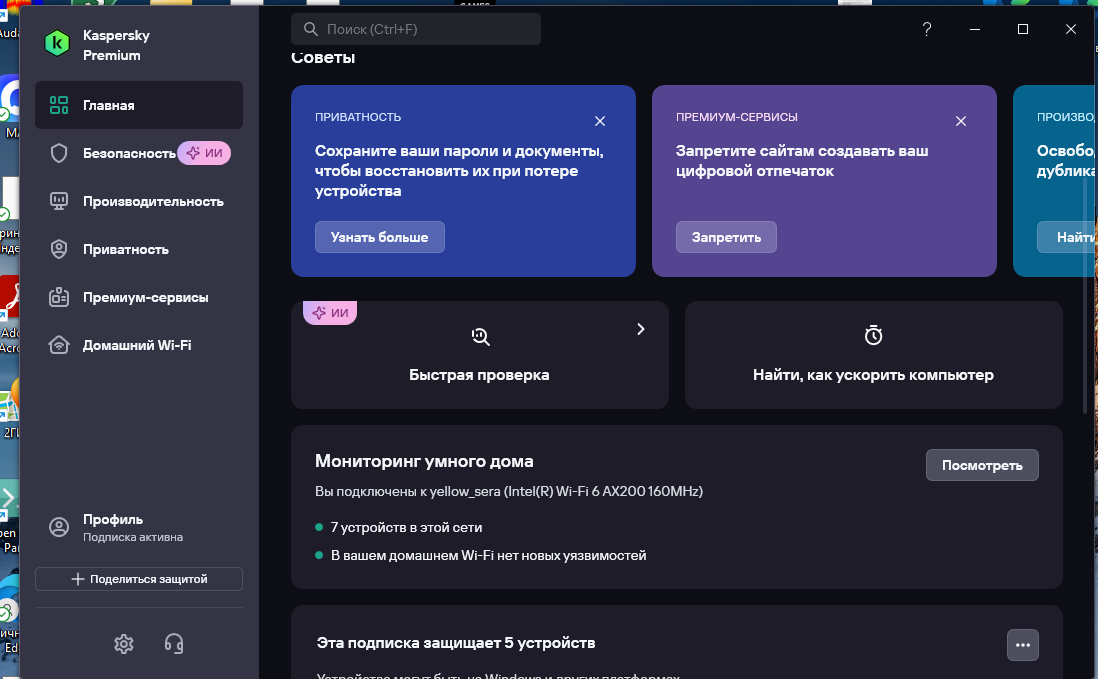
не работает мониторинг умного дома, не определяет и не сканирует сеть wi-fi..
sera replied to stan4ever's topic in Kaspersky: Basic, Standard, Plus, Premium
После установки новой версии - заработало. Спасибо.
- Today
-
не работает мониторинг умного дома, не определяет и не сканирует сеть wi-fi..
andrew75 replied to stan4ever's topic in Kaspersky: Basic, Standard, Plus, Premium
@sera, после активации, Standard превратится в Premium. -
I suspect someone is tryint to hack me.
WarrenSinden posted a topic in Kaspersky: Basic, Standard, Plus, Premium
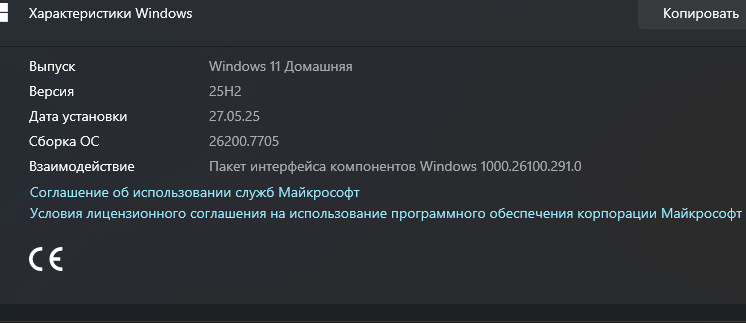
Hi, Yesterday I noticed that the passwords on both of my CCTV systems were not working. I ended up having to reformat them to reset the passwords. My CCTV systems are not protected by Kaspersky, but my smart home monitoring system detects them. This morning, I noticed my passwords aren't working again. I haven't reset them yet. (It might be a Hikvision issue, but I’m not certain yet). This morning I opened Notepad on my phone, and a message appeared on the screen as if someone was writing a letter. I deleted the text and closed the app. I couldn't find Kaspersky on my phone (Samsung Galaxy A04, model SM-A045F/DS), so I tried to reinstall it. I also noticed that two of my devices are showing up on the smart monitor. Some of these devices are currently not working. I tried to connect my phone to my computer, but I can't get it to work right now. I tried to log into Kaspersky from my phone, and the system is asking for a Kaspersky Internet Security subscription. I currently have a Kaspersky Plus subscription. Right now, I'm trying to stay offline as much as possible until I resolve this. Can you help me? I want all my devices to run under a single subscription. My computer is running Windows 11 version 24H2 (OS build 26100.7705). My phone is a Samsung Galaxy A04, model SM-A045F/DS. Software version ASKS v8.4, release 20260111. Since you suspect a remote access breach, would you like me to provide security steps to secure your Hikvision system or help you sync your Kaspersky Plus subscription across all devices? ADP v3.1 Release 20230510 Sincerely, Warren Sinden
-
не работает мониторинг умного дома, не определяет и не сканирует сеть wi-fi..
kmscom replied to stan4ever's topic in Kaspersky: Basic, Standard, Plus, Premium
Не боись, случится диво. Море вздуется игриво, Закипит, подымет вой, Хлынет на берег пустой, Разольётся в шумном беге, И очутятся на бреге, В чешуе, как жар горя, Тридцать три богатыря, и Premium с собой приведя. -
не работает мониторинг умного дома, не определяет и не сканирует сеть wi-fi..
sera replied to stan4ever's topic in Kaspersky: Basic, Standard, Plus, Premium
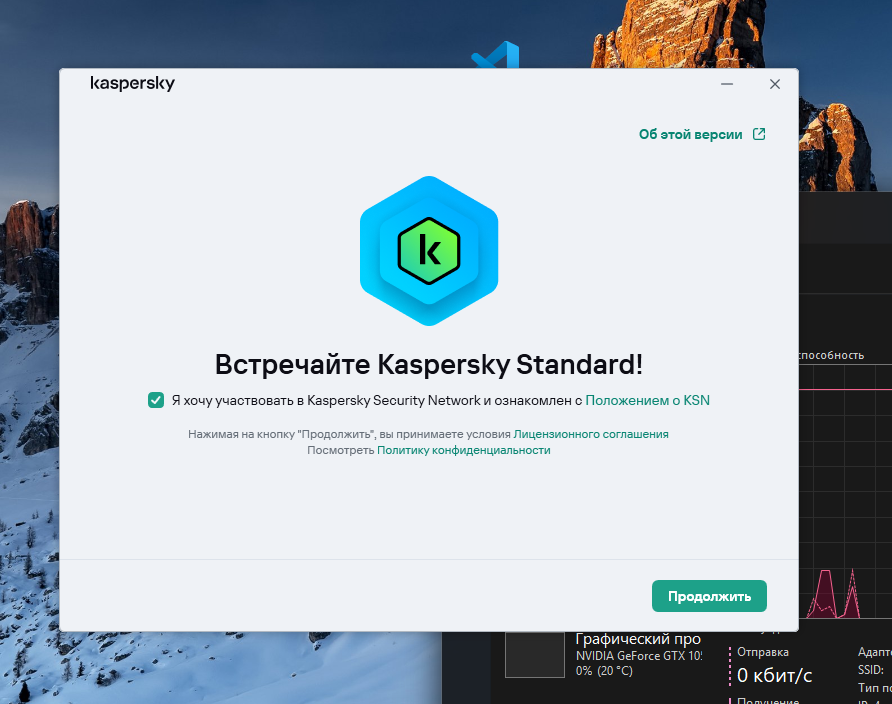
Так это установщик Kaspersky Stanart? А у меня Premium/
-
Welcome to Kaspersky Community. Try to type the email address manually (not copy/paste), and for the symbol @ try to generate it typing ALT + 64 combination. This is a trick worked for me some years ago, don't know if still working.
-

Встроенный Avast считает Who Calls зараженным
Владимир Н. replied to Дми3й's topic in Kaspersky Who Calls
Реалми 13 про + заново установил приложение. Всё нормально -
не работает мониторинг умного дома, не определяет и не сканирует сеть wi-fi..
sera replied to stan4ever's topic in Kaspersky: Basic, Standard, Plus, Premium
Попробую, после установки отпишусь. -

Встроенный Avast считает Who Calls зараженным
Pupupu replied to Дми3й's topic in Kaspersky Who Calls
Oneplus 13 детект пропал. -
 Fela joined the community
 -
 Dušan joined the community
 -

Kaspersky Endpoint Security V12.2.0.694 on MacOS26.2 CPU running high
ipcitsupport posted a topic in Kaspersky Endpoint Security for Business
We are experiencing an issue with Kaspersky Endpoint Security for macOS v12.2.0.694 running on macOS 26.2 on a MacBook with M4 CPU. The Kaspersky process consistently consumes more than 90% CPU(No problem at all with MacOS15.),which significantly degrades system performance and the device nearly unusable, even for basic tasks. Has anyone encountered a similar issue in this environment? If so, are there any known workarounds, configuration changes, or fixes to mitigate the high CPU usage? -

не работает мониторинг умного дома, не определяет и не сканирует сеть wi-fi..
Friend replied to stan4ever's topic in Kaspersky: Basic, Standard, Plus, Premium
Попробуйте обновиться до новой версии 21.24.8.522 -
 GreyOwl81 joined the community
 -

Assistance Required for Kaspersky Installation on Macbook Air M3 2024 model
Flood and Flood's wife replied to Rangana Hewamanage's topic in Kaspersky Internet Security
Hello @Rangana Hewamanage, Welcome! *Which* Kaspersky software is being installed & *where* has it been downloaded / sourced from? What are the error/s - we need to see what (you) see? For the *install* - were *all* steps in this guide followed: Kaspersky Standard | Plus | Premium, Install and uninstall the application? Thank you🙏 Flood🐳+🐋 -
 alhaim joined the community
 -
 Andrea Bittl joined the community
 -

Kaspersky Endpoint Security and Mail Gateway License for Internal Use
muhammad.moin posted a topic in Kaspersky Endpoint Security for Business
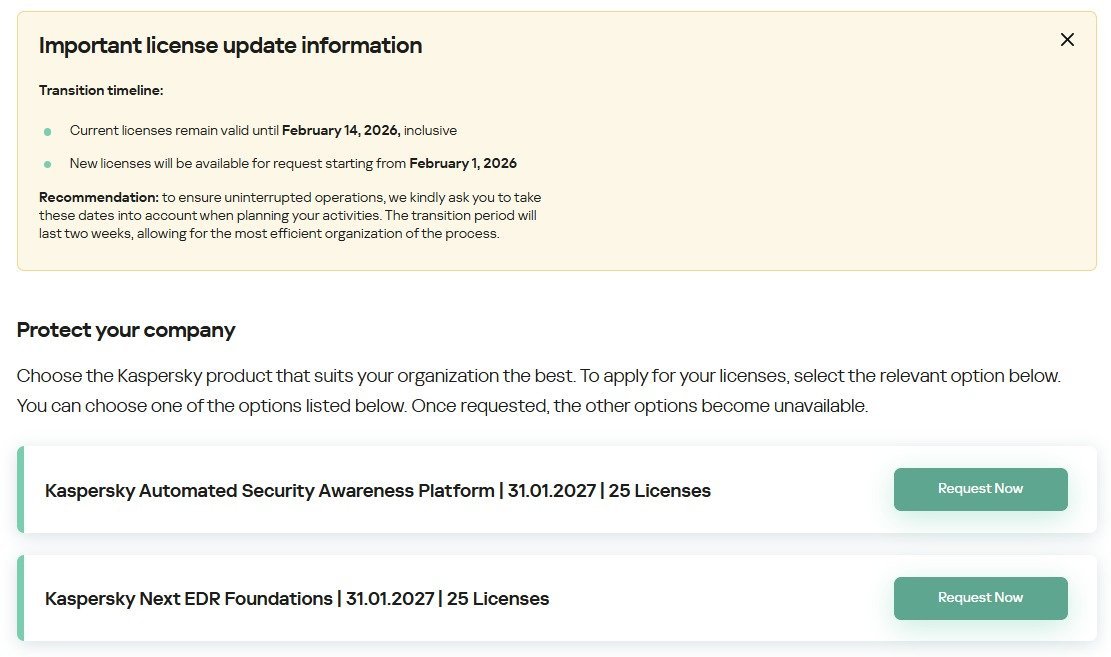
Hi Kaspersky Community, We’re a Kaspersky Partner and currently using two licenses: Kaspersky Endpoint Detection and Response Optimum and Kaspersky Security for Mail Server. Previously, these were valid for one year covering 50 nodes, and we could renew them via the partner portal. This year, we only see two licenses available for request on the portal (snapshot attached), and the licenses we need are not listed. Could someone confirm if these licenses will be available on the partner portal before 14 February? Any guidance would be greatly appreciated. Thanks in advance!
-
не работает мониторинг умного дома, не определяет и не сканирует сеть wi-fi..
sera replied to stan4ever's topic in Kaspersky: Basic, Standard, Plus, Premium
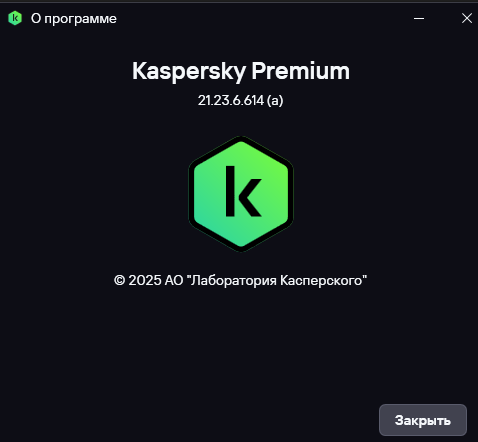
Kaspersky - 21.23.6.614(a), Windows 11 Home, Windows 11 Pro