All Activity
- Past hour
-
 DaKo joined the community
 -
А вы где находитесь, если не секрет? Если вдруг в Беларуси, то VPN там запрещен - https://support.kaspersky.ru/KSDE/common/ru-RU/180571.htm А при чем здесь KIS? Secure Connection в него не входит.
-
К сожалению я не знаю точный механизм блокировок, но раньше на Pango провайдере было два протокола: Hydra и Wireguard, ноды одни и те же (смотрел в wireshark). Hydra работала нормально, Wireguard на том же провайдере и на той же ноде - не работал вовсе. Подключение было, трафик не шёл. Pure выглядит сейчас ровно так же
-
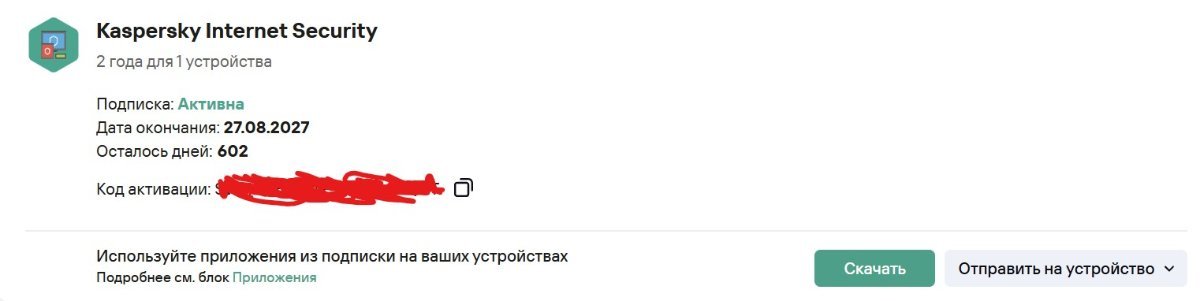
Это из ЛК

-
 WillNguyen joined the community
 -
Предложения к Kaspersky Password Manager
jura12 replied to supportIV's topic in Kaspersky Password Manager
Когда уже вы начнете прислушиваться к пользователям? Мне нужна возможность сохранения файлов 1. от putty - *.ppk и 2. настройки для wireguard - *.conf . я что, должен их на флешке переносить? четверть 21го века прошла. в облака небезопасно. -
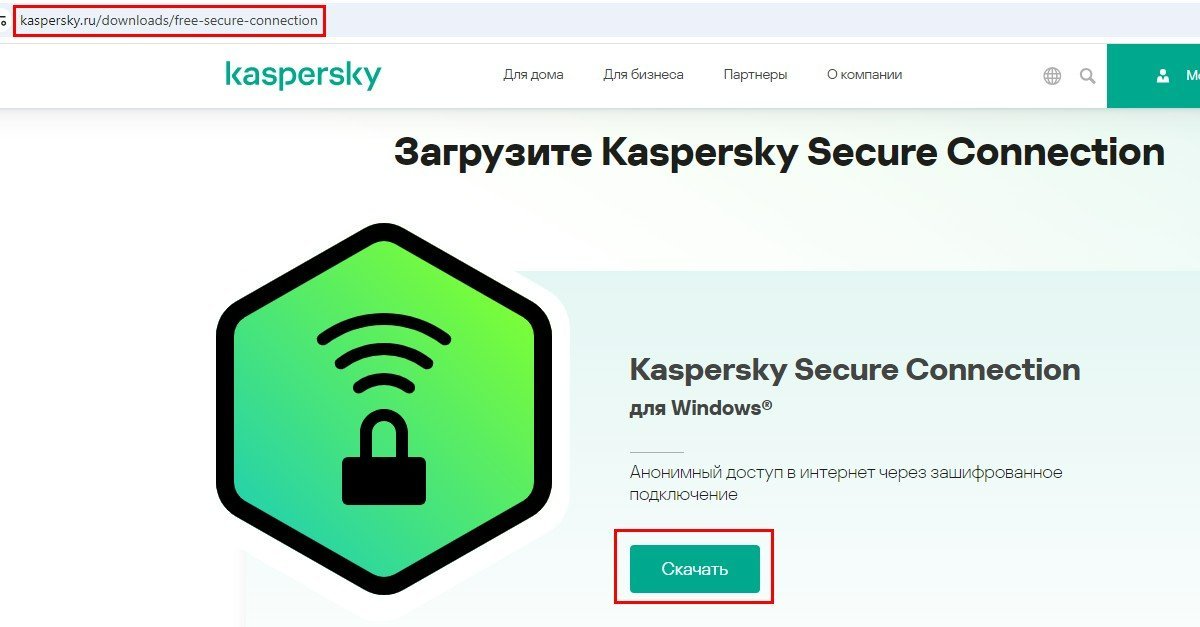
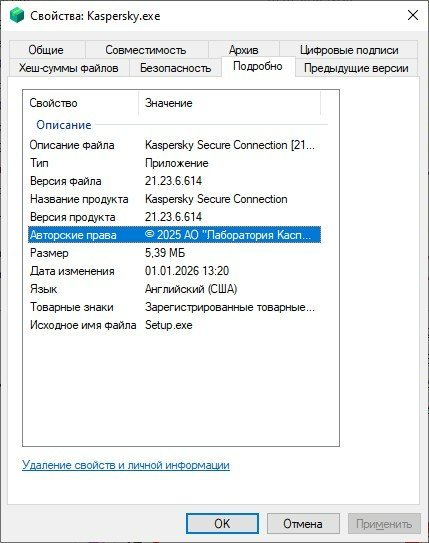
почему? Покажите что у вас открывается по этой ссылке. А вот установщик, который скачивается с личного кабинета:
-

Kaspersky VPN after update: manual location selection is misleading (Taiwan example)
Berny replied to Tolja's topic in Kaspersky VPN Secure Connection
Hi @Tolja , Thank you for your additional comments. I can reproduce your issue 🤔 , Kaspersky collaborators are watching this Forum. - Today
-
 amans4897 joined the community
 -
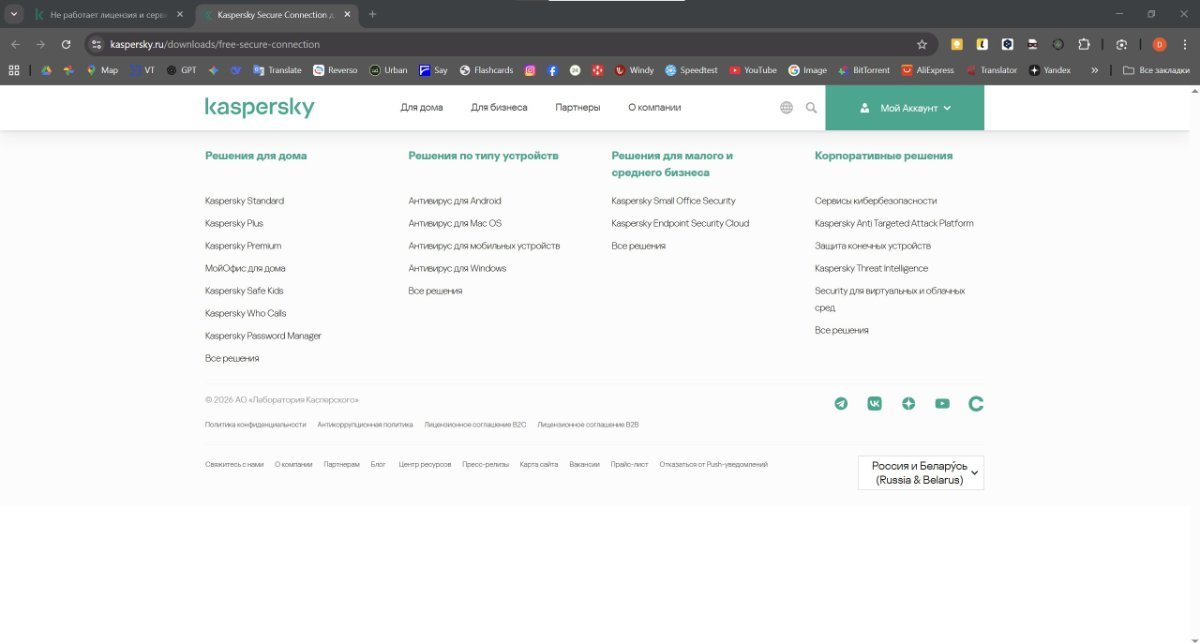
По ссылке нельзя скачать Kaspersky Secure Connection. Если перейти: Решения по типу устройств - Все решения, там можно только купить заново Я качаю с личного кабинета и у меня скачивается версия 21.8.5.452 (а)
-

Перезапуск драйвера NVIDIA
Black Knight replied to Black Knight's topic in Kaspersky: Basic, Standard, Plus, Premium
Проблема коснулась всех у кого видеокарта 10й серии. Но проблема почему-то официально ещё не признана. Как объяснить,что без антивируса всё работает хорошо,но стоит установить антивирус версии 22 или 23 и сразу падение видео драйвера. На версии 21 все хорошо. Это говорит о том ,что проблема точно на стороне антивируса(в отношении 10 серии видеокарт),так как до версий 22 и 23 проблем не было. Проблема точно не на стороне пользователя. Что-то добавили с версии 22 что даёт такой эффект на видеокарту (видео драйвер) 10й серии. Будем ждать,что нам ещё остаётся,а пока сидим на версии 21. -

Перезапуск драйвера NVIDIA
fr1ar replied to Black Knight's topic in Kaspersky: Basic, Standard, Plus, Premium
Подтверждаю, проблема актуальная. После того как перепробовал все советы с Reddit, переустановил чистую Windows 11, все работало хорошо. После установки антивируса Kaspersky начались краши видеодрайвера: Моя видеокарта: PALIT PCI-E NV GTX1080 GameRock 8192Mb 256b DDR5X ОС: Windows 11 25H2 26200.7462 Kasperksy: 21.23.6.614(a) Nvidia driver: 581.80 -
 cemkcky joined the community
 -
 pboo2607 joined the community
 -
Не могу войти в my.kaspersky на сайте. Ввел почту, пароль и пошла бесконечная перезагрузка страницы. Браузер Firefox. Сбросил данные и куки сайта и перезашел. Заработало.
-
fr1ar joined the community
-
 CemKey joined the community
 -

Kaspersky Password Manager постоянно крутит колесо на macOS бета-версия 26.3 (25D5087f)
Aigor replied to Aigor's topic in Kaspersky Password Manager
Значит пришло время разрушить изнутри еще одну компанию. -

Youtube tells me that I have no internet when the VPN is on
harlan4096 replied to Rob in Toronto's topic in Kaspersky VPN Secure Connection
Welcome to Kaspersky Community. 1st of all. I would update Your KTS to Kaspersky Plus. Please provide version of K. VPN installed. Also, check this link: https://support.kaspersky.com/faq/ksec-migration -
Судя по скриншоту в хроме включено использование стороннего DNS. Но у меня при этом подобный алерт не воспроизвелся. Возможно что-то еще накручено. Может какое-то расширение туда лезет. Или корневые сертификаты неактуальные.
-
последняя версия 21.23.6.614(a) а вашей версии как минимум два года. Ссылку где скачать последнюю версию вам дали выше.
-
У меня последняя версия
-
Вы настройки антивируса не меняли? Он работает с установленными по умолчанию значением параметров?
-

Kaspersky Password Manager постоянно крутит колесо на macOS бета-версия 26.3 (25D5087f)
kmscom replied to Aigor's topic in Kaspersky Password Manager
их расстреляли -
 ikarus1972 joined the community
 -
那么是否意味着卡巴斯基不会再有进一步行动?
-
Kaspersky Password Manager постоянно крутит колесо на macOS бета-версия 26.3 (25D5087f)
Aigor replied to Aigor's topic in Kaspersky Password Manager
Хорошо. При чем здесь лицензионное соглашение? Его составили в свою пользу юристы компании, это понятно. Бронзовелость в отношении покупателя - не есть признак качественно налаженных процессов, мое мнение. Проблемы с продуктом есть. А у каждой проблемы, как известно, есть фамилия, имя и отчество. Еще раз, для понимания - если ты не умеешь работать под свежей версией операционной системы, то зачем ты запускаешь программу на моем компьютере? Получается что "неподдерживаемость" здесь защита только юридическая, а не техническая? Верните бабки, господа капиталисты, ваш софт устарел. Пляшем от печки. https://support.kaspersky.ru/help/KPM/Mac10.6/ru-RU/174255.htm Почему компания не принимает новых бета-тестировщиков и выдает об этом сообщение в TestFlight? Я волнуюсь, что случилось со всеми старыми бета-тестировщиками? -
 A2323sd joined the community
 - Yesterday
-

Adguard für Windows mit Kaspersky nicht kompatibel
Schulte replied to Wahnfried1883's topic in Für Privatanwender
Brauchst Du auch nicht. Wenn es auf Deinem Rechner mit der Kombi kein funktionelles Problem gibt, besteht auch keines. Egal was der Support sagt. Der will nur sichergehen, dass das nicht die Hauptursache für das andere Problem ist (wie z. B. ein zweites AV-Programm). Vielleicht ist es Dir möglich, für den Support ein Log ohne AdGuard zu erstellen, sonst werden sie das Ticket wohl nicht weiterverfolgen. Indirekt könnte AdGuard für das verspätete komplette Laden natürlich einen kleinen Teil beitragen. Kaspersky lädt zwar die relevanten Treiber noch vor allen anderen Programmen, übt sich im Laden des GUIs aber in Zurückhaltung und gibt allen anderen Programmen (auch AdGuard) zunächst den Vortritt. So trägt jedes Programm etwas zur Verzögerung bei. Dazu zählen auch (überflüssige) Windows-Komponenten, die nicht gleich nach dem Start verfügbar sind. Noch zur Bloatware: ich halte auch einiges für komplett überflüssig, und das schon seit 20 Jahren. Im Unterschied zu manchem Mitbewerber kannst Du aber alles Unnötige deaktivieren. Dann verbraucht es auch keine Ressourcen. -
 Lenis joined the community
 -

Adguard für Windows mit Kaspersky nicht kompatibel
Wahnfried1883 replied to Wahnfried1883's topic in Für Privatanwender
Hallo @Schulte, das Problem mit AdGuard besteht insofern nicht mehr, dass Kaspersky in der neuesten Programmversion keine Warnmeldung wegen Inkompatibilität mehr ausgibt. Allerdings hat mir der Support wegen dieser Sache: Kaspersky Plus startet sporadisch nicht richtig - Für Privatanwender - Kaspersky Support Forum mitgeteilt, dass auf meinem System inkompatible Programme gefunden wurden (AdGuard) und ich AdGuard deinstallieren soll. Nennenswerte Probleme hatte ich mit der Kombo Kaspersky/AdGuard noch nie, es ging mir lediglich um die Warnung, die Kaspersky in der Programmversion 21.22.7.466a ausgespuckt hat, was vorher und jetzt auch wieder nicht der Fall war/ist. Hinsichtlich der "ständigen" Bugs habe ich vielleicht etwas übertrieben, allerdings hatte ich in der Vergangenheit schon öfter Probleme mit Kaspersky gehabt und musste mich wiederholt an den Support wenden (Memory Leak mit dem Passwort Manager vor Jahren, doppelte Einträge von Kaspersky im Kontextmenü von Windows vor kurzem und jetzt die Sache mit dem roten Tray Icon bei Systemstart). Und dann auf einmal soll ich AdGuard (auf das ich nur ungerne verzichten möchte) deinstallieren, obwohl es - zumindest von meiner Seite - nie irgendwelche Probleme gab. Ansonsten ist mir durchaus bewußt, dass Änderungen im Betriebssystem eine Herausforderung für die Programmentwickler darstellen kann. Das ist auch der Grund, warum ich Kaspersky in all den Jahren eine Chance gegeben habe, da es für mich die derzeit beste Antiviren-Lösung auf dem Markt ist, auch wenn ich einige Funktionen total überflüssig finde und grundsätzlich abschalte (wie etwa die Suche nach doppelten oder großen Dateien etc.) Aber das Problem haben mittlerweile alle Antiviren-Programme auf dem Markt (Bloatware). Wie dem auch sei, ich würde nur ungern auf Kaspersky oder AdGuard verzichten. -

Kaspersky VPN after update: manual location selection is misleading (Taiwan example)
Tolja replied to Tolja's topic in Kaspersky VPN Secure Connection
Hello Berny, Thank you for your reply and for the links. I understand that as a forum moderator you cannot directly change VPN servers or technical settings. However, I wanted to kindly ask if you could check the IP geolocation yourself for the Taiwan server using a few common services: https://whatismyipaddress.com/ https://www.whatismyip.com/ https://2ip.io/ https://www.myip.com/ https://www.showmyip.com/ You will likely see different countries reported depending on the service (e.g., Pakistan, Germany, maybe Taiwan), which illustrates the issue with manual location selection after the recent VPN update. I thought it might be helpful for awareness and context, even if you cannot directly fix the problem. Thank you for your time and help. Best regards, -
Kaspersky VPN after update: manual location selection is misleading (Taiwan example)
Berny replied to Tolja's topic in Kaspersky VPN Secure Connection
@Tolja Welcome. ↓ https://www.maxmind.com/en/locate-my-ip-address ↓ Please contact Kaspersky Technical Support → https://support.kaspersky.com/b2c/#contacts 1) Fill in the form 2) Did not find your answer ? Contact Customer Service
-
After the latest Kaspersky VPN update, the service has become practically unusable for anyone who needs accurate manual location selection. Here is a concrete example: I manually select Taiwan as the VPN location whatismyipaddress.com identifies the IP as Pakistan ipinfo.io identifies the same IP as Taiwan Other services sometimes identify it as Germany This is not about “hiding my real location” — that part works fine and is obvious to everyone using a VPN. The real issue is that manual location selection no longer corresponds to a consistent or reliable IP geolocation. In practice, this means: different websites see me as being in different countries at the same time services that rely on strict geolocation either block access or behave unpredictably the selected country becomes more of a label than an actual location Support responded with a generic explanation of how VPNs hide real locations, which completely misses the point. What users actually need to know is: are these locations virtual locations? does Kaspersky VPN still guarantee country-accurate IP addresses when a user manually selects a country? If the answer is “no”, that should be stated clearly in the UI and documentation. At this point, the unfortunate conclusion is that Kaspersky VPN has significantly degraded after the update, while the Kaspersky Antivirus product remains excellent and reliable. I’m posting this here not to complain for the sake of complaining, but to get a clear technical explanation and hopefully prevent other users from wasting time troubleshooting something that is actually a design decision.
-

MEU TECLADO E MOUSE PAROU DE FUNCIONAR APÓS BAIXAR O ANTI VIRUS
Erik Mendes replied to EnzZins's topic in Para casa
Conseguiu arrumar irmão? Tô com o mesmo problema e nada da certo