All Activity
- Past hour
-

Newly updated kaspersky plus with AI
harlan4096 replied to secu-ian's topic in Kaspersky: Basic, Standard, Plus, Premium
To follow this step properly: You have to previously disable Kaspersky Self-Defense, follow the instructions, and then re-enable. -
 wdqasdasd joined the community
 -

Newly updated kaspersky plus with AI
secu-ian replied to secu-ian's topic in Kaspersky: Basic, Standard, Plus, Premium
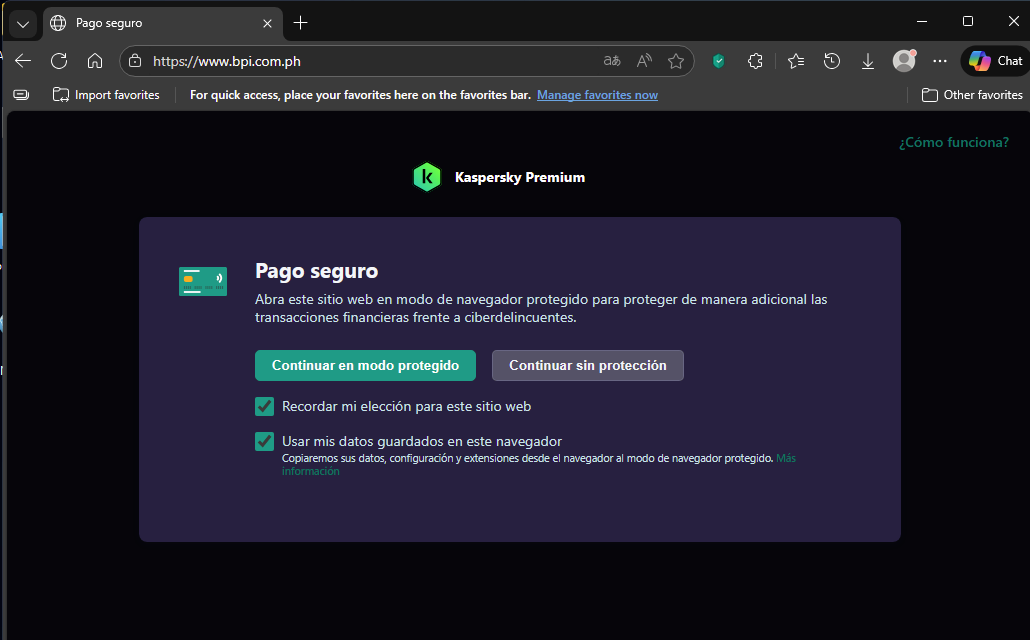
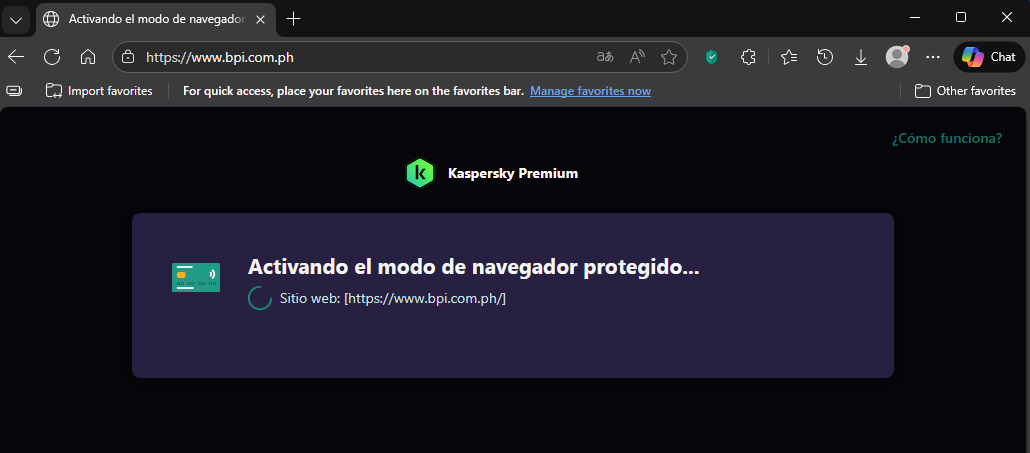
this is the instruction they told me. "Please follow the instructions below for a probable solution regarding your Safe Money issue. 1. Please try changing default browser for Safe Money to a different one and see if the issue persists. Open your Kaspersky Plus app > Privacy > Safe Money settings (click the cogwheel) > look for the "Additional" section" and change the browser > Save. 2. Delete Safe Money browser profile folder and start Safe Money again to create a new folder/profile. Press the Win key + R on your keyboard > type %programdata% and click OK > Kaspersk Lab > delete SafeBrowser > then run a protected browser again. Please note that this will delete your Safe Money list of website entries." ------then i tried to open a website in protected and this end up not working. and i shut down the computer. Again, i received an email the next day, which is today (this is the emailed instruction) "Thank you for your response and for providing those updates. We apologize for any inconvenience caused. I have checked the provided GSI report, but I can't find anything peculiar in it. Before we can propose solution or a workaround to the issue you are experiencing, we would need your assistance to share some additional data for further analysis. 1. Open the main Kaspersky application window. 2. Click Customer Service icon in the lower part of the window. This opens the Customer Service window. 3. Click the Support Tools link to open the Support Tools window. 4. Use the toggle switch to Enable application tracing. To save the changes, click the Save button. 5. Reboot the computer. 6. Proceed to reproduce the issue once the computer is back on. 7. Open the main Kaspersky application window. 8. Click Customer Service icon in the lower part of the window. This opens the Customer Service window. 9. Click the Support Tools link to open the Support Tools window. 10. Use the toggle switch to Disable application tracing. To save the changes, click the Save button. 11. In the Support Tools Window, Click on Create Report. 12. Uncheck Operating System Information 13. Click on Save report on your computer 14. Enter the File Name Traces, save the archive in a location you will remember and click Save. 15. Please send us this Traces archive. today I open the computer, read this email, then i followed 1-5. after that i tried to open a website in protected mode so that it will trace my activity (I think) then it opened successfully in protected mode. tried another website and still opening in protected mode. this is my thought to this. maybe last night when I followed the first two instructions after trying the "safe money" which turned out not working and after i shut it (my thought) something was cleared without knowing. then when i received an email today and followed the instructions then when i tried "safe money" again it successfully opened. -

Is the free version of Kaspersky free forever, and what happens when the program expires?
amralaa replied to amralaa's topic in Kaspersky Free
Is the system monitor feature in the free version as robust as the paid version for the average person who doesn't have money? - Today
-
Is the free version of Kaspersky free forever, and what happens when the program expires?
amralaa replied to amralaa's topic in Kaspersky Free
Yes, I used it. Is it strong? -
Newly updated kaspersky plus with AI
harlan4096 replied to secu-ian's topic in Kaspersky: Basic, Standard, Plus, Premium
Could You post here the steps, to help any other users with similar issues? Thanks. -
Newly updated kaspersky plus with AI
secu-ian replied to secu-ian's topic in Kaspersky: Basic, Standard, Plus, Premium
it is now okay. safe money is now okay. I just followed customer service instructions. -

Wie sperre ich mit Kaspersky Plus bestimmte Webseiten?
Schulte replied to decnet's topic in Für Privatanwender
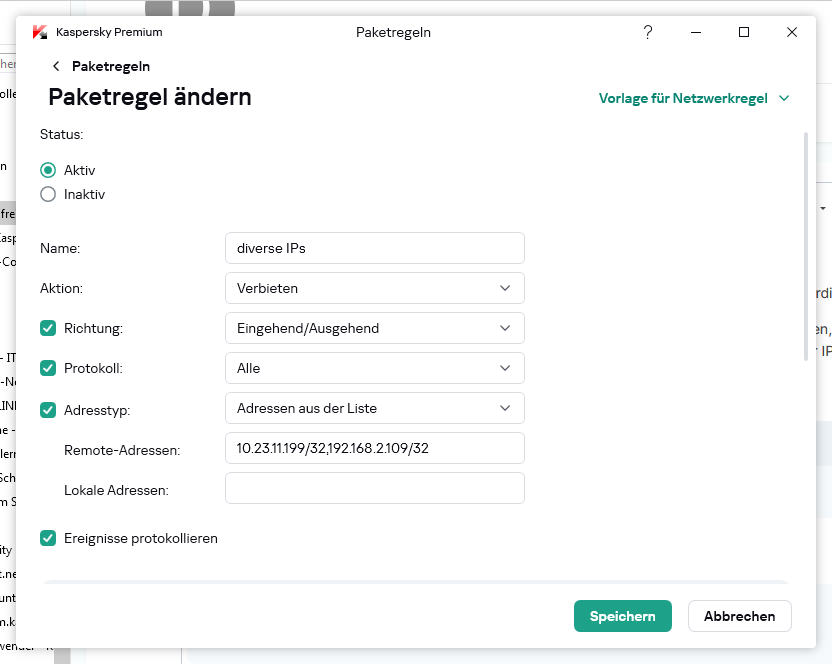
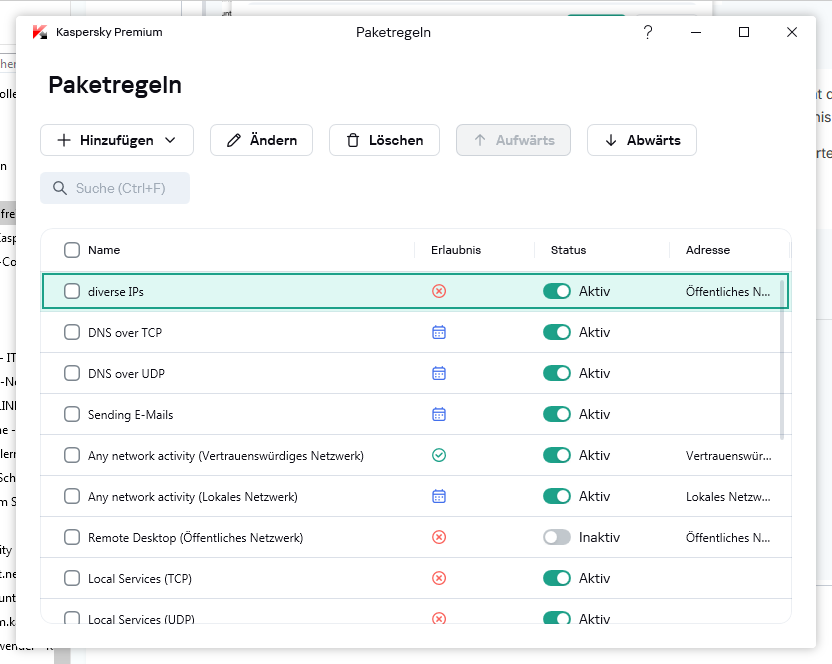
Hallo @decnet, wir können gerne mal mit dem Sperren von IPs beginnen. Selbst getestet habe ich bisher allerdings nur mit IPv4-Adressen. Gehe dazu nach "Einstellungen->Sicherheitseinstellungen->Firewall". Scrolle etwas nach unten, bis "Paketregeln" auftaucht. Klicke darauf. Im nächsten Fenster wählst Du links oben "Hinzufügen". Wenn Du jeglichen Verkehr mit einer IP sperren möchtest, kannst Du meine Vorlage verwenden, natürlich mit Deinen IPs (mein Beipiel enthält IPs aus privaten Netzen): Die IPs werden nach Eingabe mit CIDR-Notation gespeichert. Du kannst mehrere IPs, getrennt durch ein Komma, eingeben. Zum Test kannst Du zunächst "Ereignisse protokollieren" einschalten, dann Taucht das Ereignis in den Berichten der Firewall auf. Zurück bei den Paketregeln musst Du den neuen Eintrag suchen und kontrollieren, ob er an erster Stelle ist (sonst markieren und verschieben): Dann alles speichern und testen...
-

Установка KICS for Nodes на сервер с Windows XP
mike 1 replied to Dmitrii_Prikhodchenko's topic in Kaspersky Endpoint Security для бизнеса
Видимо обратились в техподдержку, чтобы не ждать чуда. -
 lacevedo joined the community
 -
 razumni joined the community
 -
Mesmo caso, quero usar OpenVPN em roteadores e é um absurdo que a página oficial diga que é possível quando na verdade removeram a opção do site.
-
 pNuLL joined the community
 -
Newly updated kaspersky plus with AI
secu-ian replied to secu-ian's topic in Kaspersky: Basic, Standard, Plus, Premium
Yes.ongoing case -

Newly updated kaspersky plus with AI
Berny replied to secu-ian's topic in Kaspersky: Basic, Standard, Plus, Premium
@secu-ian Did you contact Kaspersky Technical Support ? -
Newly updated kaspersky plus with AI
secu-ian replied to secu-ian's topic in Kaspersky: Basic, Standard, Plus, Premium
I already tried uninstalling and it that was first troubleshooting i did. Maybe i will try to reset my computer. -
Раз у вас открывается через вашего провайдера, тогда создавайте запрос в поддержку, собирайте отчеты, пусть анализируют почему при включенным Kaspersky Secure Connection перестает открываться, то есть программа действует противоположно описанию продукту.
-

Wie sperre ich mit Kaspersky Plus bestimmte Webseiten?
decnet replied to decnet's topic in Für Privatanwender
Ich möchte auf einem Windowsrechner für alle Programme und Browser bestimmte Adressen sprerren, als IP und www.xyz.xyz. -
с 11 февраля 2026 года начались проблемы со входом на доверенный сайт который находится в исключениях
Waldemar Behm replied to короток55's topic in Kaspersky Free
ОТВЕТ kmscom. Так я солнце моё живу в германии и немецкий знаю. Удачи тебе -
SimonBell joined the community
-
Это https://forum.kaspersky.com/topic/недоступен-cloudflare-58183/#findComment-227505 должно быть написано после слов "Активация продукта возможна только в России ....." Которые пишут при оформлении покупки, перед оплатой. А то после прочтения рекламного буклета на странице продукта, у пользователей начинает кружится голова, от всех прекрас и просто космических возможностей.
-
 tonton2 joined the community
 -
Hello, AI 说目前可能会不支持IPV6的单地址,支持地址段,具体AI意见如下,你结合看看如何配置看看效果,不过AI最后还是让你联系技术支持确认在 个人版中是否也有企业版那样的支持。
-

Kasperky verkauft Lizenzen für 1 PC lässt aber nur 1 BS zu !
astor replied to Surgeon100's topic in Für Privatanwender
Naja dein Ärger ist schon verständlich würde damit wie schon @Kilauea sagte den Support nerven dein werde ich das aber noch rechtlich klären und durchsetzen !... Das da deine Chancen mehr als 0 sind ist wohl klar -
Hello @Wesly.Zhang 谢谢,我问问他们
-
Hello, 在 设置 里面,安全 里面 有个 自动选择操作 前的✓ 是去掉。 有时候问问AI啥问题都解决了。
-
Hello, 由于我没有测试过ipv6,不能够确认卡巴斯基的网络防火墙能否准确的支持ipv6,所以不能够准确的判断问题,联系你到这里提交有关问题:support.kaspersky.com/b2c,电子邮件 方式提交技术支持请求。
-
Hello @Wesly.Zhang 感谢回复。 我开启ICMP IPV6后一样有问题,单独关闭防火墙组件后能正常连通。
-
 GrimDen joined the community
 -
 vitya joined the community
 -
Newly updated kaspersky plus with AI
harlan4096 replied to secu-ian's topic in Kaspersky: Basic, Standard, Plus, Premium
Windows 11 Pro 25H2 + KPremium 21.24: No issues here opening that site in Safe Money session, also AI has nothing to do with your issue, previous versions of Kaspersky were also using already AI, They just added some tags to remark the modules using it. Try to do a reset of the config of Your Kaspersky and/or, uninstall and then do a clean installation of the new 21.24.
-
-
Ответ дан выше, более добавить нечего. Можем рекомендовать обратиться к провайдеру, раз через мобильный интернет он не работает.