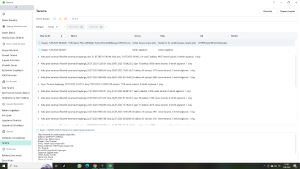
August 1, 20233 yr Football Manager 2020 Epic Games'den aldığım orijinal oyundur. Kaspersky oyunun exe sini siliyor oyuna giremiyorum. Orijinal sitesinden inen oyunu nasıl troyan zanneder?
August 4, 20233 yr HEUR olarak tanımlamış. Karantinadan geri çıakrtıp güvenilir listesine taşıyabilirsiniz. https://support.kaspersky.com/tr/b2c/tr Bu kanallardan biri ile iletişim kurup veya altta verdiğim bağlantıdan ilgili dosyayı yükleyip E-postanızla yanlış alarm olduğunu, incelenmesini talep edebilirsiniz: https://opentip.kaspersky.com/
August 16, 20233 yr Author Solution Ben sorunumu Kaspersky teknik ekibiyle e-posta ile hallettim. Üzerindeki güncelleme ile sorunların çözümlerini hallettiler. Antivirüs şifreleme güncellemelerini indirmeyle düzeltti. İlginiz için teşekkürler. Edited August 16, 20233 yr by haruntasal07 Kelimeyi düzeltmek
Football Manager 2020 Epic Games'den aldığım orijinal oyundur. Kaspersky oyunun exe sini siliyor oyuna giremiyorum. Orijinal sitesinden inen oyunu nasıl troyan zanneder?