

Error "ERR_TUNNEL_CONNECTION_FAILED" [Kaspersky Web Traffic Security]

Entry posted by svc_kms in Known Problem
159 views
Description
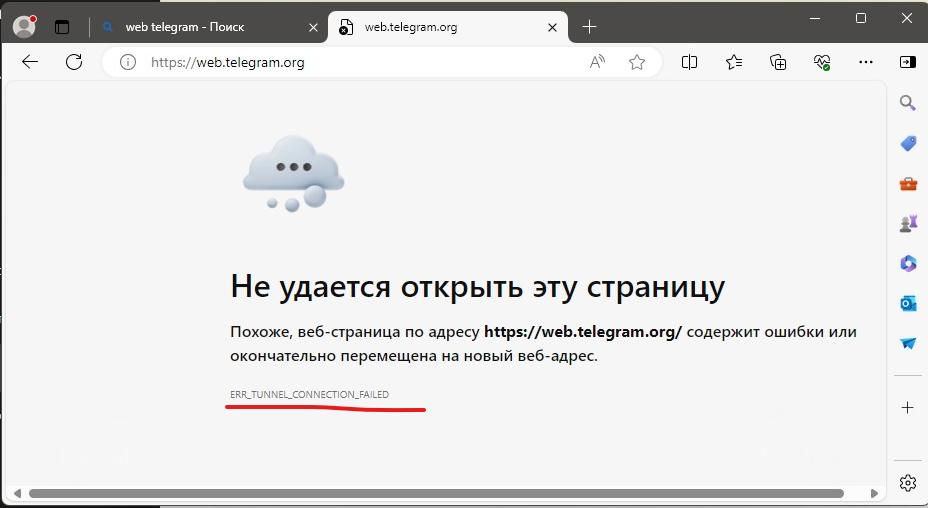
Error looks like this. Blocking via rules works correct, but instead of KWTS blocking page you see an error "ERR_TUNNEL_CONNECTION_FAILED"
Cause
You can read about this in Online help
"The reason for this is that in order to establish encrypted HTTPS connections the user's computer requests from the proxy server a connection to the web server using an HTTP message containing the CONNECT method (hereinafter also "a CONNECT request"). The ability of proxy servers to process CONNECT requests and reply to them is limited at the level of the HTTP protocol. The proxy server can either notify the user about a successful connection, or terminate the connection.
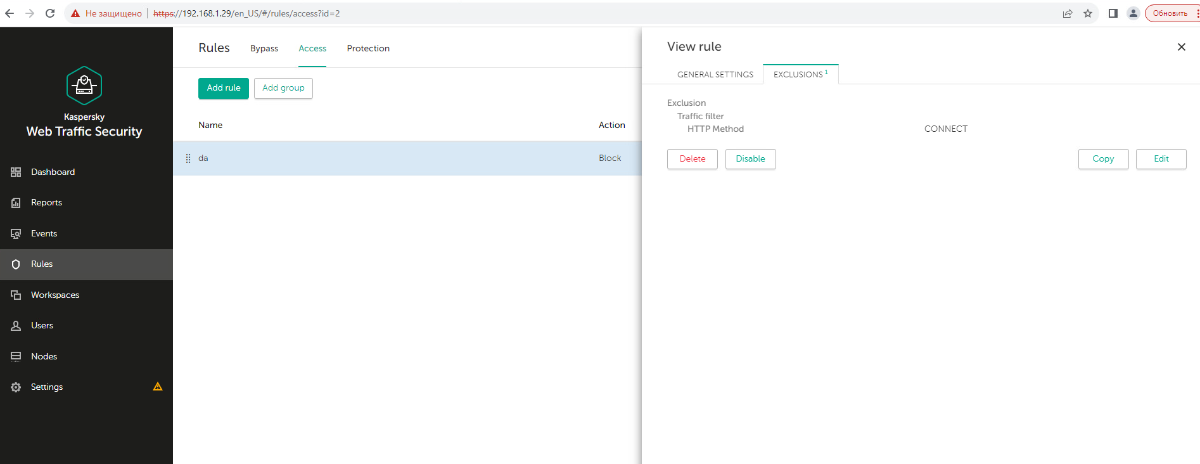
In order for the Block and Redirect to be applied correctly, you need to enable decryption of TLS/SSL connections and add the CONNECT method to exclusions or create a bypass rule for it. If there are no traffic processing rules that allow CONNECT requests, the connection will be terminated."
How to solve
General information - https://support.kaspersky.com/KWTS/6.1/en-US/186283.htm
Step by step:
1. Add a certificate for decryption - https://support.kaspersky.com/KWTS/6.1/en-US/186279.htm
2. Enable decryption - https://support.kaspersky.com/KWTS/6.1/en-US/186340.htm
3. Set the BUMP default action - https://support.kaspersky.com/KWTS/6.1/en-US/186341.htm
3. Create an access rule you want - https://support.kaspersky.com/KWTS/6.1/en-US/171353.htm
4. Add an exception to the access rule. HTTP method CONNECT. - https://support.kaspersky.com/KWTS/6.1/en-US/189214.htm






















0 Comments
Recommended Comments
There are no comments to display.
Please sign in to comment
You will be able to leave a comment after signing in
Sign In Now