

How to unregister KES from context menu of Explorer [KES for Windows]

Entry posted by svc_kms in How-to
177 views
Advice and Solutions (Forum Knowledgebase) Disclaimer. Read before using materials.
This article is about Kaspersky Endpoint Security for Windows (KES for Windows)
Sometimes it is required to unregister KES from context menu of Explorer. Follow these steps:
- Disable self-defense of KES: https://support.kaspersky.com/kes-for-windows/12.10/133797?version=latest
-
Open CMD shell as admin;
ReplaceKES.%version%with the actual KES version in the following commands. For instance, for KES 12.9 it'll beKES.12.9.0 -
Run commands:
regsvr32 /u "C:\Program Files (x86)\Kaspersky Lab\KES.%version%\x64\shellex.dll"

regsvr32 /u "C:\Program Files (x86)\Kaspersky Lab\KES.%version%\shellex.dll"
- Process troubleshooting.
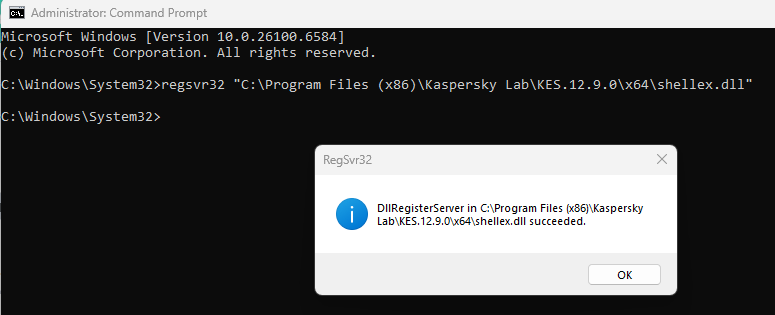
To re-enable it, run in admin CMD:
regsvr32 "C:\Program Files (x86)\Kaspersky Lab\KES.%version%\x64\shellex.dll"

regsvr32 "C:\Program Files (x86)\Kaspersky Lab\KES.%version%\shellex.dll"






















0 Comments
Recommended Comments
There are no comments to display.
Please sign in to comment
You will be able to leave a comment after signing in
Sign In Now