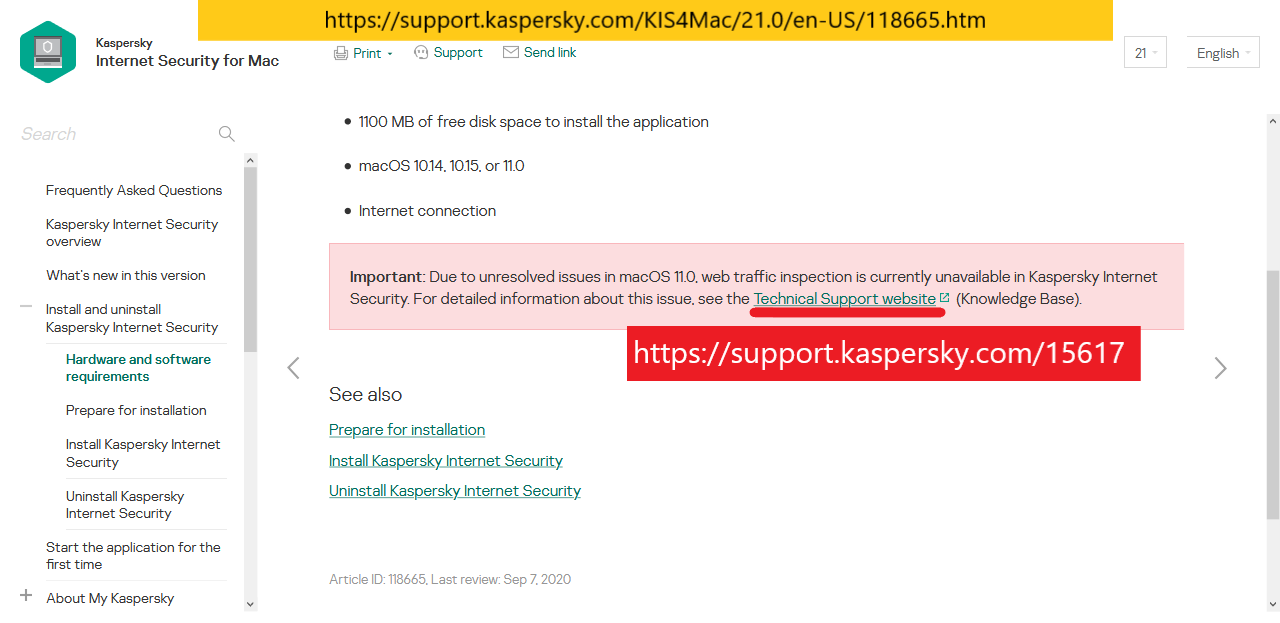
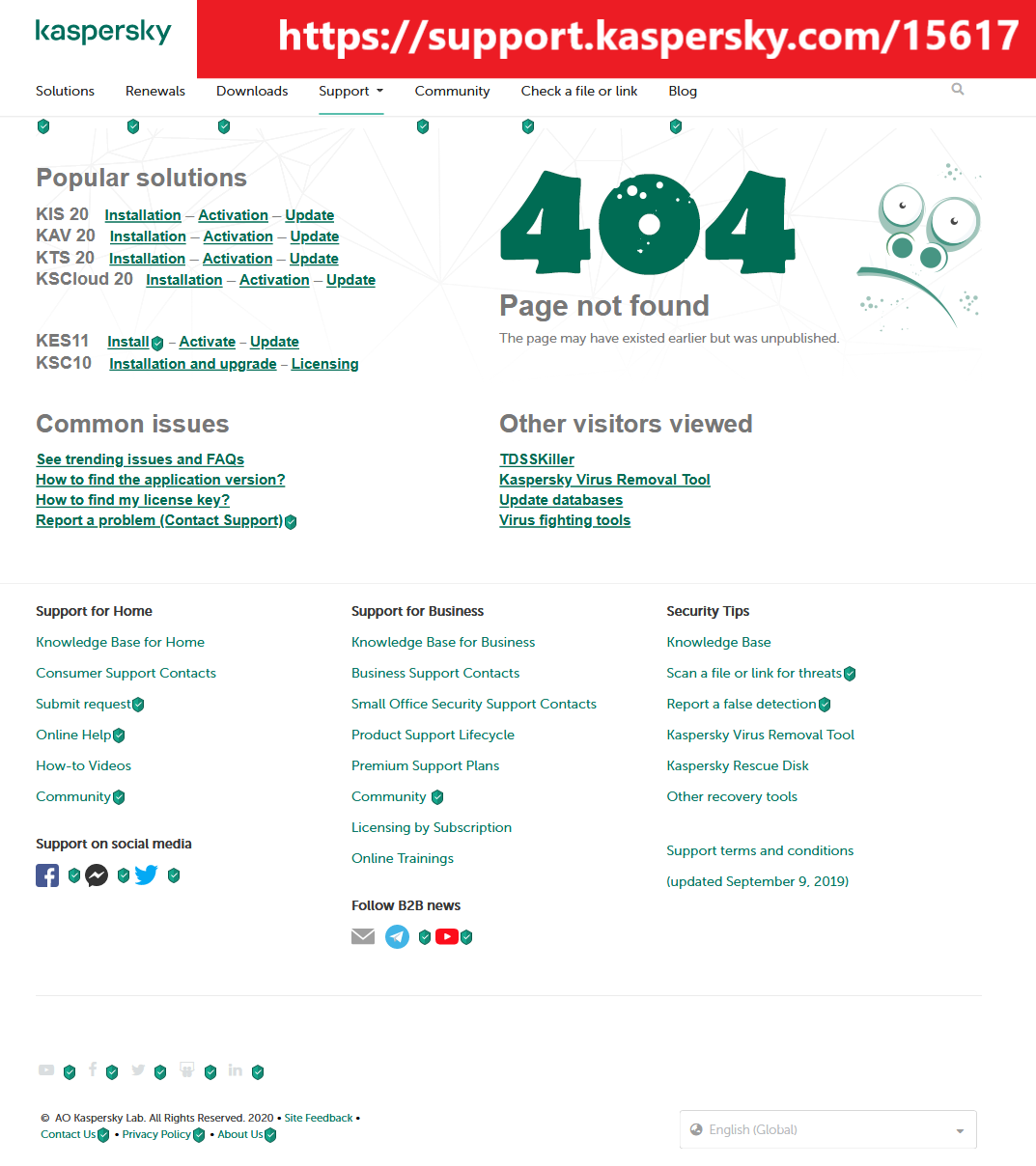
September 8, 20206 yr Hi Flood, Thank you for reporting this 404 error, we will check and fix it, I will keep you informed. Regards,Igor
September 8, 20206 yr Author Hello @Igor Kurzin, Thank you👌 'Also, no Big Sur template Thank you🙏Flood🐳
September 8, 20206 yr Author Hello @Igor Kurzin,The new macOS 11.0 Big Sur is now supported 07/09/2020 Also: How to get System Report on macOS, no BIG Sur 11 Thank you🙏Flood🐳
September 8, 20206 yr Yes, 2021 supports Big Sur. But this OS is still in beta stage and we do not provide support for products installed on beta OS.
September 8, 20206 yr Author Hello @Igor Kurzin,It’s Kaspersky’s documentation.Kaspersky have advised The new macOS 11.0 Big Sur is now supported, dated 07/09/2020, how can Kaspersky support BIG SUR and at the same time, not support BIG SUR?Thank you🙏Flood🐳
September 8, 20206 yr There is no contradiction. Version 2021 supports Big Sur that will be released officially. Beta versions of operating systems can be unstable, there can be enabled some logging/debugging/experimental options, which can cause unpredictable issues. Does it make sense?
September 8, 20206 yr Author No @Igor Kurzin, מה ?Kaspersky have declared, via their documentation, The new macOS 11.0 Big Sur IS NOW supported, they do not say, The new macOS 11.0 Big Sur WILL BE supported.Is now = at the present time or moment.Will be = NOT at the present time or moment. If we’re to “understand” your logic, there’s no point fixing the documentation that is the subject of the topic, bc, clearly, the event to which it refers to, has not yet eventuated?.Thank you🙏Flood🐳
September 8, 20206 yr Okay, let me explain it differently: 2021 version supports Big Sur.At the same time, Kaspersky technical support does not support issues with products installed on beta versions of the operating systems due to the reasons I described above. Big Sur has not been released yet. We do not expect beta testers of Big Sur to submit tickets to Kaspersky technical support.
September 8, 20206 yr Author Hello @Igor Kurzin, Kaspersky’s official help documentation, for all commercially released solutions, not Kaspersky’s documentation for “beta” anything.Kaspersky Internet Security for Mac - What's new in this versionThis Help applies to Kaspersky Internet Security for Mac version 21.Kaspersky Internet Security offers the following new features and improvements:The new macOS 11.0 Big Sur is now supported.Who said anything about “Beta” testers? Oh, we get it, the documentation has been published for users of the Beta portal, don’t think so. Thank you🙏Flood🐳
September 8, 20206 yr Flood, we use the word “support” it two meanings here, which can be a bit confusing: the product supports Big Sur, but the issues on Big Sur are not supported until the os is officially released.The help article implies that if the user has installed a preview version of Big Sur os, Kaspersky product 2021 is expected to work on this os, as this os is supported by the product. Technical support is not provided until the Big Sur os is released. The Big Sur in the drop-down list at my.kaspersky.com will be added later.
September 8, 20206 yr Author Hello @Igor Kurzin, No, the official Kaspersky help documentation does not “imply” anything; the official Kaspersky help documentation categorically states BIG SUR is now supported. Maybe where you are, double speak is par for the course, the fact remains, this topic would NOT have been raised had the documentation been correct 🤔Thank you🙏Flood🐳
September 8, 20206 yr You are absolutely right, BIG SUR is now supported, let’s read together what is said in the help article:This Help applies to Kaspersky Internet Security for Mac version 21.Kaspersky Internet Security offers the following new features and improvements:The new macOS 11.0 Big Sur is now supported.I do not see any double speak here. The article clearly states, that Kaspersky Internet Security for Mac version 21 now supports the new macOS 11.0 Big Sur. We all agree with this, right?
September 8, 20206 yr Author Yes @Igor Kurzin,And, we all know, Kaspersky only supports commercially released operating systems, Kaspersky does not support “beta” anything. Accordingly, to use your word, the documentation “implies” BIG SUR is supported, if Kaspersky supports BIG SUR it could not possibly be supporting BIG SUR beta, as Kaspersky does not support beta anything. Clear as mud🙄Thank you🙏Flood🐳
September 9, 20206 yr Fixed this one by removing the URL from the article. The URL was to an article that has not yet been published. As soon as the right moment comes, the URL will return along with the needed article. Thank you.
September 9, 20206 yr Hello @Igor Kurzin, Thank you👌 ' Also, no Big Sur template Thank you🙏 Flood🐳 This one will be added later. Thank you.