Skip to content
View in the app

A better way to browse. Learn more.

Kaspersky Support Forum

A full-screen app on your home screen with push notifications, badges and more.

To install this app on iOS and iPadOS
  1. Tap the Share icon in Safari
  2. Scroll the menu and tap Add to Home Screen.
  3. Tap Add in the top-right corner.
To install this app on Android
  1. Tap the 3-dot menu (⋮) in the top-right corner of the browser.
  2. Tap Add to Home screen or Install app.
  3. Confirm by tapping Install.

Kaspersky 2020 | Parche D

  • Author
Hola. Me ha llegado el parche 'd' Hay info en la web en Inglés. En la española no.
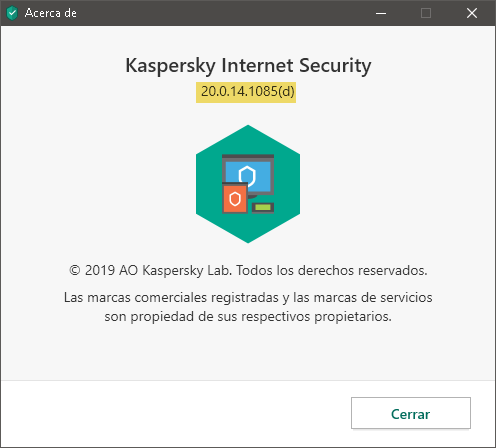
Patch D fixes the vulnerability which could be used for acquiring unauthorized permissions in Windows.
Slds.

Featured Replies

Sí, se está desplegando desde hace unos días, es un parche especial para corregir una vulnerabilidad, ni siquiera ha pasado por la fase de beta testing público. Saludos.
Hola, Para variar no lo he recibido todavía :grinning:. Saludos

Please sign in to comment

You will be able to leave a comment after signing in

Sign In Now

Account

Navigation

Search

Search

Configure browser push notifications

Chrome (Android)
  1. Tap the lock icon next to the address bar.
  2. Tap Permissions → Notifications.
  3. Adjust your preference.
Chrome (Desktop)
  1. Click the padlock icon in the address bar.
  2. Select Site settings.
  3. Find Notifications and adjust your preference.