Search the Community
Showing results for tags 'windows 10'.
Found 755 results
-
 Greedisgood posted a topic in 家用产品支持2022.10.26日WIN10系统升级后, 系统开机变慢(登录页面回车后,7-8秒才出现PIN输入框) KASPERSKY PASSWORD MANAGER无法正常启动,开机一分钟,跳出输入密码的框,鼠标放在上面转圈圈 过了两天才意识到,系统升级变慢和卡巴斯基可能有关联,求帮助 -----------------------------------------------------------------------------------------------------------

-
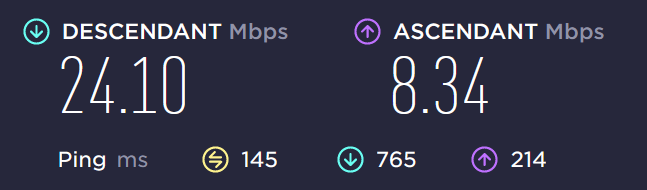
 jhonny7 posted a topic in Kaspersky VPNEvery time I turn on Kaspersky VPN Secure Connection. I can't even surf the internet because it gets slow. I am physically connected to internet, and I always set the option to connect to the fastest servers which normally assigns those servers in my country, but the problem continues. Using the VPN Not usign the VPN

-
 Tuzsf posted a topic in Kaspersky Security CloudHi I'm just delete kaspersky for a minute ago. I use a normal medthod to delete it. I had uninstall with control panel and i not sure is 100% deleted even in the page of app is not show kaspersky any more.so i use kavremover also and is show "removed operation finished, you need to reboot your computer".then restart my pc agian, everything is normal. Is okay that use 2 medthods to uninstall app even it completely deleted in the first medthod? I'm sorry for panic easily. Thank you
-
 Freya posted a topic in Para usuarios particularesMe acabo de comprar una clave de 1 solo dispositivo, pero me gustaría instalar kaspersky en otros 2 dispositivos. Puedo comprar otras dos claves y añadirlas a esta cuenta para tener 3 dispositivos en total? No estaba segura de si me daria problemas o no hacerlo asi
-
 alexscunha posted a topic in Para casaOlá, Estou tendo um problema com a Kaspersky Premium relativo a execução de robô de trading em meu computador. Antes eu usava o Kaspersky Total Security e isso não acontecia, isso veio a ocorrer após a atualização para o Kaspersky Premium. O problema é o seguinte: Me parece que o antivirus está bloqueando a execução do robô de trading, então as ordens de compra ou venda não estão sendo executadas. Eu já tentei configurar o programa que eu uso, no caso, Profit Pro da Nelógica, em diversos gerenciamentos de segurança como confiável, mas mesmo assim estou tendo este problema. Eu adicionei o Profit Pro da Nelógica como confiável nos seguintes locais: Configuração da Prevenção de Intrusões > Gerenciar aplicativos > Restrições e em coluna Rede > Permitir Configuração da Prevenção de Intrusões > Gerenciar recursos > Exclusões e em coluna Status > Ativar o controle Configurações do Firewall > Regras para aplicativos > Regras de Rede de Aplicativos e em coluna Rede > Permitir Antivírus de Arquivos > Configurações Avançadas > Gerenciar Exclusões > Especificar os aplicativos confiáveis e em coluna Status Ativo Antivírus de Arquivos > Configurações Avançadas > Gerenciar Exclusões > Gerenciar Exclusões > Exclusões e em coluna Status Ativo IMPORTANTE!!! Em Configuração da Prevenção de Intrusões > Gerenciar aplicativos > Restrições eu cliquei o com o botão direito em cima do software e fui em Detalhes e regras > Exclusões: [Marcado] Não verificar arquivos antes de abrir [Marcado] Não monitorar atividades do aplicativo [Marcado] Não monitorar atividades de aplicativos secundários 1) - Não sei mais o que fazer, pois na versão anterior ao kaspersky Premium(Total Security me refiro) eu não tinha nenhum destes problemas. Creio que seja algumas verificações novas de segurança que foram acrescentadas que estão interferindo na execução do robô de trading que eu uso por meio do software Profit Pro da Nelógica. Estou tentando excluir o programa de todas as verificações do anti-virus, mas mesmo assim está difícil fazer funcionar. 2)- Mesmo desativando o anti-virus, mesmo assim parece ter alguma alguma interferencia. Não sei se o antivirus fica excluindo os arquivos do robô, pois já aconteceu de eu ter de recria-lo na hora de executar, e algumas vezes até voltou a funcionar, mas logo depois não consigo usá-lo de novo!!! O que eu gostaria com este post é que alguém me ajudasse a fazer todas as configurações necessárias, para que o antivirus não interfira na execução do robô de trading, Por favor! Muito Obrigado pela atenção!
-
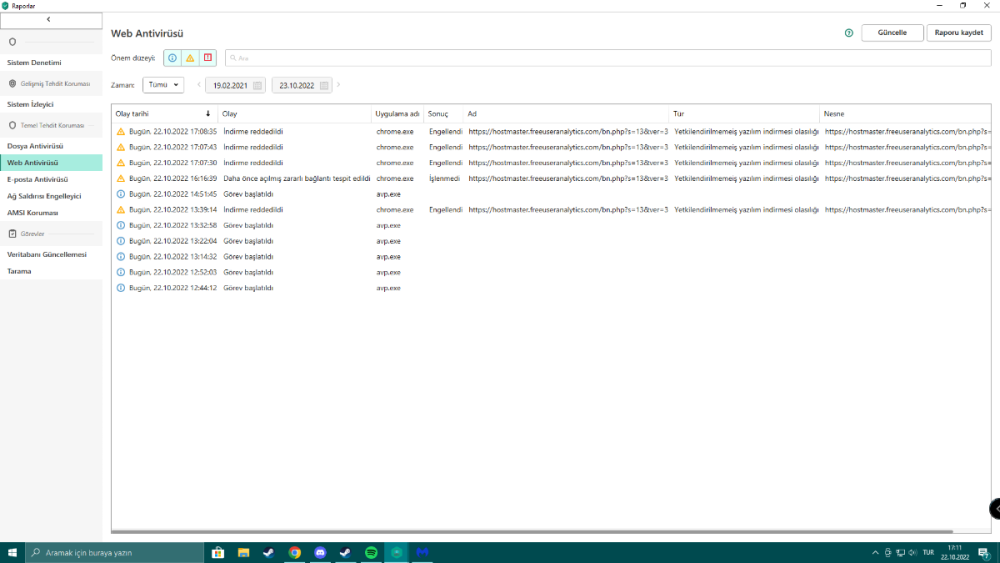
 berk bağ posted a topic in Kaspersky Anti-Virusbu hata chrome da google da arama yaparken oluyor usb ile temiz format attım hala oluyor
-
 ERALDO posted a topic in Para casaAtualizei assinatura no celular, todos os dados do cofre sumiram, e instalei no NOTEBOOK
-
 kaspernoob posted a topic in Kaspersky Security CenterВ ksc 13 не отображаются никакие устройства в закладке доверенные устройства. При вводе hwid устройства (usb носителя) и ввода имени компьютера результат также нулевой. При выборе способа добавления(по идентификатору, по модели, по маске идентификатора/модели) аналогично Что может помочь?
-
 LethalAspect posted a topic in Kaspersky Internet SecurityAnyone know what are the other apps that work with mail antivirus and anti spam? Thanks
-
 Morayma Nazarí Amaral posted a topic in Para usuarios particularesMi sistema operativo es Windows 10 Home Mi versión de Kasperky es la 21.3.10.391 (j) Hola. Desde hace unas semanas/meses, vengo observando que las bases de datos no se actualizan de manera automática, a pesar de estar habilitada esta configuración. Se actualizan cada dos días y hay veces en que tengo que hacerlo a mano.

-
 TimI posted a topic in Virus and Ransomware related questionsRunning Windows 10 64 bit. Have Kaspersky Total Security On Oct 16, 2022 I went on my AOL Gold account and deleted emails because I had been away for 2 weeks. Had no problems. On Oct 17 I tried opening AOL and it would not start. It would come up on the screen and just freeze before it just closed itself. I than got a notice from Kaspersky that I had a threat to my system that needed to be disinfected. After the disinfection occurred and restart was done my AOL was gone. I ran a full scan and also windows malware removal tool. Nothing was found. I then proceeded to reinstall from the internet my version of AOL Gold. After I tried to log on to AOL I get the same computer needs to disinfect a threat. Again it deleted my AOL from my computer. I tried a roll back but it would not complete the roll back to Oct 16. Was there a update done between the 16th and 17th that may be causing me this problem? Any help would be appreciated
-
kaspernoob posted a topic in Kaspersky Security CenterВ определенной группе (в которой всего 2 устройства) при помощи ksc 13 создаю политику, в которой включаю контроль устройств и запрещаю доступ к съемным носителям. Принимаю политику, она успешно применяется на устройствах в группе, но любое устройство при подключении USB носителя работает в обычном режиме, то есть доступ разрешен. Также делал с запретом на использование CD/DVD дисков результат тот же. Что можно сделать?
-
 Darthplagueis13 posted a topic in Kaspersky Total SecurityI recently wanted to play a bit of Overwatch 2, so I installed both the game and the battle.net launcher. After a few hours, the launcher was suddenly not able to connect to the internet anymore. I could still play the game if I started the launcher in offline-mode but later that evening, the game got an update, which the launcher was incapable of downloading. I tried re-installing the launcher in order to see if maybe there had been a faulty installation only to find that I could no longer install it whatsoever. After contacting Blizzards technical support and doing a bit of trouble shooting, they suggested that the cause of the network issues might by Kaspersky and that I should see if it would work if I uninstalled the program. So I did. And it did. So now I'm wondering: 1: Does Kaspersky Total Security inherently cause network issues for battle.net and 2: if yes, if there is some kind of setting or option in the program to circumvent that issue? So far, I have been pretty happy with Kaspersky and I don't really want to have to pick between getting to play a game I enjoy and benefitting from the added protection that I paid for.
-
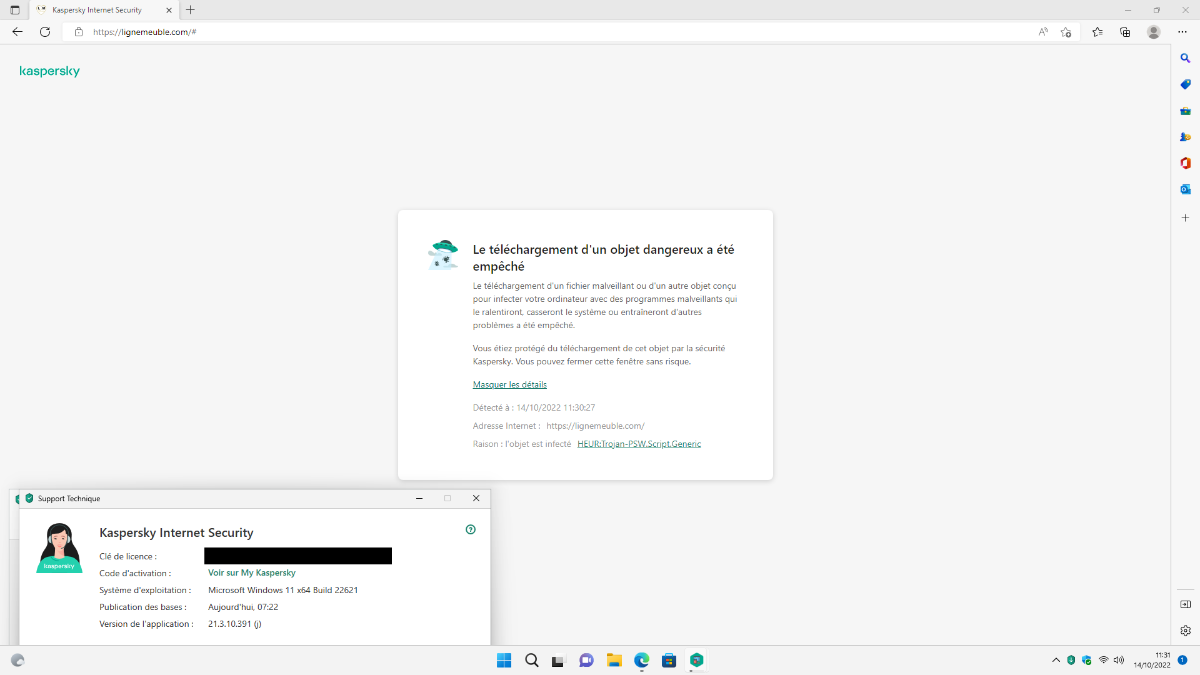
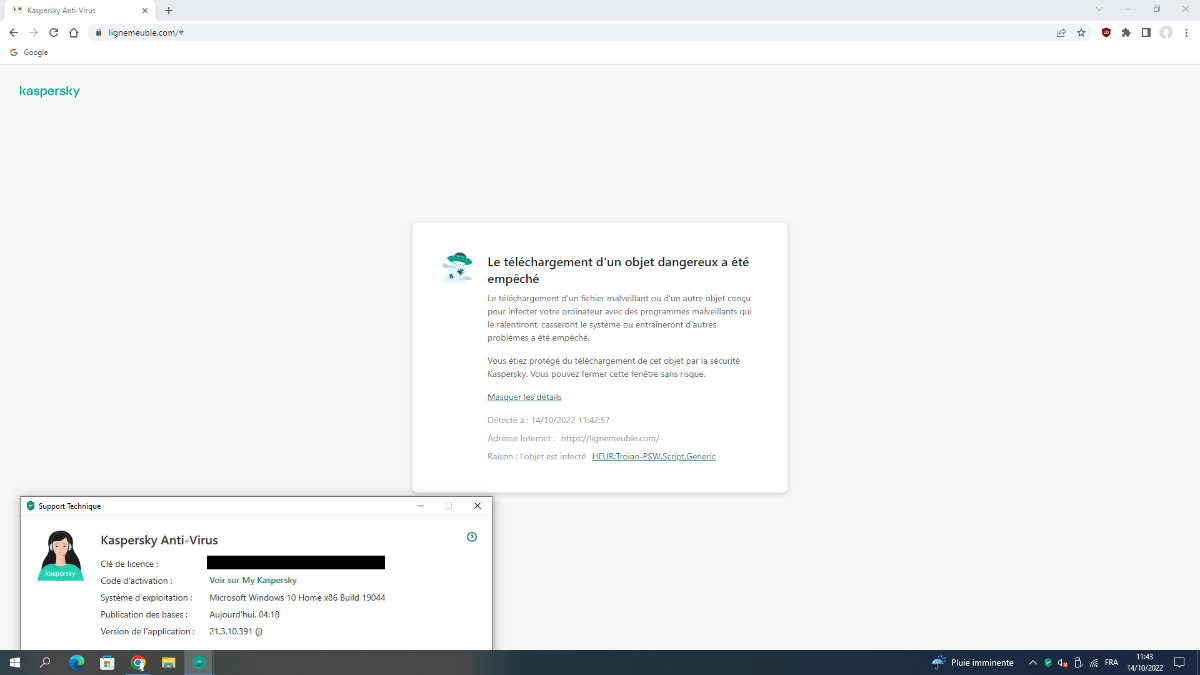
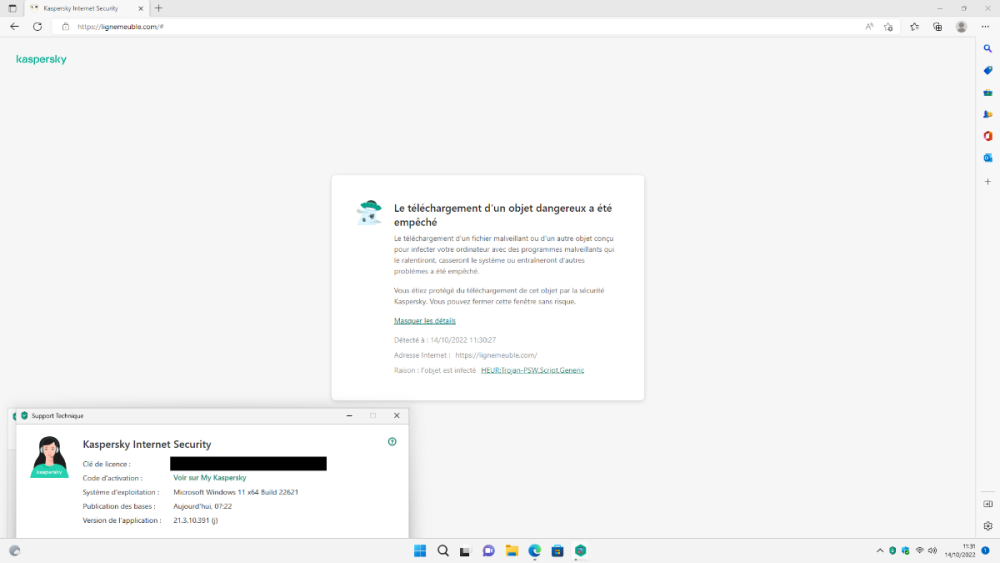
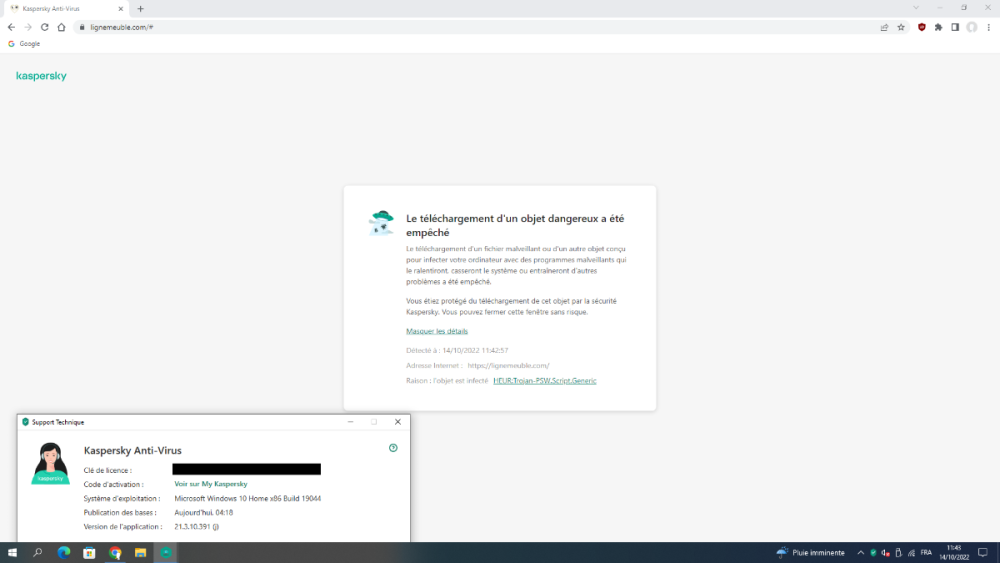
 mat123 posted a topic in Virus and Ransomware related questionsHello, Kaspersky is blocking a trojan when I try to access the following website : https : // lignemeuble . com/ And I can't access the website with computers that have Kaspersky installed. I can access the website on computer without Kapsersky, or if I disable Kaspersky. The problem could be replicated on an two different computers. Computer 1 : Windows 11 x64 build 22621 Kaspersky Internet Security version 21.3.10.391 (j) Microsoft Edge Computer 2 : Windows 10 Home x86 build 19044 Kaspersky Anti-Virus version 21.3.10.391 (j) Google Chrome See attached image "Computer 2 with extra info.png", to see the full Kaspersky message. Infected object : HEUR:Trojan-PSW.Script.Generic Is it a false positive ? If yes, can you fix the problem ? Thank you, mat123
- 2 replies
-
- windows 10
- windows 11
- trojan
- kav
-
Tagged with:
-
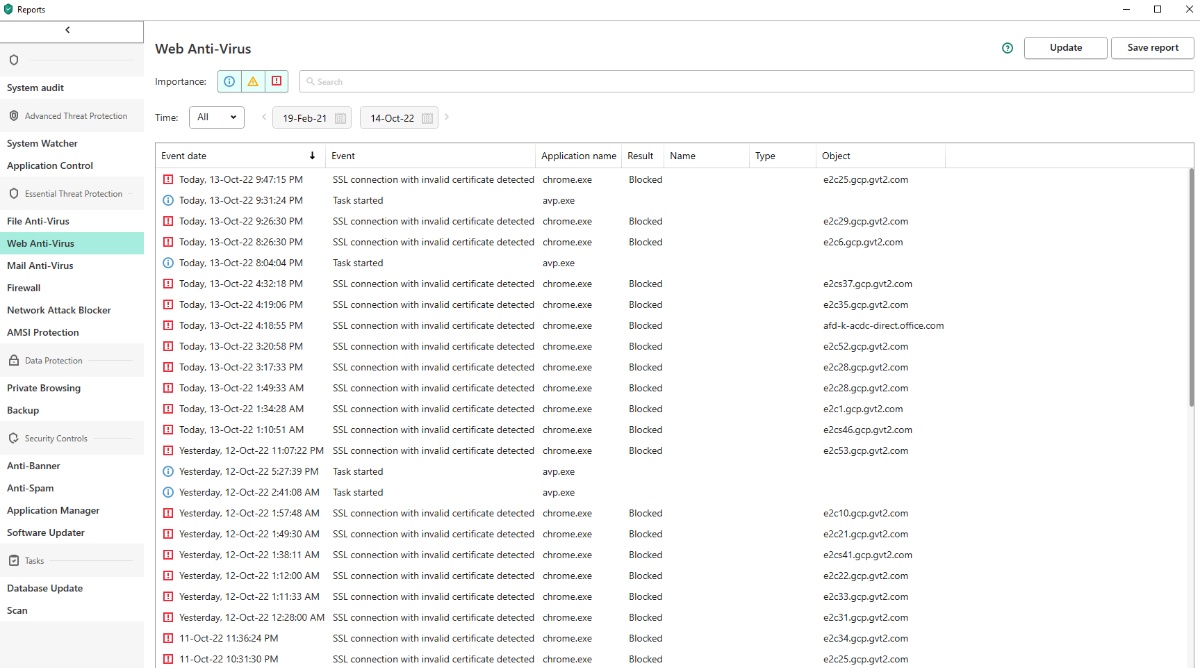
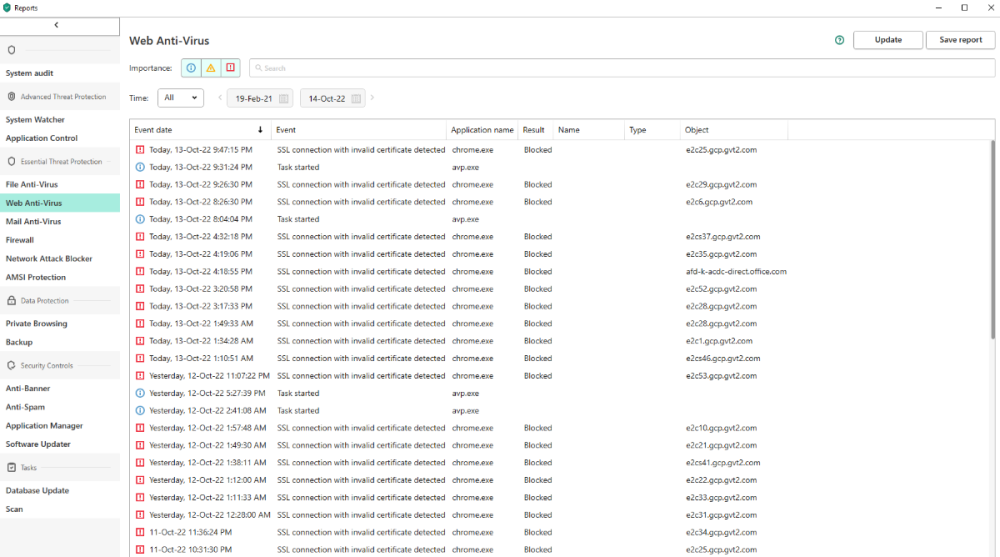
D3H posted a topic in Kaspersky Total Securityseeing this, should i do somhting ? or be worried?
-
 Тимур Бочаров posted a topic in Kaspersky Total SecurityЗдравствуйте, у меня есть вопрос -- можно ли отключить защиту антивируса на время? Просто нельзя зайти никуда и всё. Хочется просто ОТКЛЮЧИТЬ НА ВРЕМЯ! Не удалить антивирус.
-

kaspersky premium Isso quer dizer que a minha verificação em segundo plano não está rodando? (imagem incluída)
ale111 posted a topic in Para casaDiz que a verificação em segundo plano foi interrompida há 19 horas atras em 56%. Isso aconteceu depois de ter encontrado 6 positvos (trojan generico) na pasta temp do Windows. obg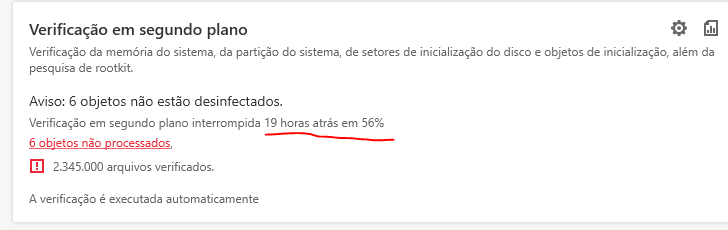
-
 ubnt posted a topic in Kaspersky Password ManagerActivate the password tool in more than one Gmail account belonging to the same person.

-
 yong posted a topic in 家用产品支持卡巴斯基安全部队的激活码超过激活次数求重置激活次数,现在无法激活软件,使用期限时间还未到,系统是WIN10专业版,账户和email是 *****@*****.tld

-
 roso posted a topic in Kaspersky FreeWhat is wrong with this antivirus program? I've been using it for a couple of years, no issue. For the past few months, it's been updating multiple times a day requiring program restart. When I click yes to restart the program, it restarts then silently disables itself. I look in my system tray and there's a red Kaspersky icon. I click on it and it says the program is disabled and I have to manually enable it. WTF? Why should I have to manually enable an antivirus program that I did not disable myself? And 5 minutes after I re-enable it, I get another pop up telling me about a new update requiring restart. AGAIN? WTF? Never had to deal with this crap before. Any idea what is going on or how to fix it? Thank you.
-
 Tashdeed posted a topic in Kaspersky Security CloudHere's an interesting article I have read recently regarding "malware hiding inside images". https://gizmodo.com/malware-images-virus-photos-pictures-how-block-antiviru-1849572516?fbclid=IwAR0bD94-LvGKCbznJ0Dh2wNH3xb_BFz0F-sJDAX92MKtqfY7UiKtUcQHHlo I personally did not know about this until recently. I didn't know that this was possible. But of course, this technique makes sense because images are clusters of data and there's data within the data. My question is simple, as the heading implies. Can Kaspersky security suite of software scan images for malware? I've kept website scans of all URLs enabled and I want every website that I visit to be scanned by my Kaspersky antivirus. I want to know, do Kaspersky's anti viruses also scan images along with the URLs on elsewhere on a website? If not, are Kaspersky working on this feature right now? If not, then my request would be to work on this. Thanks.
-
 Sam Hobbs posted a topic in Kaspersky Total SecurityDoes Kaspersky look inside the Docker VM? See Hiding malware in Docker Desktop's virtual machine - Atlassian Community. That article says enough to know there is reason to be concerned but not enough for me to know much more. The important thing is that if Kaspersky does not look inside the Docker VM then it is entirely useless protection from that vulnerability.
-
 Onur posted a topic in Ev için
 qureromay posted a topic in Вопросы, связанные с вирусами и шифровальщикамиДоброго времени суток. У меня такая ситуация: Я начал авторизовываться в своей почте mail.ru и у меня стоит 2FA и номер телефона. Приложение mail.ru на телефон, перед сканированием qr-кода для успешного входа, красный текстом написало: Проверьте адресную строку (что-то типо такого). Я вроде как проверил, все норм. Но, меня испугала эта красная надпись и теперь я паранойю, что авторизовался на фейк-сайте. И меня взломали. Хотя телефон и 2FA привязаны к почте. Судя по логам IP-шников и входов mail.ru что доступны в настройках, везде вроде как мой IP-шник. Наглядных причин взлома почты я не наблюдаю, то есть не странных писем, не SMS-уведомлений на телефон не приходило. Вопрос вот в чем, у меня стоит Касперский, но самый-самый простой. Разрешил бы мне Касперский открыть фейк-сайт? Или же он его бы сразу заблокировал? И еще вопросик: Если у меня на почте привязан номер и 2FA, меня возможно ли как-то взломать, войти на почту, угнать другие аккаунты. Если у меня везде номер телефона и 2FA? Спасибо за ответы, удачного времени суток.
 Vidoc3000 posted a topic in Kaspersky Endpoint Security для бизнесаДобрый день. Подскажите кто сталкивался с такой проблемой и как правильно ее решить: Стоит KSC 13, агенты и KES 11.10.0.399 все настроено и работает прекрасно, но к свичам SNR не хочет подключаться... Открывается страница ввода пароля и после ввода пароля соединение рвется. Методом научного тыка нашлись 2 виновника (защита от веб угроз и анализ поведения). Ранее общались с тех. поддержкой по решению данной проблемы, даже 2 патча получали, но это не помогло. Временное решение: создал профиль для нужных пк и отключил эти компоненты. Самое интересное что из-за анализа поведения приходится чистить кэш браузера, чтобы заработало (без этого даже с отключеным касперским воспроизводится такая ошибка!). P.S. исключения добавлялись во всевозможные места, но толку не было. В настройках защита от веб угроз > действия при обнаружении угрозы видимо не работает пункт "информировать"...