Search the Community
Showing results for 'update' in content posted in the last year.
Found 522 results
-
 AngryAlpaca replied to AngryAlpaca's topic in Kaspersky: Basic, Standard, Plus, PremiumI have tried a clean install to no avail. Do feel my symptoms were better associated in the thread youve moved me from. Like DNS related stuff. Have opened a ticket with Support. Just to be clear to anyone else who may be experiencing this the issue is that Whilst CONNECTED to the VPN. The following does not work at all or as intended. Duckduckgo. Cant access their website or use their search engine within a browser. Connection hangs and terminates Indefinitely. X App. Twitter not loading or refreshing its feed properly or loading the Grok Component. Discord. Could not share images from gallery into the app, paste images or load gifs from the gif interface. Somthing causing a blockage to their media servers. App Stores. Could not load Galaxy or Play stores properly. gmail.com - Connection hangs much like duckduckgo. App however works fine. And to be crystal clear every single one of these things has worked fine on vpn on android on a s22 for a year. Until forced update yesterday. The only thing I could see to do on my end was enforce cloudflare DNS which seemed to get 1 or two things to work but alot of these problems remain.
-
 Guest posted a topic in Kaspersky: Basic, Standard, Plus, PremiumGood morning, I'm contacting you for some information. Is it correct that after installing Kaspersky Standard, Windows Update continues to search for and install "Security intelligence updates for Microsoft Defender Antivirus"? I also noticed that Microsoft Defender Antivirus runs a scheduled scan once a week. My question is, should Microsoft Defender Antivirus be disabled automatically, or can it work with Kaspersky Standard? First of all, in the "Windows Security" section, both under Virus & threat protection and under Firewall & network protection, it notifies me that Kaspersky is enabled.
-
 User23837 replied to User23837's topic in Kaspersky VPNstatus update: the devs now have my data, looking good 😁
-
Guest posted a topic in Utenti privatiBuongiorno, vi contatto per una informazione. E' giusto che dopo aver installato Kaspersky Standard, nella sezione Windows Update continua a cercarmi e installarmi gli "Aggiornamento dell'intelligence sulla sicurezza per Microsoft Defender Antivirus"? Inoltre ho notato che una volta a settimana, Microsoft Defender Antivirus esegue una scansione pianificata. Domando, Microsoft Defender Antivirus avrebbe dovuto disattivarsi in automatico o può cooperare con Kaspersky Standard? Premetto che nella sezione "Sicurezza di Windows", sia in Protezione da virus e minacce, sia in Protezione firewall e della rete mi notifica che Kaspersky è attivo.
-
 Hi @Ale.x New versions are installed automatically. BTW some users force installation with new version (manually downloading and installing). This is standard automatic process update. Some people which have no experience about pc etc using an old version maybe 2 years old versions. So kaspersky wants give you latest version with latest newest technology. This is not bad this is good, good for you. And bonus at the end upgrades are FREE.
-
 Gracias por su mensaje. Esas notificaciones, son de Windows Update. Microsoft gestiona desde siempre este tipo de distribución de actualizaciones para sus componentes (de sistema) y en ciertos casos de controladores del PC. Su suscripción de Kaspersky, le permitirá desde la interfaz del producto, encontrar vulnerabilidades para muchas de sus aplicaciones instaladas. Para más información: Cómo buscar vulnerabilidades en aplicaciones instaladas en su equipo
-
User23837 replied to User23837's topic in Kaspersky VPNstatus update: they understand its a problem support cant fix and have passed the info to kaspersky upper management (hopefully the devs) 🥳🎉
-
User23837 replied to User23837's topic in Kaspersky VPNstatus update: they asked for wireshark logs KSeC traces and a video recording while the dns lookup failed. did that this morning, expecting a reply by midnight so i should get a confirmation that they understand the issue by tomorrow. 👍 guessing it will take another week to fix.. im surprised QA didn't spot this. this has been happening since i updated around the start of the month for me.
-
 MightierPen replied to MightierPen's topic in Kaspersky: Basic, Standard, Plus, PremiumIt's windows 10, with brave. Brave has no restrictions, just the file manager. So I'm asking if there is any file type exception rules somewhere? To not allow any network traffic from the file manager, except for .url files. And preferrably only if executed by the current user, not by the system or trusted installer or any other user. If I first open brave then use the file manager to run a shortcut file it works fine. But if it's inheriting the file manager restriction, even though brave is running it should be blocked. Something isn't right about that. Yes, so I'm asking for an allowance of .url file types only from the file manager, to not inherit the restrictions for that file type only. ? That's not a bad idea. I could watch wireshark when updating an app then copy over those credentials. But doing that for all my apps, it's probably less work to just manually allow them every update time. I wouldn't have to do this if Kaspersky would just block apps when I'm not using them and auto allow them when I am. Why does no one do this? It's seems like basic common sense. To not let apps run roughshod over my computer in the background, when I'm not using them at the time.
-
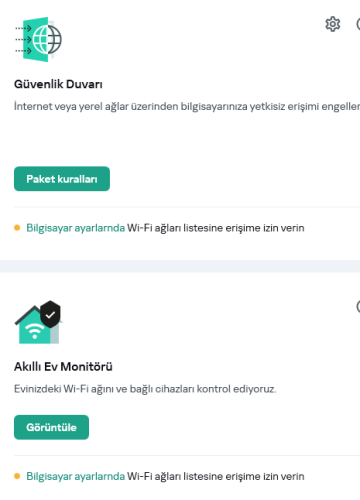
 ev_kullanicisi posted a topic in Ev içinMerhaba, Bilgisayarım kendisini Windows 11'e update etti. Windows 11'de Konum hizmetini kapalı olarak tutmak istiyorum fakat bu esnada Kaspersky Güvenlik Duvarı ve Akıllı Ev Monitörü özellikleri çalışıyor mu? emin değilim. ki bana çalışmıyor gibi geldi. Ekte Kaspersky ekran görüntüsünü paylaştım, şu anda Konum hizmeti kapalı. Konum hizmeti kapalıyken Kaspersky'ın bu özelliklerinin Windows 11'de çalışmasını nasıl sağlarım? Teşekkür ederim, iyi çalışmalar..
-
 @Shuo Feng " Hello, URL was removed from blocklist. It will be fixed in the next update. Thank you for your help. Best regards, Xxxxxxxxx Xxxxxxxxx, Malware Analyst 39A/3 Leningradskoe Shosse, Moscow, 125212, Russia Tel./Fax: + 7 (495) 797 8700 "
-
 Just download the installer in English, have You checked this pinned post: https://forum.kaspersky.com/topic/how-to-install-or-update-kaspersky-apps-for-android-in-2025-53440/#comment-200273 https://support.kaspersky.com/common/beforeinstall/16085
-
 ROL81 replied to ROL81's topic in Kaspersky: Basic, Standard, Plus, PremiumThank you. I only posted here because it was the only post I've found with a very similar scenario and I couldn't get any useful update/response from Kaspersky support so I gave up. And just for the record, in my case, removing the Kaspersky Firefox browser extension fixed the issue.
-
Patch "A" voor Kaspersky MR23 wordt momenteel uitgerold. De automatische update wordt geleidelijk aan vrijgegeven.
-
 NightWlkr replied to User23837's topic in Kaspersky VPNBump update: The issue is still ongoing. I had to revert to a different reputable VPN, which works without any issues btw. Just putting it out there in case anyone (incl. devs) were wondering.
-
 AI-SON replied to Straider2's topic in Kaspersky Security CenterHi, Its 2025, is there an update on this. It would be useful if the BIOS Serial can be included on the Hardware registry report. Is this possible?
-
 Please update your server 2012 to latest version , follow this guide, https://forum.kaspersky.com/topic/netagent-installed-but-not-connecting-to-ksc-in-server-2012-r2-advices-and-solution-55213/
-
@jennylascala I suppose that you didn't do anything wrong , here is the verdict. " Hello, URL was removed from blocklist. It will be fixed in the next update. Thank you for your help. Best regards, Xxxxxxx Xxxxxxxxxxx, Malware Analyst 39A/3 Leningradskoe Shosse, Moscow, 125212, Russia "
-
User23837 replied to User23837's topic in Kaspersky VPNHey Danila, is there a way to download and install older versions of kaspersky vpn? specifically the one before this wire guard update? I would like to roll back to the old one while the new one gets sorted out ^-^ for windows users who were lucky enough to make a recovery backup with the older vpn version could try that. also is there any time estimate of when the problems will be fixed? like how will we know unless we keep trying to use the new broken vpn?
-
NightWlkr replied to User23837's topic in Kaspersky VPNMight wanna be careful swapping out that DNS. That being said, DNS IS messed up since the update yeah. We need a fix please and thank you. 😉
-
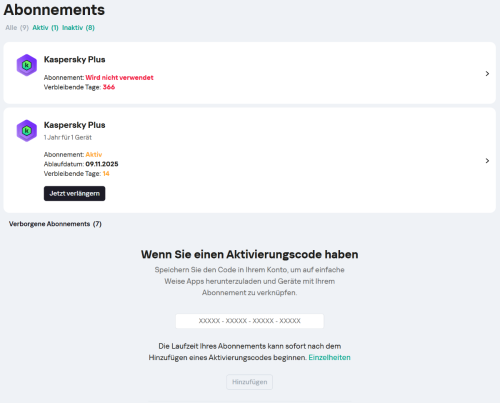
 CondorH replied to Blacklandy's topic in Für PrivatanwenderUpdate: Die neue Lizenz wurde nicht automatisch übernommen. Ich musste am Ablauftag, der neuen Lizenz ein „neues Gerät“, also wieder meinen schon bekannten PC zuweisen. Dazu musste ich auf die neue Lizenz klicken und ein Installations-File downloaden und installieren, wobei meine Einstellung von Kaspersky Plus übernommen wurden. Dies hätte auch unkomplizierter durchgeführt werden können! Früher wurde eine neue Lizenz als „Reservecode“ eingetragen und automatisch übernommen. Gruß
-
 fabiodanzetta replied to fabiodanzetta's topic in Kaspersky: Basic, Standard, Plus, PremiumHi @Flood and Flood's wife, In fact, I also wrote to support yesterday. I'll update you as soon as I hear from them. Thanks