Search the Community
Showing results for 'Quick Launch Keyboard'.
Found 1791 results
-
 Sene Alukard posted a topic in Ev içinIs there a way to blocking starting Quick Scan or Full scan from website?
-
 OldPossum replied to OldPossum's topic in Kaspersky VPNI didn't say I found a solution to the problem I still have now. One I had before was also related to proper functioning of Kaspersky VPN. After about a month of correspondence with the tech support, when they requested tons of reports and screen copies and, finally, as a solution, suggested re-installing the software and Windows (!!!), I found out that the problem could have been resolved in a very simple and quick way - I had Kaspersky Security Data Escort Adapter (or whatever it was called at that time) disabled, switching it back to life immediately resolved the problem. The other one was with having Kaspersky Password Manager linked to one account on multiple devices with access by multiple users, which, without any warning led to mix up of all passwords and sharing them between the users (!!! security at its best). It turned out such use was not anticipated by creators of the PM and no measures taken to prevent such event. Kaspersky tech support could only explain that such use was not expected and as a solution suggested to purchase multiple copies of the PM. Finally, I had to resolve the problem myself, but how I did that, I can't recall now.
-
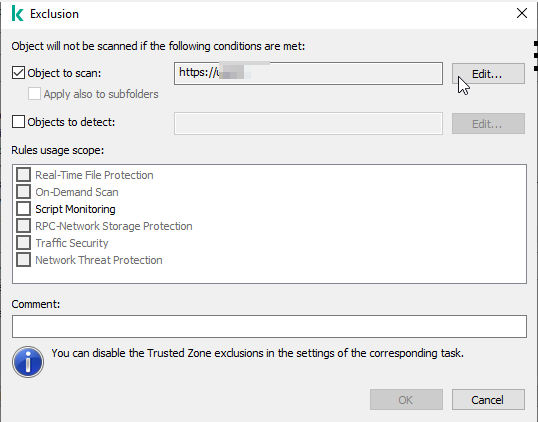
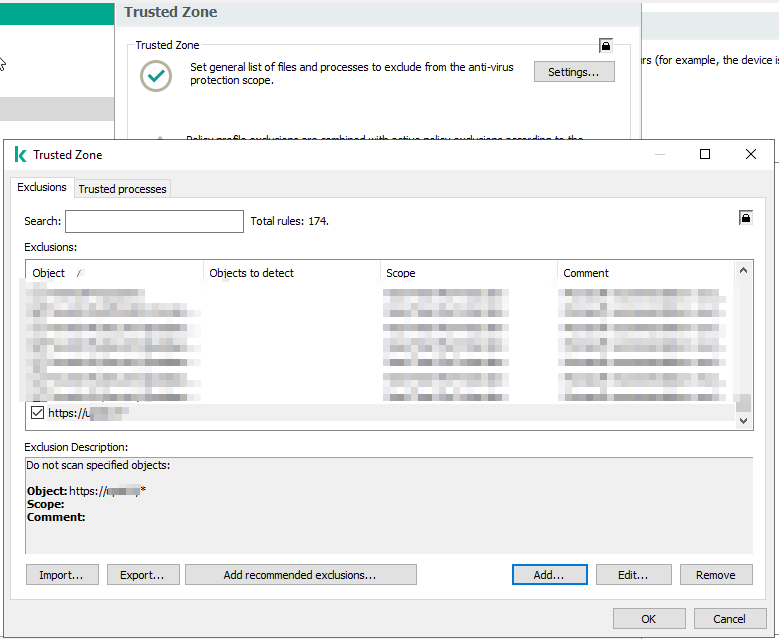
 Bobhond replied to Bobhond's topic in Kaspersky Endpoint Security for BusinessThank you for your quick response! I selected "Objects to detect" because it was the only way where I could select "Traffic Security" under "Rules usage Scope". Otherwise this option is greyed out. Adding the rule without selecting anything seems to do nothing:
-
 pwbc replied to pwbc's topic in Kaspersky: Basic, Standard, Plus, PremiumI think it might related to display resolution, as it works fine on my sons computer, which is set at 1440. My computer is 2160 and the "i" key does not register at all. I boot use Ctrl-Alt-Shift-P to load, to close I have from the taskbar as the "X" does not register on the keyboard. As a work around I use the Microsoft Virtual Keyboard, which works but seems to cause the mouse to lag for a few seconds
-
 Hello @Kishardon, You're most welcome! Thank you for posting back & the information. We shared that the issue is longstanding (for others) not you. Agreed & it's supposed to have been fixed in this new release. Your best course of action is to log a request with Kaspersky support, so a dedicated resource can be allocated to look at it. On the support page: https://support.kaspersky.com/b2c#contacts, select either Chat or Email, then fill in Application malfunction, Other template; please include any screen images of the error & a detailed history. Support may request logs, traces & other data; they will guide you. We also suggest you include a video of the " Lagging problems and cannot close the Virtual Keyboard", so the technical experts *really* understand what the issues are; you may be suprised how helpful a video can be to assist with this type of issue. Please share the outcome with the Community, when it's available? Thank you? Flood?+?
-
Hello @pwbc & @Kishardon, Welcome! How are you accessing the Virtual Keyboard? ?Note, closing the Virtual Keyboard has been an ongoing issue, reported in the old version & still existing in this new version - relevant topics can be found in the Forum? Thank you? Flood?+?
-
 Kishardon replied to pwbc's topic in Kaspersky: Basic, Standard, Plus, PremiumI Installed Standard. and i also am having Lagging problems and cannot close the Virtual Keyboard unless i exit Kaspersky or reboot pc. tech support are looking at it , but not holding my hopes up. may have to re install KIS. Wait and SEE . and i thought i was the only one. i use the virtual key board for banking and purchases. for me this is important extra security.
-
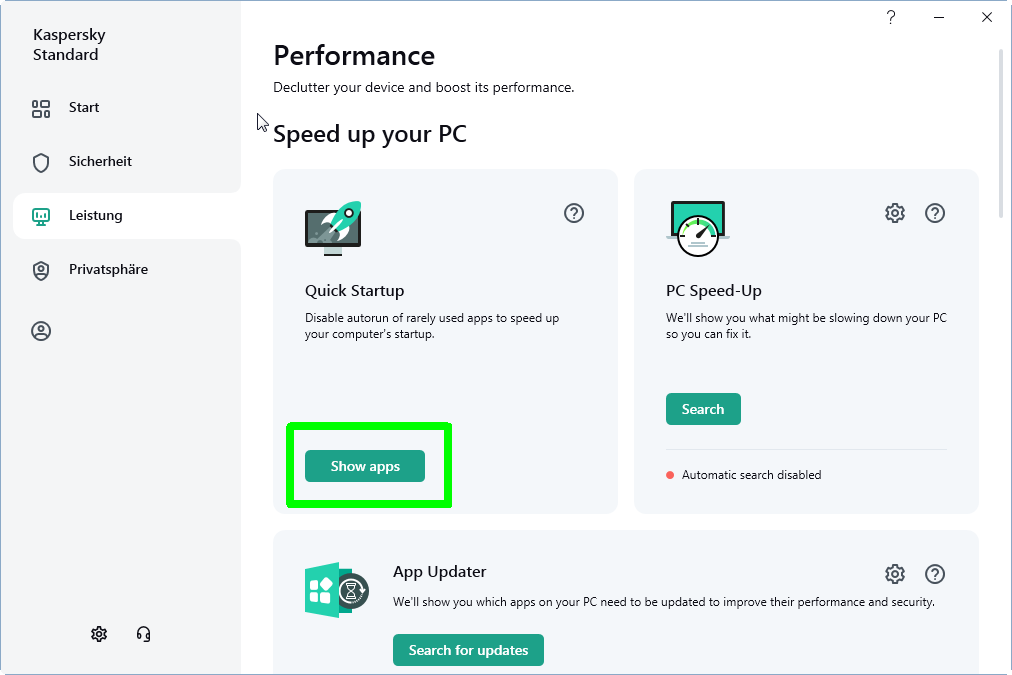
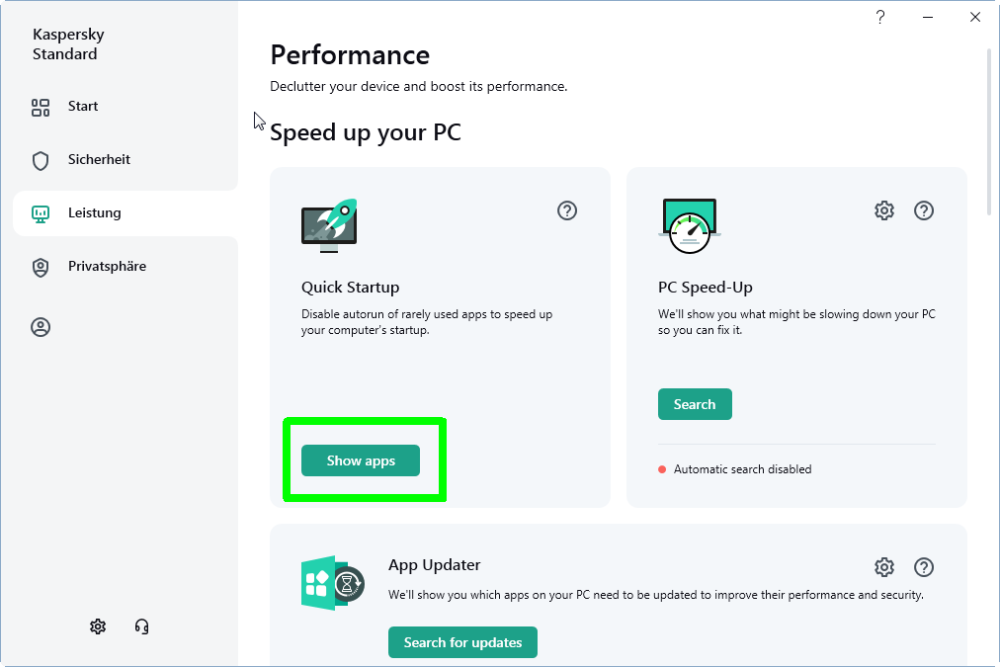
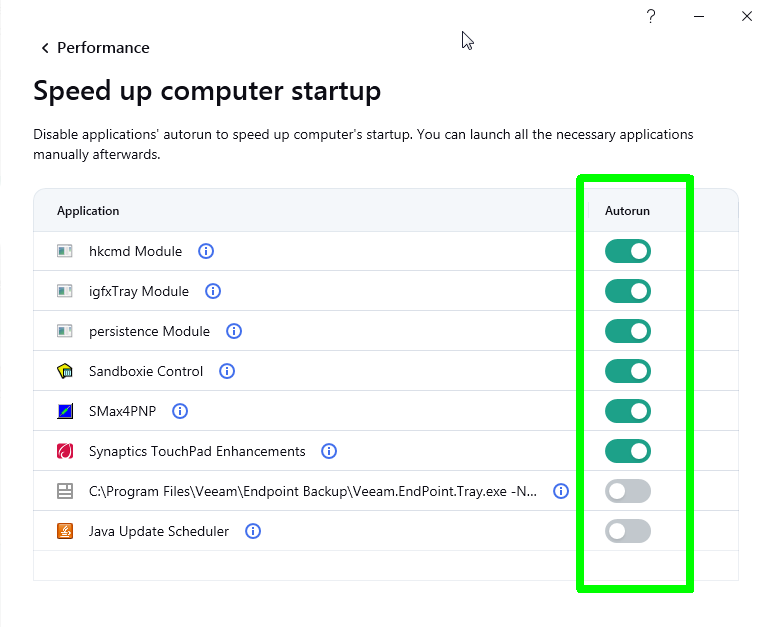
 Hello @Stephen Williams, as an addendum to @Bernys question: can you please open the 'Performance' window and open 'Show Apps' in the 'Quick Startup' option? Does it show something specific for your printer as disabled autorun?
-
 Graky posted a topic in Kaspersky Anti-Ransomware ToolHi, After installing Kaspersky I used quick scan after it my pc went black for 2/3 mins. Idk exactly. After that my pc restarted, but my mouse cursor disappeared even tho my mouse is on and same with my keyboard they both have rgb so I know that they are on, but aren't working. I can press any button, but it's not going to work. My mouse is Model O and the keyboard is Genesis Thor 150 After I saw this problem I thought maybe taking mouse usb and keyboards wire and putting them in would work, but nothing. Now I don't know what to do because I can't do anything I have another office mouse with a wire I put it in and still nothing the cursor just won't appear. I downloaded the best version of Kaspersky free trial please help me
-
Hello @Pencraft, You're most welcome! Thank you for posting back! You don't say how old your daughter is or which type of device & both apps are Google proprietary apps - so off-topic for Kaspersky Community, but, perhaps reach out to Google Community, Family Link Community; Google Support & or YouTube Support, there's Restricted Mode setting & we've just done a quick google search, using your initial query as the baseline, there's quite a few articles to review. Thank you? Flood?+?
-
 ivan89 replied to ivan89's topic in Virus and Ransomware related questionsthank you for the quick anwer! but I still can't press "start" button and enter anything into "find" box of taskbar.. that really confuses me why is it locked? "ctrl" + "esc" also doesn't invoke "start" menu. And forgot to mention (sorry for that didn't know wheter it is important) that system starts very unstable. If internet is not available (I disabled wifi - thanks my laptop has predefined button for it) then I see attempt to start windows but desktop is unavailable to operate.. some times it tried to run diagnostic to fix issue with internet (I saw that my laptop by itself open diagnostic window and tried to determine why the internet is not available!).. I invoke task dispatcher and through it run explorer and then go to usb stick and run antiviruses.. But if internet is available, my laptop opens a browser and tries to connect to some sites.
-
ivan89 posted a topic in Virus and Ransomware related questionsHello! could you please help to determine what kind of malware did infect my pc and how to remove it! The problem is that on my win10 laptop 1) mouse arrow constantly moves and randomly clicks on desktop so it is hard to run smth on it; 2) windows' "start" button and standart searching toolbar are "locked" - I can't activate them even when I navigate to it via keyboard (remember - mouse constantly moves!) 3) unfortunatelly, even when I go to recovery options (boot in safe mode/recovery/diagnostics/etc) I see this constantly moved mouse pointer! And the same pointer movement I saw when I run kaspersky live cd! I tried many free products like kaspersky virus removal tool, cureit! and, and live cds from both of these producers. They didn't find anything :((( Please help..
-
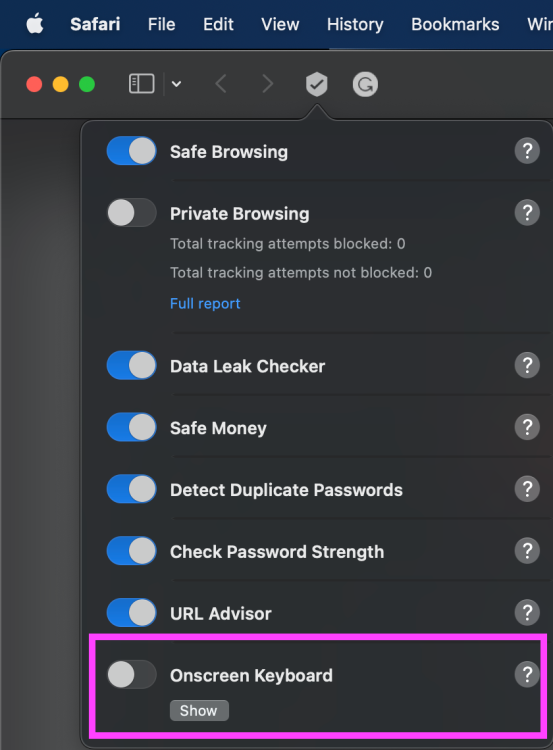
Hello @Rich_in_HaPA, Second last post above, from @ZeeKin(Clever little vegemite of the day award holder), may be of interest: quote: I was able to find the setting to turn off the Onscreen Keyboard in Safari, and that seemed to turn it off across the board. It is not popping up in any of the browsers, and the preferences option is also not showing up in either Firefox or Chrome. Woo! FYI, turning it back on in Safari re-enables the previous behavior. end-quote. Thank you? Flood?+?
-
 ZeeKin replied to booger's topic in Kaspersky Internet SecurityHi @Flood and Flood's wife Thanks for the info and additional context! 1. I was able to find the setting to turn off the Onscreen Keyboard in Safari, and that seemed to turn it off across the board. It is not popping up in any of the browsers, and the preferences option is also not showing up in either Firefox or Chrome. Woo! FYI, turning it back on in Safari re-enables the previous behavior. 2. Got it. 3. Please refer to answer in 1. 4. Got it, thanks for clarifying. I thought that was the case. Cheers!

-
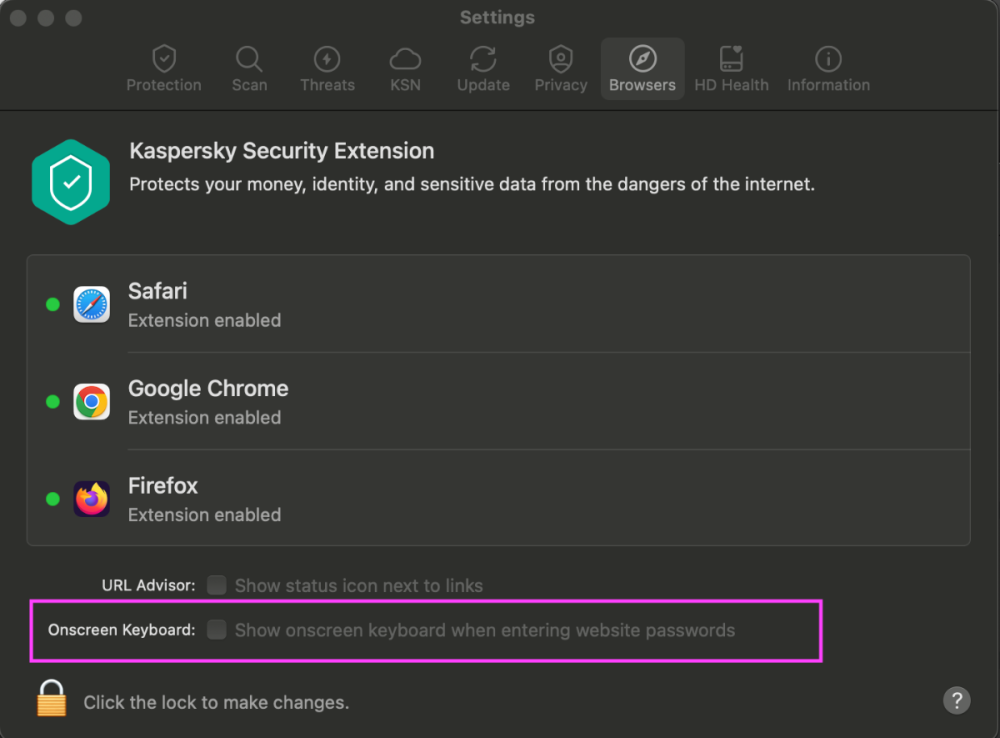
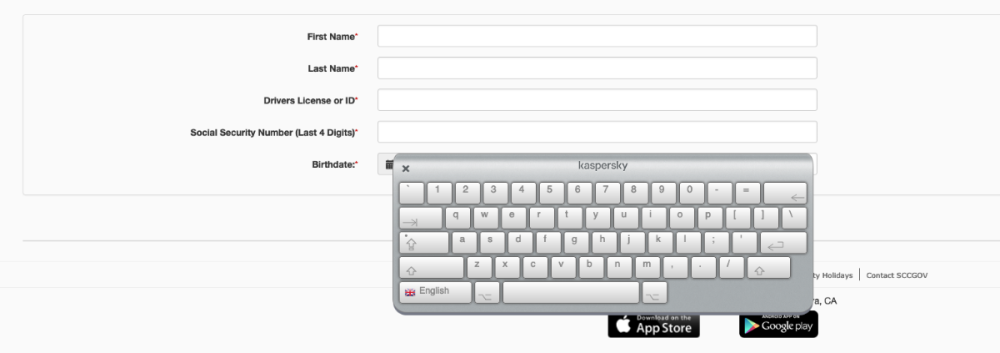
Hello @ZeeKin Welcome back & thank you for the images, they're super helpful?! Regarding "I've unchecked the "Show onscreen keyboard" setting, it still pops up", can you test the issue in Chrome & Safari please, is it the same result? "sensitive information" is obliquely covered in the title heading of Protect your passwords and sensitive information - meaning, sadly, there's not a lot to inform you? Re: "When I click on Preferences within the Firefox extension, nothing happens"; can you test the issue in Chrome & Safari please, is it the same result? Re "different UI, missing a setting?"; you're not missing anything, the earlier discussion b/w @booger& us is for a Windows device. Please post back? Thank you? Flood?+?
-
ZeeKin replied to booger's topic in Kaspersky Internet SecurityHello! I wanted to write in as I am having similar issues and cannot get the On-Screen keyboard to not show up. I'm running Kaspersky Premium 23.0.0.179 on Ventura 13.2 with Firefox, and even though I have unchecked the "Show onscreen keyboard" setting, it still pops up. It's also strange that my issue doesn't always pop up with passwords either, but what appears to be "sensitive information." Please see screenshot of the page I've been able to replicate. One thing I'd like to note: When I click on Preferences within the Firefox extension, nothing happens. I've looked through the suggestions here, but my UI is a bit different and I'm wondering if I'm missing a setting. Thanks for the help!

-
 Hi @raul1ro, Will this help? - Open Kaspersky > Settings > General > uncheck Enable self-defence option. - Save settings > unload Kaspersky by right-click on the 'Green shield' Kaspersky icon in System Tray (on the bottom right corner of your screen) and select “Exit”. When asked if you are sure you want to exit, please click on “Continue”. - Go to C:\ProgramData\Kaspersky Lab\AVP21.3\Report - Delete content of folder. - Launch Kaspersky, enable self-defence and check.
-
 pmacd posted a topic in Kaspersky: Basic, Standard, Plus, PremiumKaspersky Premium Win ver: 22H2 Previously used Kaspersky Internet Security with the Cricut Design Space application w/o problem. Just loaded Kaspersky Premium and not I can not launch Cricut Design Space.exe file unless I turn off the anti-virus application. Any ideas?

-
 hanenksc posted a topic in Kaspersky Endpoint Security for BusinessI am trying to discover computers based on IP subnets. The administration server did not have active directory, are workgroup. I can't discover all the vlans knowing that I can't find network resctriction I have launched the ping in both directions (kaspersky & the client) it works perfectly I can launch the installation manually or with the klshare but not with the server automatically because I can't find the devices when I launch the network discovery from the kasperscy security center I have not found a solution I need help Ps: the kaspersky server (windows server 2012R2) and the other workstations (windows 7,10): they are workgroup
-
 dimahom replied to booger's topic in Kaspersky Internet SecurityIf it's VPN 21.8.5.452, when you get to "settings/ additional,"uncheck the 'Use hardware virtualization' - and uncheck the two 'On-screen Keyboard' options below it.
-
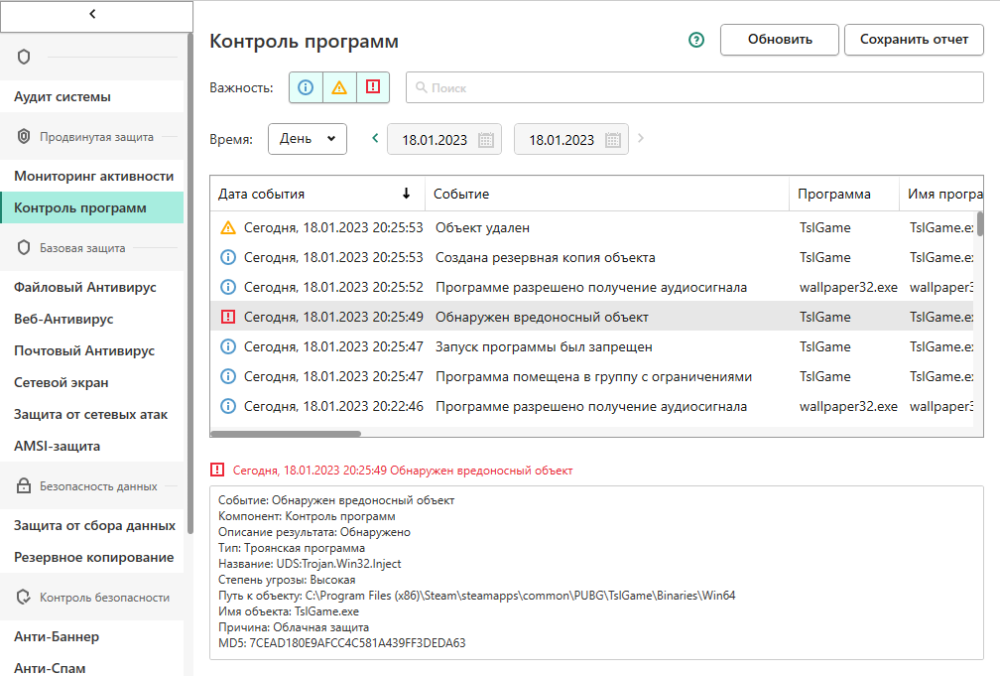
 Arisius posted a topic in Kaspersky Total SecurityWhen you start the game, Kaspersky blocks the launch and deletes TslGame.exe False alarm?
-
pwbc posted a topic in Kaspersky: Basic, Standard, Plus, PremiumHaving upgraded to Premium from Total Security, the virtual keyboard in Safe Money no longer functions correctly. Clicking on the keys does not always register, so passworded files and websites are very difficult to access unless I resort to using the real keyboard, which defeats the point of having a virtual keyboard for security
-
 emrerencber replied to emrerencber's topic in Kaspersky Internet SecurityHello. Thanks for the answer. This issue did not occur after a Windows upgrade. I'm already using Windows 11. This problem did not exist until a few days ago. A Windows update may have caused this situation. I do not know this. But the problem only affects Kaspersky. Normally Kaspersky works more accessible in Windows 11. Accessibility is poorer in Windows 10. Hello. No problems with keyboard shortcuts. The only problem is within the Kaspersky interface. From time to time the problem is solved, from time to time it starts again. The problem isn't with my computer, my screen reader app, or anything else. The problem is caused by the Kaspersky interface.
-
emrerencber replied to emrerencber's topic in Kaspersky Internet SecurityHello. No problems with keyboard shortcuts. The only problem is within the Kaspersky interface. From time to time the problem is solved, from time to time it starts again. The problem isn't with my computer, my screen reader app, or anything else. The problem is caused by the Kaspersky interface.
-
Also @emrerencber, Check / reset: Keyboard shortcuts? Check: Keyboard shortcuts in apps? Check: Windows keyboard shortcuts for accessibility? Re "I can't navigate the program interface with Tab and Shift Tab keys, I can't hear Kaspersky's system tray settings"; we're not convinced the root cause is Kaspersky?