Search the Community
Showing results for 'Quick Launch Keyboard'.
Found 1791 results
-
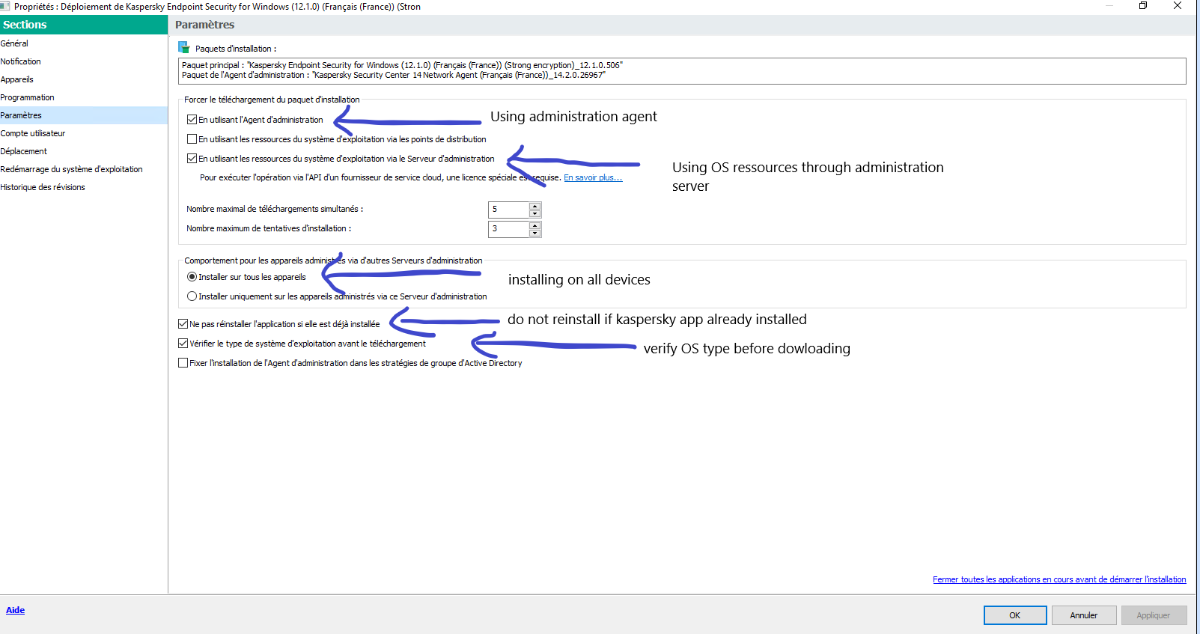
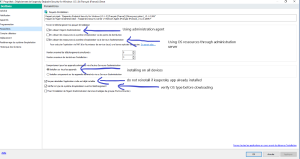
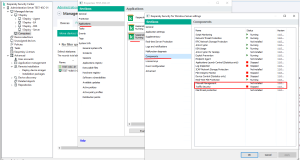
 Alex BPI posted a topic in Kaspersky Security CenterHello, After Installing a brand-new Kaspersky security center (14) server, I'm trying for several hours to install Kaspersky Agent on a computer wich I see in on the network. I've created a deployment task and I when I launch it manually the server indicates that it download the installer on the client, but the task stops and fails. I've deleted both task and agent and recreated it with the same result. here below the taks window : and the task properties : Do you see any mistake ? Thanks, Best regards Alexandre

-
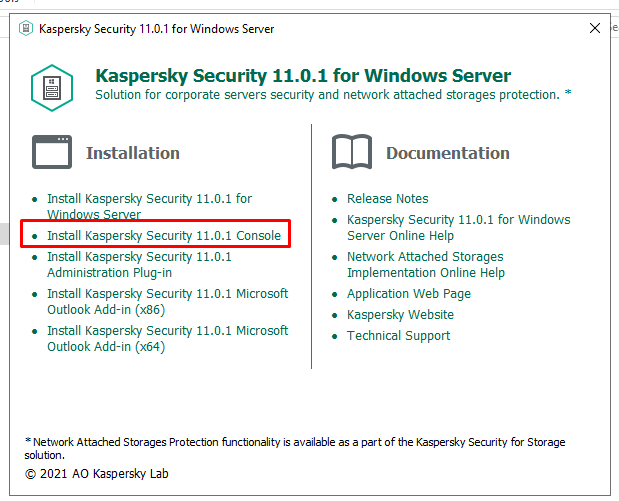
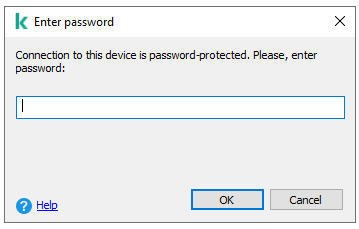
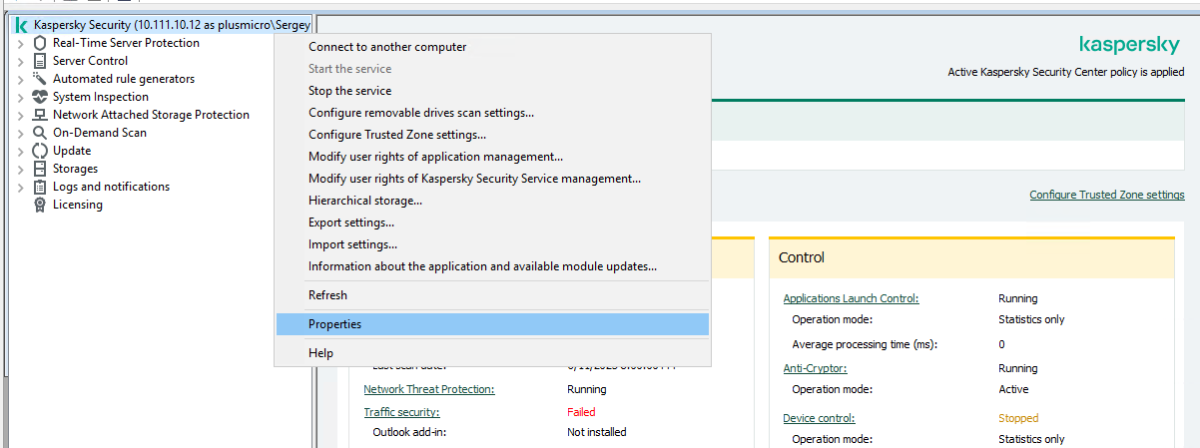
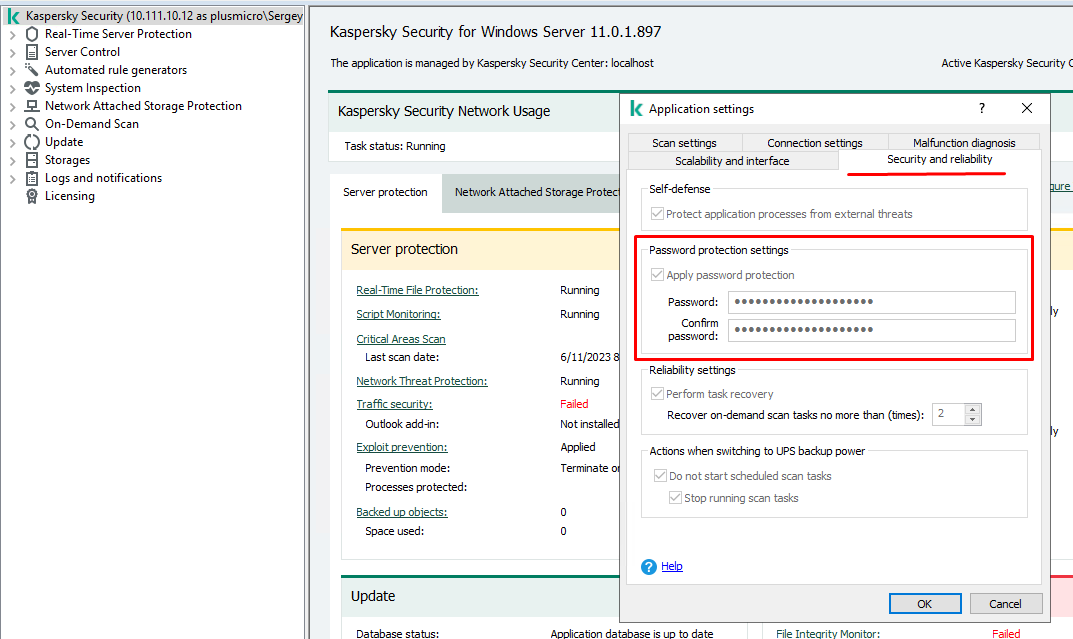
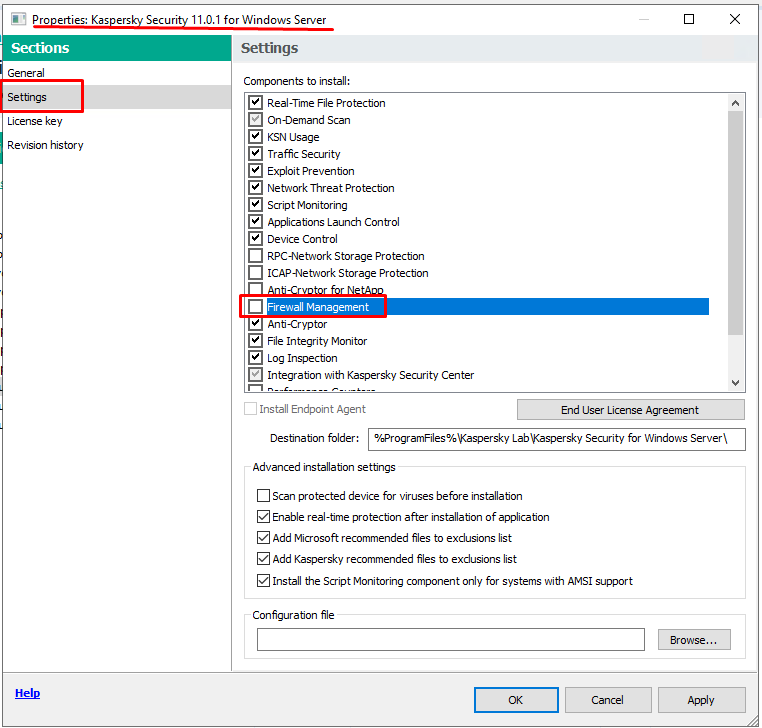
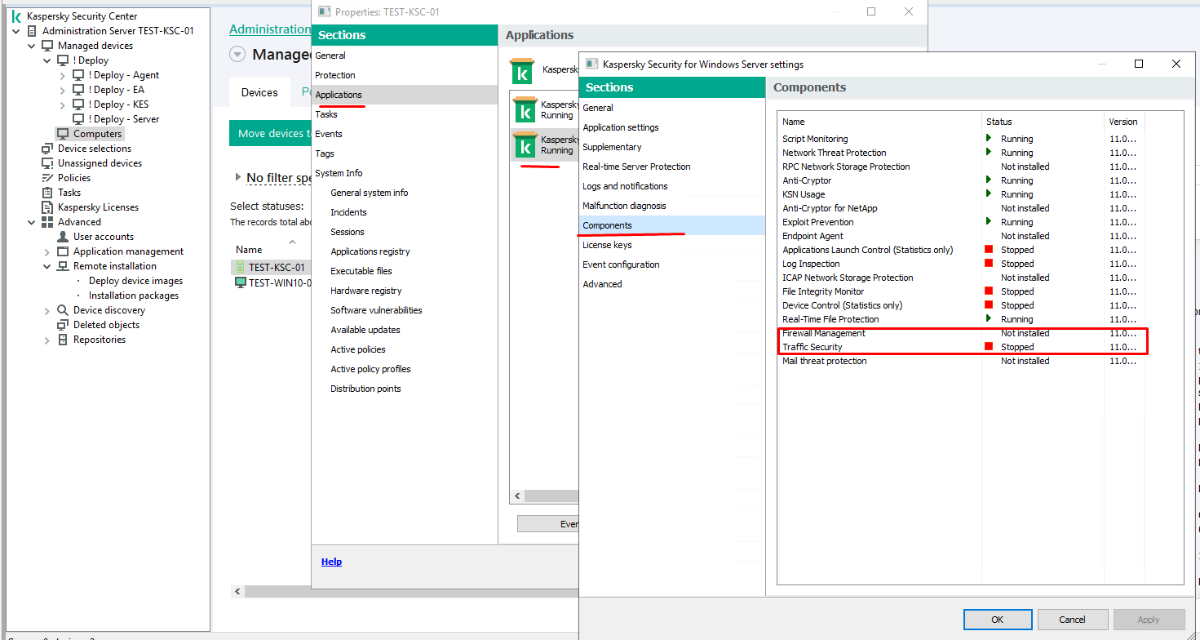
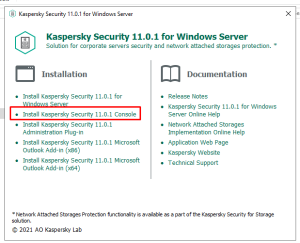
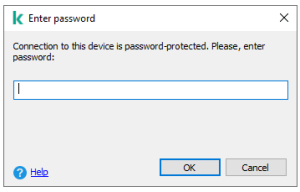
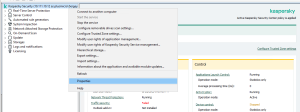
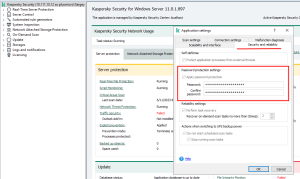
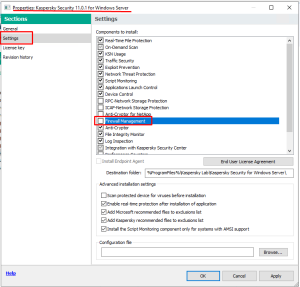
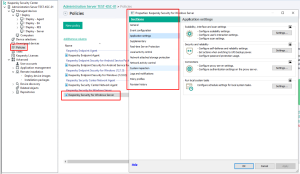
 To use this interface, you need to install it additionally on this device, or on any other, as it is possible to connect to the interface of a remote server over the network. You can get it from the distribution kit from the developer's site. run setup.exe, select the item you need, during installation the system will ask about the possibility of remote control, you can set the appropriate "checkbox" to enable this feature. The shortcut to launch will appear in the appropriate popup of the product in the start menu If a password has been set, then when the console tries to connect to the program interface, the system will ask for it, the same goes for attempts to uninstall the product. if necessary, it can be installed from the GUI disable the use of the "firewall" component, by default this component is disabled in the installation package, so check if you use it ... however, it must be remembered that this component only works with allowing rules for incoming traffic Yes, this is the control center for all LK products that you use on your network. if you have everything set up and all the devices are connected to the management server, then you can manage protection through policies for the corresponding product.
-
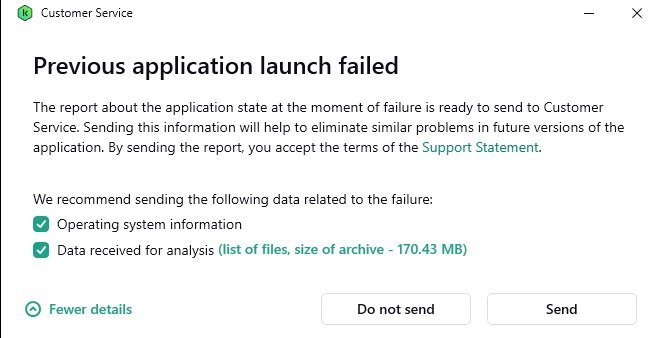
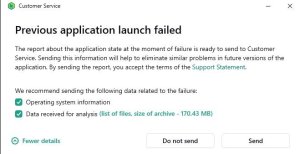
 @Dayvid Please see → "Previous application launch failed" If the issue persists please contact Kaspersky Technical Support , the link is located at the top of this Webpage.
-
 Abyss2525 replied to Abyss2525's topic in Kaspersky VPNI've re-installed & deleted vmware programs. Then I've clicked on reset network settings which made the computer unable to connect to the internet. Then I've reset the pc keeping personal files which re-installed all the drivers etc. Then I did a quick windows update search and re-installed the Kaspersky problem and that solved the issue. No longer there. Thanks for your attention.
-
 Hello @GeekyRedhead, You're most welcome! Re A. NOT updated - said it had done so 4 mins. prior! - are (you) referring to a: Database update OR an application version update? Don't worry about 'double-commenting', no problem, how else can you share important information - without it - no answer required... FYI, IF / when a successful install is done, we do not want the Kaspersky app pinned to the Windows Taskbar. While we appreciate you've spent hours "trying to get it to work" - we don't have a quick answer without troubleshooting & offering solutions - all of which takes time for you to implement - including providing feedback... AND - different time zones may also impact response times > in either direction. In (your) MyKaspersky account, *which* Kaspersky AV software in shown - associated with the device? Please post back? Thank you? Flood?+?
-
 GeekyRedhead replied to tbcam88's topic in Kaspersky Free@FloodandFlood'sWife Sorry to double-comment, but the end of this saga is that I downloaded the more updated file today, and during install, it discovered the previous installation, as expected, removed it, asked me to restart my PC and didn't install the new file. Ugh! No icon on my toolbar. However, it's showing up in my Task Manager, and Context Menu! I completely uninstalled it manually, then attempted the new installation, not once, but THREE times, to no avail. I was forced to install another AV program, as it had taken most of my day with all that shenanigans, and I should have been working on FAR more important tasks. I would prefer to have Kaspersky, but unless you have a quick and easy installation solution, I guess I have no choice...
-
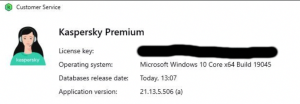
 Dayvid posted a topic in Kaspersky: Basic, Standard, Plus, PremiumI noticed my computer has been very very slow and every now and again i get messages from kaspersky saying "previous application launch failed" i have optimized my computer and run a full scan on my computer the other day and nothing comes up as wrong, also when i try to play Fortnite the game lags incredibly bad, it is when i sign out of that game do i usually see the "previous application launch failed".
-
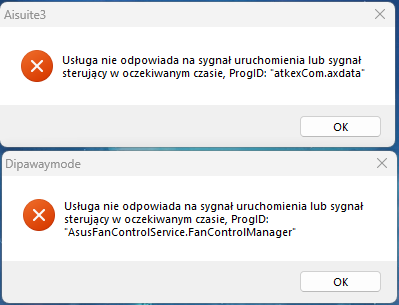
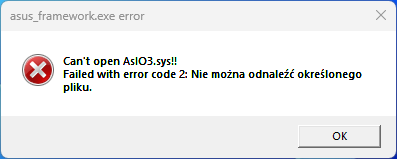
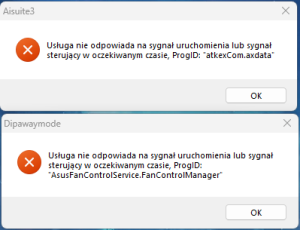
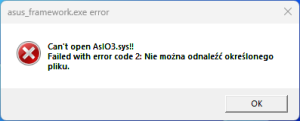
 mateusz1807 replied to Dingo's topic in Kaspersky Internet SecurityAgain the same problem? Since yesterday i cant launch Armoury Crate and AI Suite
-
 citoservices replied to Mohammad Al-Hayek's topic in Kaspersky Endpoint Security CloudI have posted a quick and easy solution for this. Would be nice to hear from Kaspersky the reasons this is occuring ..
-
 @Vlaad, try this: - Open Kaspersky > Settings > General > uncheck Enable self-defence option. - Save settings - Unload Kaspersky by right-click on the 'Green shield' Kaspersky icon in System Tray (on the bottom right corner of your screen) and select “Exit”. When asked if you are sure you want to exit, please click on “Continue”. - Go to C:\ProgramData\Kaspersky Lab\AVP21.3\Report - Delete content of folder. - Launch Kaspersky, enable self-defence and check.
-
 stuartpal replied to Luca91's topic in Kaspersky: Basic, Standard, Plus, PremiumExactly the same. My new macbook super quick at start up using old Kaspersky programme but it expired. Upgraded to Premium and now a good 2-3 mins wait to start up after initial password. Can I turn it off and start it manually after the macbook starts?
-
 Xeno posted a topic in Kaspersky: Basic, Standard, Plus, PremiumSo I play alot of modded minecraft, which involves .jar files. Now, with kaspersky set to extreme, it takes forever to launch as it scans all the .jar files whenever it launches, whenever I have it to scan archives. However, if I turn off scan archives, theres a chance a malicious mod might slip through. What would be good settings to have so where I scan .jar files, but maybe have it not make minecraft take forever. I have a temporary solution of allowing to scan them whenever they download but not whenever the application starts up via intrusion prevention. Any ideas?
-
Good day Do I understand correctly that we are talking about Windows updates? I will try to explain ... 1. During the start of the task of "installing updates and fixing vulnerabilities" 2. It depends on the method you have chosen. A. if the KSC server is configured as WSUS, then on the KSC B. if not, then on the client device in accordance with its settings (directly via the Internet or in WSUS located near your network) 3. if the KSC server is in the WSUS role... if not - in the standard folders for Windows updates 4. there is no special mechanism, only through the status of the task 5. it is most likely related to the boot process I'll try to explain step by step... Let's assume that our KSC is configured as WSUS and we have all the necessary tasks to work ... 1. The task "Perform Windows Update synchronization" receives method data from MS servers about all updates for the products that you have selected in the task, stores them in the database ... these are not the updates themselves, but simply data on their availability ... be careful as these metadata can take up a lot of space and your database can become very large. 2. The task "Find vulnerabilities and required updates" - during its launch, it checks the state of your devices, comparing the state with the metadata that the previous task downloaded and populates the corresponding section "Vulnerabilities" and "updates" 3. the "Install required updates and fix vulnerabilities" task runs according to a schedule, relies on these lists and runs personally on each device, tries to install the necessary updates (in your case, those that you overcame) while doing something like the following. a. the client contacts the server to obtain the updates it needs. b. if the updates have already been downloaded to the repository, it downloads and starts the installation. c. if not, the "as if" task is paused and the server starts downloading updates to its storage (probably this is why the installation can show 1% for a long time), after which it gives it to the client. I hope I managed to explain clearly about the update process ... and the fact that I didn’t make a mistake anywhere ? ...

-
 MIKE H. replied to Why's topic in Kaspersky Security CloudI have the same issue, and it started out of nowhere. Iniitally everyhting was okay, but the it changed from one moment to another. Not sure if I did any combination of keys on my keyboard unwantedly, but now I cannot get it back to "normal size". All other windows are perfectly sized, monitor is on 100%. As I am working with 4 displays, I tried on all of them, and it's the same on all 4. The windowjust suddenly grow massive (like 200% scale) and hence only 60% of the window is visible on screen...
-
 deccr replied to deccr's topic in Kaspersky Safe KidsHi Flood, Thanks for the quick response. The phone is a Samsung Galaxy s10+ and is running Android 11. The screen is being locked by pressing the phone's physical lock/on-off button on the right hand side of the device. The "Available on blocked device" checkbox is ticked for the apps in question, and they show as apps on the KSK overlay, and open fine. But when the screen is locked, the playback is stopped. Is this usual behaviour of KSK? Thanks
-
 AlexanderMartins replied to AlexanderMartins's topic in Kaspersky VPNHi @Flood and Flood's wife Thank you for your quick return. I Just saw it, I though I would get an email notification, maybe I need to turn that on. I did all that you suggested. Unfortunately, nothing changed. Still have 300mb limit with free vpn.
-
 Gregorif replied to Gregorif's topic in Kaspersky Internet SecurityThank you for your quick response, this seems to have fixed it since I can now access the details of Steam or Discord in the Application Control panel I thought I had already deactivated the Self-Defense, but I had actually unchecked the "active cleanup" that is just above in the same window Have a good day ?
-
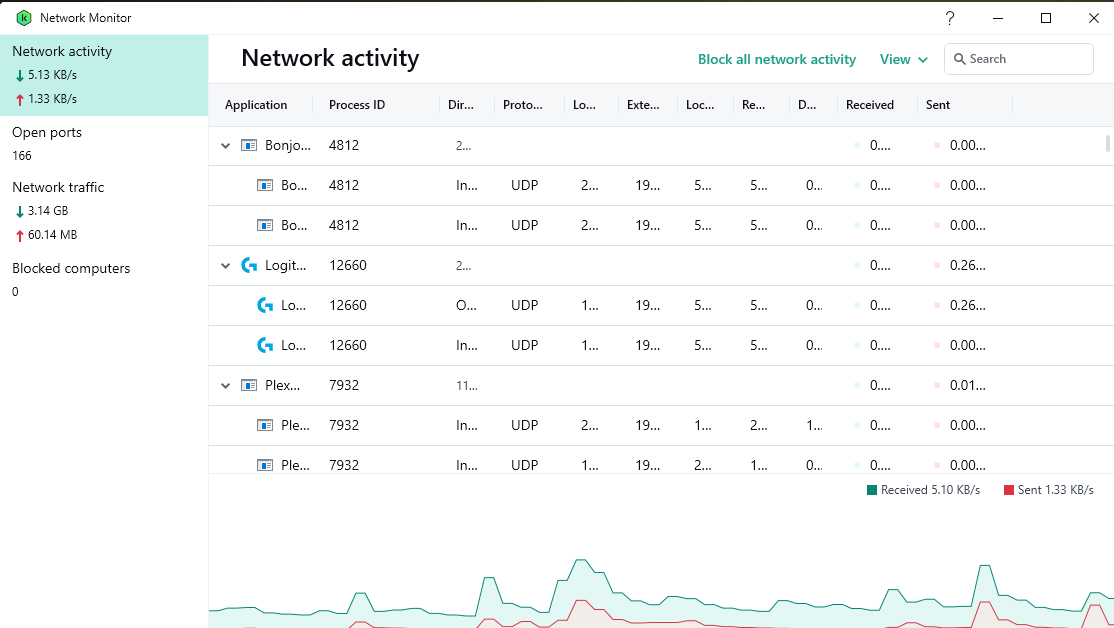
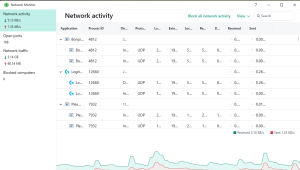
 antcloud posted a topic in Kaspersky: Basic, Standard, Plus, PremiumHi. I have Kaspersky Premium on Windows 10. Does anyone know of a way that I can place a shortcut pointing to the "Network Monitor" or "Network Activity" directly onto my desktop for quick access. It is the feature that I use the most. Thank you.
-
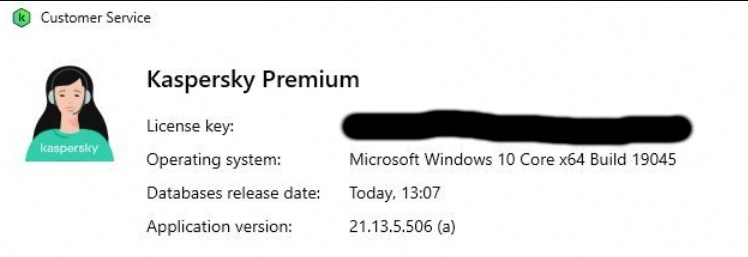
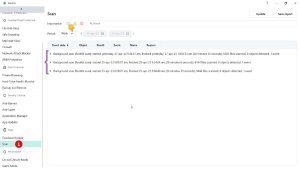
Hello @Joefram80, Thank you for posting back, the extra questions & confirming the software version installed? Background scan/rootkits can be searched for manually via the Windows command prompt: "C:\Program Files (x86)\Kaspersky Lab\Kaspersky Total Security 21.3\avp.exe" start scan_qscan - when (you) start the cmd.exe, run it with administrator privileges = rightclick the cmd.exe & select Run as administrator, then enter the command to run the scan & allow the process to complete. The Background scan runs automatically once a day and after a computer restart. Also the Background scan runs as a part of Full Scan & or Quick Scan, so if (you) have executed a Full Scan, there's no need to run an additional Background scan - all of this is true unless there's a problem or the Background scan has been turned OFF. Other ways to find the version: On the Windows Taskbar or hidden icons, rightclick the Kaspersky icon, select About? Open the Kaspersky app, in the lower-left-hand-corner, select the Headset? icon, this opens the Support page which shows the (Kaspersky) application version on the fourth line from the top? In Kaspersky Scan Reports, all Scans are logged (we filtered ours to one week, just to show an example) The Kaspersky Background scan documentation states: A background scan is started in the following cases: After the anti-virus databases are updated. Thirty minutes after Kaspersky Total Security launch. Every six hours. If the computer remains idle for five or more minutes (after the screen saver is started). A background scan is interrupted when any of the following conditions is met: The computer becomes active again. If an Idle Scan has not been performed for more than ten days, then the scan will not be interrupted and allowed to finish. The computer (laptop) switches to battery mode. When running a background scan, Kaspersky Total Security does not scan files whose contents are located in OneDrive cloud storage. IF there's any issues or (you) have any concerns, please post back? Thank you? Flood?+?
-
 DyowsKow replied to KasperskyUser13's topic in Kaspersky: Basic, Standard, Plus, Premium***TL:DNR Warning*** I sent Kaspersky Technical Support (Kaspersky Lab Support <*****@*****.tld>), a report and they essentially, via auto-reply, just told me to either restart, reinstall or look for something out-of-the-ordinary with my PC...haha, anyways, my PC is running fine so will just ride this out and hope that either Kaspersky or Microsoft fix the problem and just hope that, because of that new Micrrosoft update, Kaspersky has not been rendered vulnerable. Their Reply: "This is an automated reply generated by our text analysis feature. It's designed to propose solutions after automatically analyzing contents of customers' inquiries. If you reply to this email, it will go straight to one of our support representatives, but we would like to ask you to give this feature a chance to resolve your issue. Application fails to start If the program starts to load (as in the figure) and then disappears off the screen, or if the program will not open up at all, please try the solutions we have prepared for you. 1. Quick resolution Please restart the system to check if it was a one-time problem. Although this may seem trivial, it really works! 2. Resolution (upgrade) If the issue persists, please upgrade your Kaspersky application to the latest version like this: 1) Download the latest version via this link: >https://www.kaspersky.com/downloads/thank-you/internet-security#download"> >https://www.kaspersky.com/downloads/thank-you/internet-security#download (click on the link to bring up the Downloads page) 2) To start download press the Download now button to the right of "Protection for PC". 3) Uninstall the program by following instructions from this article: https://support.kaspersky.com/common/uninstall/12783 (click on the link to bring up the guide) 4) Carefully follow the steps from the guide. At the end of the uninstallation, a reboot will be required. Please do so. 5) After uninstallation completes, run the downloaded file and follow on-screen instructions provided by the setup wizard (pressing Next, Allow, OK and Accept, when prompted). Once installation completes, activate the program by entering your 20-character activation code. 3. Should the issue persist We will need a system report collected with our tool for further research and analysis: 1) Download the utility GetSystemInfo.exe from this direct link: https://kas.pr/gsi (click on it to initiate download). 2) Run the GetSystemInfo.exe and click 'Accept'. 3) Check the option "Include Windows event logs" and click on the 'Start' option. The process can take up to 10 minutes and the progress bar may remain below 10% for most of the time. 4) A *.zip file with a name similar to this will be saved on your desktop automatically, e.g. GetSystemInfo_PC_Name_Username_Date_Time.zip. 5) Please send us that .zip archive containing the report as an attachment in a reply to this email. Further support on how to use the GSI utility can be found here: http://support.kaspersky.com/general/dumps/3632 (click on that link to bring up the detailed guide). If none of the above is relevant to your case or the issue remains unresolved Simply reply to this email leaving subject unchanged and wait for technical support team to contact you. We have obtained your personal data from you directly. The provided data will only be used for the provision of technical support and will be processed and protected in accordance with Kaspersky Data Privacy Statement for technical support for Africa, Australia, Denmark, Middle East, New Zealand, Norway, Sweden, United Kingdom, United States of America Best regards, Kaspersky Technical Support"
-
 RoadSign78 replied to RoadSign78's topic in Kaspersky Internet SecurityUpdate! I followed the steps from Flood& Floods Wife" above and all is working perfectly now. Thanks for your quick and detailed response!
-
 RahulMasal replied to RahulMasal's topic in Kaspersky Total SecurityDear, my internet speed is over 500mbps everything is download quick and in seconds but kaspersky online installer only giving problem!
-
 GM34 posted a topic in My KasperskyHi there, quick question, I read that If I have bought a Kaspersky product, the activation will start at the moment of instalation, but my question is, for how long can I keep it stored in My Kasperky account? I want to store it so when my other AV expires, I can switch to Kaspersky, I also want to take a limited time discount but I'm with another AV solution at the moment.
-
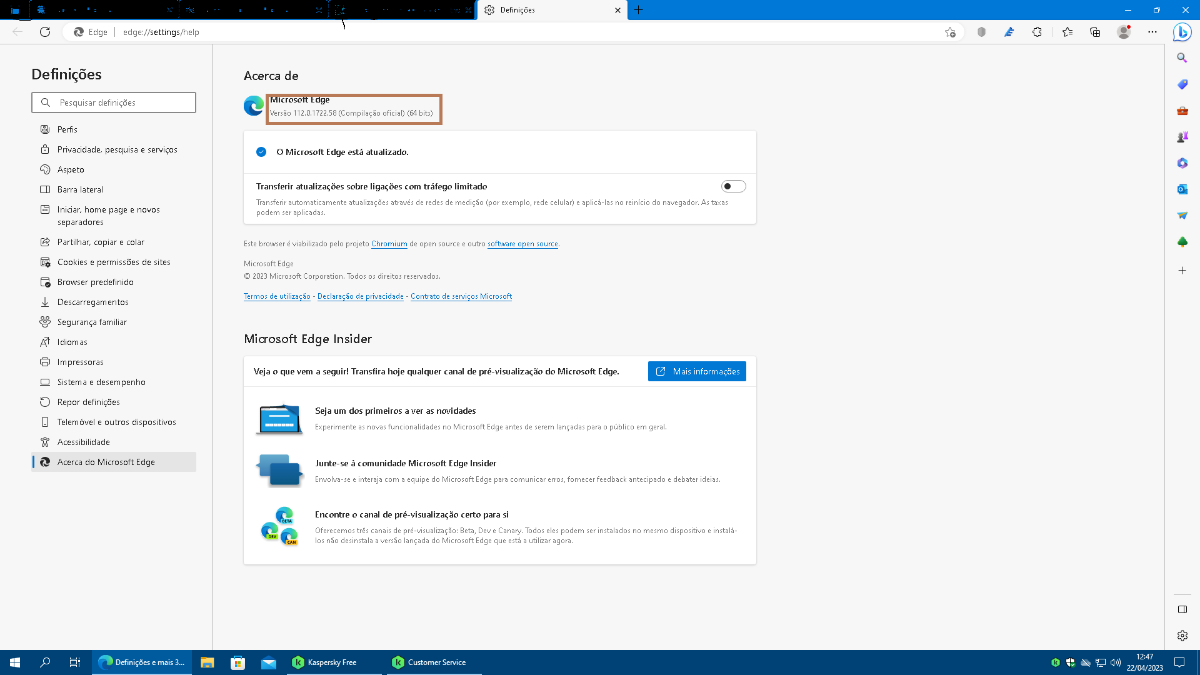
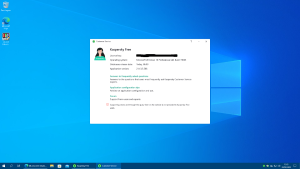
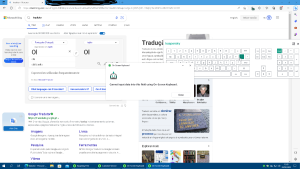
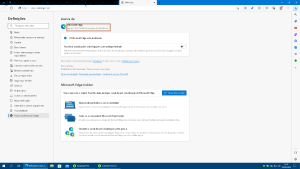
 hugop replied to hugop's topic in Kaspersky FreeHello Guys, Just to make new update. Today i made a backup copy of all my personal files on my SSD partition that only olds my personal files. Then i put the windows boot usb on my PC usb and boot the machine from here. Remove all partitions and made new ones from Scratch. using windows bootable usb. I did new windows installation. then i installed all single windows update available for my machine. I also update the Microsoft Store and all the apps that comes with Windows in Microsoft Store. I run a SFC command again, clean all temp files, did a system backup image with bootable Acronis true image for WD. In my Kaspersky i went there remove the old equipment from there, i also remove my current subscription. One thing that did changed on my Kaspersky profile previously if i went on downloads section i saw two diferent versions of free software on of Kaspersky Security Cloud and another for the new version of Kaspersky Free 2023 but after remove my subscription i only saw the Kaspersky Security Cloud available to download. I went on the Kaspersky Global Website downloaded Kaspersky Free 2023 for European Countries. I installed this piece of software. I have one Question I am Portuguese Living in Portugal my Windows 10 Pro Version 19045 is in Portuguese, my keyboard layout is in Portuguese. Why the language of Kaspersky Free 2023 interface is in English i read on the global website that the software was also works in Portuguese. So, i don't understand. After sometime of Microsoft Edge Open Kaspersky showed a pop-up message asking me to install the extension Kaspersky protection which i did allow all permissions. Restart my computer and tried latter. Let me tell you another thing i disabled hardware virtualization because my PC doesn't support. Today i noticed another change. In the field of operating System before was written Enterprise edition kind of that, but now is Written "Microsoft Windows 10 Professional x64 Build 19045" it matches exactly with the version i have installed on my PC. Still the problem persists i already test it even in translator if i want to put an accent on a word i can't. Or else if i push two or three times in sequence on the key with accent the OSK shows that error message. I am Stuck i don't know what can i do more to fix that. By the way i am using Microsoft Edge version 112.0.1722.58 (64bits). Please help me ASAP. Because i want to install every piece of software that i usually use on my PC. Thanks in Advance. Best Regards. Hugop.
-
 Try this method to bypass the protection: once You have the site opened in Safe Browser mode (green borders) window browser, change its size, I mean, don't maximize it, leave a space to show the desktop, then 1 left mouse click over the desktop -> press [Print Screen] key in your keyboard, open an image editor (paint.net, or similar) -> Edit -> Paste