Search the Community
Showing results for 'Secure Keyboard Input is enabled'.
Found 5453 results
-
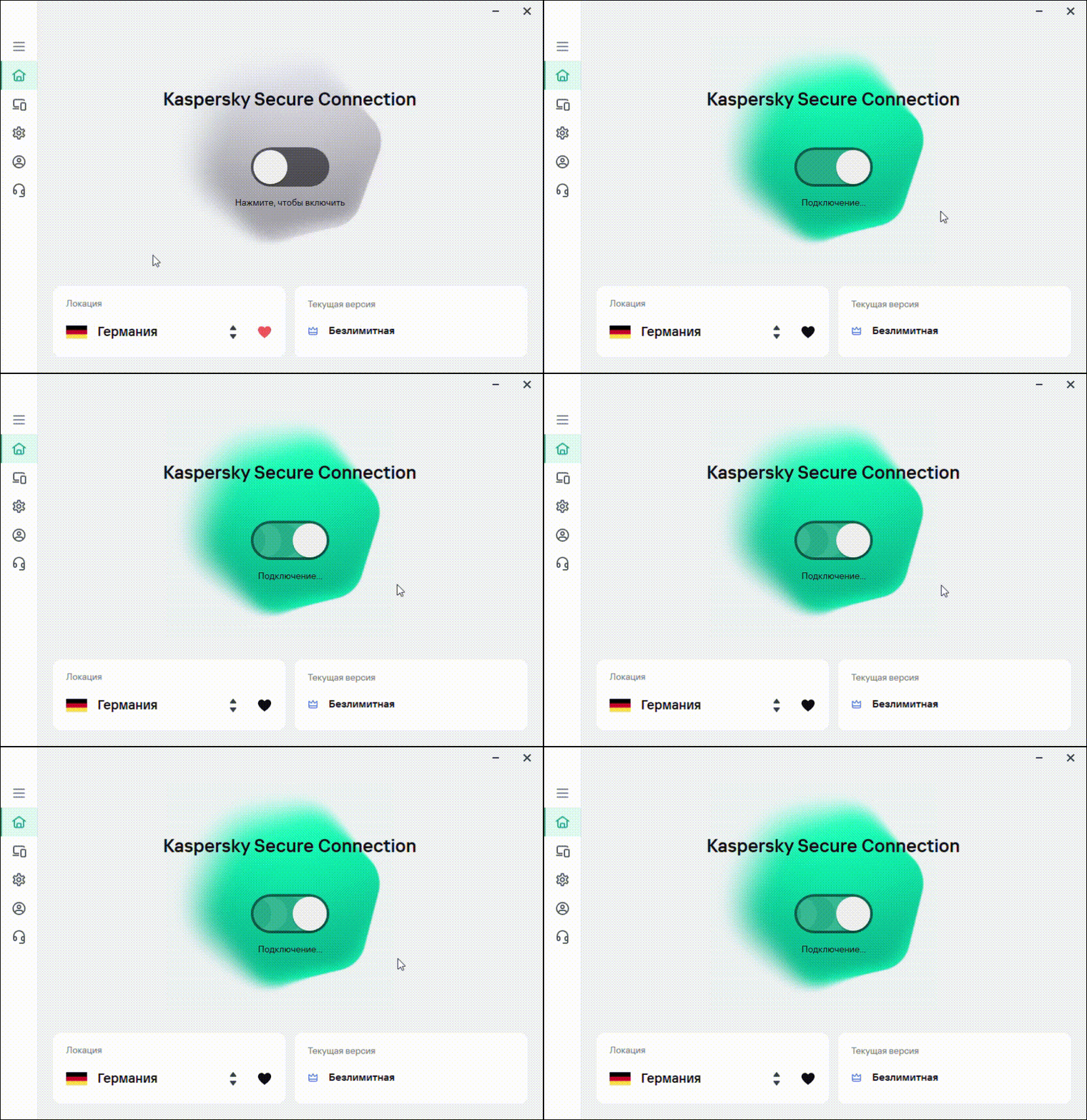
 eech posted a topic in Kaspersky Secure ConnectionЗдравствуйте! А хоть какие то варианты использования Kaspersky Secure Connection для пользователей Linux (Альт Линукс в частности) предполагаются?! В свете отключения возможности настраивать соединие через отдельные приложения?!
-
 TheAlexBro posted a topic in Kaspersky Secure ConnectionЗначит эпоха ksc подошла к концу. Будет иметь спрос у узкого круга лиц. Геймеры больше не купят лицензию ksc
-
 Gökhan_82 posted a topic in Kaspersky VPNHi, I have an active Kaspersky Plus subscription, which includes unlimited VPN. However, I cannot access or activate the VPN feature in the Kaspersky Android app. When I try to access the VPN, I am redirected to my profile/account page instead of the VPN connection screen. I also tried installing Kaspersky VPN Secure Connection separately, but it tells me to uninstall it because VPN is now integrated into the main Kaspersky app. My Kaspersky Plus subscription is active, but there is no option to activate the VPN. Could you please help me resolve this issue?
-
 Tulparsky replied to Tulparsky's topic in Ev içinNo sir.. Its not working. :/ I enabled Amnezia but its not working..
-
 Сommunity Knowledgebase posted a blog entry in Kaspersky Security Center's Kaspersky Security Center CommunityDescription and cautionsYou may experience low time to live value set in ICMP network packets sent by klnagents. The following can be seen in wire shark traffic dump: Explanation:There are two modes of distribution point search: 0 - search of the nearest DP using a tool similar to traceroute. It generates a number of ICMP packets to find out the neatest route to DP - this is the default mode. 1 - selection of random DP without sending such amount of ICMP packets. This mode is configured on administration server computer via klcsflag utility and is enabled for all managed hosts. The following command should be started as administrator on KSC Server computer to switch to mode 1: klscflag.exe -fset -pv klserver -n SrvChooseUaMode -v 1 -t d Restart of kladminserver service is required to apply changes. The distribution point will be randomly selected among all DPs available.
-
 PNHuy replied to PNHuy's topic in Kaspersky Endpoint Security for BusinessHi, Yes, Web control module is enabled but i already allowed the IP of webpage in Web Control settings. Our DNS server resolve the correct IP of that webpage (14.225.25.107). It is weird. Thanks for your help.
-
 Kaspersky Secure Mail Gateway Version 3.0.0.9059 wurde am 01. Dezember 2025 veröffentlicht. Voller Support bis - 30. Juni 2027 Eingeschränkter Support bis - 30. Juni 2028 Infos und Online-Hilfe https://support.kaspersky.com/ksmg/3.0va Neuerungen https://support.kaspersky.com/ksmg/3.0va/207070 Systemanforderungen https://support.kaspersky.com/ksmg/3.0va/207071 Download https://support.kaspersky.com/dl_mailserver Grüße Alex
-
 Nik11 posted a topic in Für PrivatanwenderGrüß euch, ich habe ein Kaspersky Premium jahresabo letztes Jahr für 3 Geräte geholt, das VPN hat super funktioniert. Vor einer woche habe ich mein fast ausgelaufenes abo gekündigt und ein neues jahresabo für 5 geräte geholt. seitdem ist auf dem laptop die funktion "Double VPN" verschwunden und die server sind von ca.180 auf 87 reduziert worden. woran kann das liegen/ kann ich das noch wiederherstellen? Die Verbindung funktioniert zudem auch sehr schlecht.
-
 Eptiy posted a topic in Kaspersky: Basic, Standard, Plus, PremiumЯ знаю, что на данный момент поддержка secure sni в касперском отсутствует. По сути, отключение проверки защищённых соединений в настройках сети должно позволять secure sni работать. Так и есть: если настроить DoH на уровне устройства, либо браузера, то всё работает. Но мне такой вариант не подходит, так как DoH я настраиваю на роутере с openwrt, а так же пользуюсь hosts на этом роутере, чтобы он был единым для всех устройств в сети. Проблема с hosts в том, что настройка DoH на уровне устройства шифрует данные от роутера, отчего трафик с устройства, либо из браузера, игнорирует hosts. Вот в чём, собственно, проблема: пока запущен касперский на устройстве, secure sni не работает, не смотря на то, что проверка защищённых соединений выключена. Начинает работать только тогда, когда настроен DoH на уровне устройства/браузера. Если выйти из программы (трей - контекстное меню - выход), то secure sni начинает работать при DoH на уровне роутера. Если только приостановить защиту, то ничего не меняется, помогает только выход из программы. То, что secure sni работает без включения на самом устройстве - не ошибка. Проверено на Windows 11 (в настройках подключения DNS выставлен "Автоматически (DHCP)") в браузерах Yandex и Edge: даже с выключенной настройкой "безопасный DNS" проверка на secure sni проходится. Также проверено на Android (настройка "Персональный DNS сервер" выключена) в браузерах Chrome, Yandex, Samsung. В последних двух в принципе нет настройки безопасного DNS, но проверка на secure sni всё равно проходится. Возможно, я упуская какую-то настройку, которая мешает работе secure sni при DoH на уровне роутера. Пока что вопрос не критичен, защита всё-таки важнее. На крайний случай пропишу на устройстве отдельный файл hosts и настрою DoH прямо на нём. Но хотелось бы, чтобы всё работало от роутера и касперский не мешал работе всех нюансов.
-
Сommunity Knowledgebase posted a blog entry in Kaspersky Endpoint Security's Kaspersky Endpoint SecurityScenario Enable Network Threat Protection Connect another Mac via a thunderbolt cable Try to send any data from one computer to another Connection times out Workaround & Solution Connect computers by other means or disable NTP when using Thunderbolt bridge. RCA This issue is caused by a bug in macOS' built-in packet filter and was reported to apple.
-
Сommunity Knowledgebase posted a blog entry in Kaspersky Endpoint Security's Kaspersky Endpoint SecurityAdvice and Solutions (Forum Knowledgebase) Disclaimer. Read before using materials. This article is about Kaspersky Endpoint Security for Windows (KES for Windows) Problem 3d party video monitoring solution from HIKVision and KES 11.3 or more recent version, up to 12.0 When you open the URL of video web server, for example, http://172.17.64.5/ the error Playback interrupted occurs. The problem occurs because video software does not comply with HTTP RFC. Use the following key words to identify the problem in KES SRV trace: rtsp://172.17.64.5/Streaming/ .......................................................................... GET /SDK/playback HTTP/1.1 ......................................................................... Incorrect HTTP header (replace the example IP with one of web server's) Solution Add the executable of the web browser to Trusted applications: Tick the option "Do not scan network traffic"; Specify the IP address of the web server in question (in our example, 172.17.64.5) . When adding Internet Explorer to Trusted applications, please make sure to add the x86 version, which is run by default: %ProgramFiles(x86)%\Internet Explorer\iexplore.exe Unfortunately, it is not possible to add an IP subnet or IP range to the list of excluded IP addresses in trusted applications settings. In recent versions of KES, the following event is logged to local reports: Event: Connection blocked Application name: chrome.exe Application path: C:\Program Files\Google\Chrome\Application Application PID: **** User name: **** User type: Active user Component: Protection Event date: **** IP address: 1.1.1.1 Protocol: HTTP or HTTPS Resource name: office365atwork.com Result: The HTTP connection is terminated. Resource name: office365atwork.com Reason: The format of transferred data does not allow to scan it for threats. If you trust this resource, add it to scan exclusions.
-
 a.cor posted a topic in Kaspersky Security CenterHello! I have a trouble with install of KSC Web Console. After successfully install using with manual https://support.kaspersky.com/KSCLinux/14.2/en-US/153504.htm I don't get answer from web page: curl localhost:8080 curl: (52) Empty reply from server Of course on the browser I get similar message. All services started and running without any errors: ● KSCSvcWebConsole.service - Kaspersky Security Center Service Web Console Loaded: loaded (/etc/systemd/system/KSCSvcWebConsole.service; enabled; vendor preset: enabled) Active: active (running) since Sat 2023-03-11 15:42:05 +05; 42min ago Main PID: 1464 (node) Tasks: 18 (limit: 9327) Memory: 75.5M CPU: 3.170s CGroup: /system.slice/KSCSvcWebConsole.service ├─1464 /var/opt/kaspersky/ksc-web-console/node /var/opt/kaspersky/ksc-web-console/pm.service-console.js └─1471 /var/opt/kaspersky/ksc-web-console/node ./index.js Mar 11 15:42:05 km12 systemd[1]: Started Kaspersky Security Center Service Web Console. Mar 11 15:42:05 km12 env[1464]: PM API port not set. PM UI not started. ● KSCWebConsoleMessageQueue.service - Kaspersky Security Center Web Console Message Queue Loaded: loaded (/etc/systemd/system/KSCWebConsoleMessageQueue.service; enabled; vendor preset: enabled) Active: active (running) since Sat 2023-03-11 15:38:04 +05; 46min ago Main PID: 727 (nsqd) Tasks: 10 (limit: 9327) Memory: 16.1M CPU: 41.464s CGroup: /system.slice/KSCWebConsoleMessageQueue.service └─727 /var/opt/kaspersky/ksc-web-console/vendor/nsqd -tls-cert=../nsq-server.crt -tls-key=../nsq-server.key -tls-required=1 -tls-min-v> Mar 11 15:42:06 km12 env[727]: [nsqd] 2023/03/11 15:42:06.590266 INFO: TOPIC(web-console-admin_server-6ce0d1379ebfc8058067#ephemeral): new channel(> Mar 11 15:42:06 km12 env[727]: [nsqd] 2023/03/11 15:42:06.590333 INFO: NSQ: persisting topic/channel metadata to nsqd.dat Mar 11 15:42:06 km12 env[727]: [nsqd] 2023/03/11 15:42:06.601473 INFO: TOPIC(irp_to_web-console_to_broadcast#ephemeral): new channel(6ce0d1379ebfc8> Mar 11 15:42:06 km12 env[727]: [nsqd] 2023/03/11 15:42:06.601515 INFO: NSQ: persisting topic/channel metadata to nsqd.dat Mar 11 15:42:06 km12 env[727]: [nsqd] 2023/03/11 15:42:06.603165 INFO: TOPIC(admin_server_to_web-console_to_broadcast#ephemeral): new channel(6ce0d> Mar 11 15:42:06 km12 env[727]: [nsqd] 2023/03/11 15:42:06.603193 INFO: NSQ: persisting topic/channel metadata to nsqd.dat Mar 11 15:42:06 km12 env[727]: [nsqd] 2023/03/11 15:42:06.606898 INFO: TOPIC(service-console_to_broadcast#ephemeral): new channel(5b6a1aaf15e2f1204> Mar 11 15:42:06 km12 env[727]: [nsqd] 2023/03/11 15:42:06.606947 INFO: NSQ: persisting topic/channel metadata to nsqd.dat Mar 11 15:42:06 km12 env[727]: [nsqd] 2023/03/11 15:42:06.615144 INFO: TOPIC(admin_agent_to_web-console_to_broadcast#ephemeral): new channel(6ce0d1> Mar 11 15:42:06 km12 env[727]: [nsqd] 2023/03/11 15:42:06.615174 INFO: NSQ: persisting topic/channel metadata to nsqd.dat ● KSCWebConsolePlugin.service - Kaspersky Security Center Web Console Plugin Loaded: loaded (/etc/systemd/system/KSCWebConsolePlugin.service; enabled; vendor preset: enabled) Active: active (running) since Sat 2023-03-11 15:38:04 +05; 46min ago Main PID: 728 (node) Tasks: 32 (limit: 9327) Memory: 97.5M CPU: 3.792s CGroup: /system.slice/KSCWebConsolePlugin.service ├─728 /var/opt/kaspersky/ksc-web-console/node /var/opt/kaspersky/ksc-web-console/pm.plugin.js ├─931 /var/opt/kaspersky/ksc-web-console/node ./server/plugins/plugin-server.js admin_agent ├─932 /var/opt/kaspersky/ksc-web-console/node ./server/plugins/plugin-server.js admin_server └─938 /var/opt/kaspersky/ksc-web-console/node ./server/plugins/plugin-server.js irp Mar 11 15:38:04 km12 systemd[1]: Started Kaspersky Security Center Web Console Plugin. Mar 11 15:38:08 km12 env[728]: PM API started at port 2001 ● KSCWebConsole.service - Kaspersky Security Center Web Console Loaded: loaded (/etc/systemd/system/KSCWebConsole.service; enabled; vendor preset: enabled) Active: active (running) since Sat 2023-03-11 15:38:04 +05; 46min ago Main PID: 725 (node) Tasks: 22 (limit: 9327) Memory: 107.5M CPU: 3.937s CGroup: /system.slice/KSCWebConsole.service ├─725 /var/opt/kaspersky/ksc-web-console/node /var/opt/kaspersky/ksc-web-console/pm.js └─950 /var/opt/kaspersky/ksc-web-console/node ./index.js Mar 11 15:38:04 km12 systemd[1]: Started Kaspersky Security Center Web Console. Mar 11 15:38:08 km12 env[725]: PM API started at port 2005 ● KSCWebConsoleManagement.service - Kaspersky Security Center Web Console Management Service Loaded: loaded (/etc/systemd/system/KSCWebConsoleManagement.service; enabled; vendor preset: enabled) Active: active (running) since Sat 2023-03-11 15:38:04 +05; 46min ago Main PID: 726 (node) Tasks: 18 (limit: 9327) Memory: 52.2M CPU: 1.432s CGroup: /system.slice/KSCWebConsoleManagement.service ├─726 /var/opt/kaspersky/ksc-web-console/node /var/opt/kaspersky/ksc-web-console/pm.updates-manager.js └─908 /var/opt/kaspersky/ksc-web-console/node ./updates-manager.js Mar 11 16:19:41 km12 env[908]: Time monitor { rawNumber: 30013 } Mar 11 16:20:11 km12 env[908]: Time monitor { rawNumber: 30030 } Mar 11 16:20:41 km12 env[908]: Time monitor { rawNumber: 30004 } Mar 11 16:21:11 km12 env[908]: Time monitor { rawNumber: 30026 } Mar 11 16:21:41 km12 env[908]: Time monitor { rawNumber: 30004 } Mar 11 16:22:11 km12 env[908]: Time monitor { rawNumber: 30030 } Mar 11 16:22:41 km12 env[908]: Time monitor { rawNumber: 30005 } Mar 11 16:23:11 km12 env[908]: Time monitor { rawNumber: 30026 } Mar 11 16:23:41 km12 env[908]: Time monitor { rawNumber: 30010 } Mar 11 16:24:11 km12 env[908]: Time monitor { rawNumber: 30015 } ● klnagent_srv.service - Kaspersky Network Agent. Loaded: loaded (/lib/systemd/system/klnagent_srv.service; enabled; vendor preset: enabled) Active: active (running) since Sat 2023-03-11 15:38:04 +05; 49min ago Main PID: 742 (klnagent) Tasks: 56 (limit: 9327) Memory: 86.7M CPU: 33.790s CGroup: /system.slice/klnagent_srv.service ├─ 742 /opt/kaspersky/ksc64/sbin/klnagent -d -from_wd ├─ 926 ./klcsldcl -group CLGP_DNSRESOLVE ├─1045 /bin/sh /var/opt/kaspersky/klnagent_srv/tmp/klsc-4EE67F6C320CEEFA/9ACA7E0326C214F6610C802181FF2A44 └─1046 /opt/kaspersky/ksc64/sbin/ksnproxy -d Mar 11 15:38:04 km12 systemd[1]: Started Kaspersky Network Agent.. Mar 11 15:38:10 km12 klnagent_srv[742]: Network Agent 14.2.0.23324 has started. (5B4B4C4E41475D202F686F6D652F6275696C6465722F612F632F645F3030303> Mar 11 15:38:10 km12 klnagent_srv[742]: Kaspersky Network Agent (14.2.0.23324): KSN Proxy has stopped. (5B5D5B49443D373732305D202F686F6D652F6275> Mar 11 15:38:13 km12 klnagent_srv[742]: Kaspersky Network Agent (14.2.0.23324): KSN Proxy has started. KSN availability check has completed success> ● kladminserver_srv.service - Kaspersky Security Center. Loaded: loaded (/lib/systemd/system/kladminserver_srv.service; enabled; vendor preset: enabled) Active: active (running) since Sat 2023-03-11 15:38:04 +05; 51min ago Main PID: 741 (klserver) Tasks: 31 (limit: 9327) Memory: 89.2M CPU: 1min 29.558s CGroup: /system.slice/kladminserver_srv.service └─741 /opt/kaspersky/ksc64/sbin/klserver -d -from_wd Mar 11 15:38:04 km12 systemd[1]: Started Kaspersky Security Center.. Mar 11 15:38:08 km12 kladminserver_srv[741]: PostgreSQL 15.2 (5B4B4C44425D202F686F6D652F6275696C6465722F612F632F645F30303030303030302F732F70726F> Mar 11 15:38:08 km12 kladminserver_srv[741]: PostgreSQL 15.2 (5B4B4C44425D202F686F6D652F6275696C6465722F612F632F645F30303030303030302F732F70726F> Mar 11 15:38:13 km12 kladminserver_srv[741]: Administration Server 14.2.0.23324 is running (5B4B4C5352565D202F686F6D652F6275696C6465722F612F632F> Mar 11 15:38:41 km12 klserver[741]: % Total % Received % Xferd Average Speed Time Time Time Current Mar 11 15:38:41 km12 klserver[741]: Dload Upload Total Spent Left Speed ● klactprx_srv.service - Service allowing Network Agent to access activation servers to activate recently installed applications.. Loaded: loaded (/lib/systemd/system/klactprx_srv.service; enabled; vendor preset: enabled) Active: active (running) since Sat 2023-03-11 15:38:04 +05; 51min ago Main PID: 740 (klactprx) Tasks: 13 (limit: 9327) Memory: 19.4M CPU: 6.221s CGroup: /system.slice/klactprx_srv.service └─740 /opt/kaspersky/ksc64/sbin/klactprx -d -from_wd Mar 11 15:38:04 km12 systemd[1]: Started Service allowing Network Agent to access activation servers to activate recently installed applications... Mar 11 15:38:06 km12 klactprx_srv[740]: Starting the Kaspersky activation proxy server service... (5B4B4C4143545052585D202F686F6D652F6275696C646> Mar 11 15:38:06 km12 klactprx_srv[740]: Kaspersky activation proxy server service is running. (5B4B4C4143545052585D202F686F6D652F6275696C6465722> ● klwebsrv_srv.service - Kaspersky Web Server.. Loaded: loaded (/lib/systemd/system/klwebsrv_srv.service; enabled; vendor preset: enabled) Active: active (running) since Sat 2023-03-11 15:38:04 +05; 52min ago Main PID: 743 (klcsweb) Tasks: 13 (limit: 9327) Memory: 20.6M CPU: 6.001s CGroup: /system.slice/klwebsrv_srv.service └─743 /opt/kaspersky/ksc64/sbin/klcsweb -d -from_wd Mar 11 15:38:04 km12 systemd[1]: Started Kaspersky Web Server... Mar 11 15:38:06 km12 klwebsrv_srv[743]: Attempt to start Kaspersky Web Server... (5B4B4C43535745425D202F686F6D652F6275696C6465722F612F632F645F30> Mar 11 15:38:06 km12 klwebsrv_srv[743]: Kaspersky Web Server has been started. (5B4B4C4353 All ports opens too: sudo ss -tulpn Netid State Recv-Q Send-Q Local Address:Port Peer Address:Port Process udp UNCONN 0 0 127.0.0.53%lo:53 0.0.0.0:* users:(("systemd-resolve",pid=713,fd=13)) udp UNCONN 0 0 0.0.0.0:13000 0.0.0.0:* users:(("klserver",pid=741,fd=88)) udp UNCONN 0 0 [::]:13000 [::]:* users:(("klserver",pid=741,fd=89)) tcp LISTEN 0 511 127.0.0.1:1329 0.0.0.0:* users:(("node",pid=908,fd=19)) tcp LISTEN 0 511 127.0.0.1:2001 0.0.0.0:* users:(("node",pid=728,fd=21)) tcp LISTEN 0 2048 0.0.0.0:13299 0.0.0.0:* users:(("klserver",pid=741,fd=84)) tcp LISTEN 0 511 127.0.0.1:2003 0.0.0.0:* users:(("node",pid=726,fd=19)) tcp LISTEN 0 511 127.0.0.1:2005 0.0.0.0:* users:(("node",pid=725,fd=19)) tcp LISTEN 0 4096 127.0.0.53%lo:53 0.0.0.0:* users:(("systemd-resolve",pid=713,fd=14)) tcp LISTEN 0 128 0.0.0.0:22 0.0.0.0:* users:(("sshd",pid=799,fd=3)) tcp LISTEN 0 4096 127.0.0.1:4150 0.0.0.0:* users:(("nsqd",pid=727,fd=7)) tcp LISTEN 0 100 0.0.0.0:13111 0.0.0.0:* users:(("ksnproxy",pid=1046,fd=38)) tcp LISTEN 0 4096 127.0.0.1:4151 0.0.0.0:* users:(("nsqd",pid=727,fd=8)) tcp LISTEN 0 346 127.0.0.1:5432 0.0.0.0:* users:(("postgres",pid=862,fd=5)) tcp LISTEN 0 4096 127.0.0.1:4152 0.0.0.0:* users:(("nsqd",pid=727,fd=9)) tcp LISTEN 0 2048 127.0.0.1:30522 0.0.0.0:* users:(("klserver",pid=741,fd=90)) tcp LISTEN 0 2048 0.0.0.0:8060 0.0.0.0:* users:(("klcsweb",pid=743,fd=21)) tcp LISTEN 0 2048 0.0.0.0:8061 0.0.0.0:* users:(("klcsweb",pid=743,fd=23)) tcp LISTEN 0 2048 0.0.0.0:19170 0.0.0.0:* users:(("klserver",pid=741,fd=86)) tcp LISTEN 0 2048 0.0.0.0:13000 0.0.0.0:* users:(("klserver",pid=741,fd=82)) tcp LISTEN 0 2048 0.0.0.0:17000 0.0.0.0:* users:(("klactprx",pid=740,fd=21)) tcp LISTEN 0 511 *:8080 *:* users:(("node",pid=950,fd=35)) tcp LISTEN 0 2048 [::]:13299 [::]:* users:(("klserver",pid=741,fd=85)) tcp LISTEN 0 128 [::]:22 [::]:* users:(("sshd",pid=799,fd=4)) tcp LISTEN 0 2048 [::]:8060 [::]:* users:(("klcsweb",pid=743,fd=22)) tcp LISTEN 0 2048 [::]:8061 [::]:* users:(("klcsweb",pid=743,fd=24)) tcp LISTEN 0 2048 [::]:19170 [::]:* users:(("klserver",pid=741,fd=87)) tcp LISTEN 0 2048 [::]:13000 [::]:* users:(("klserver",pid=741,fd=83)) tcp LISTEN 0 2048 [::]:17000 [::]:* users:(("klactprx",pid=740,fd=22)) OS: Ubuntu 22.04.2 LTS DB: PostgreSQL 15.2. Have anybody similar trouble?
-
 I have no issues accessing that site 🤔 What about Web Control module? Enabled? What about checking Your DNS? Using VPN?
-
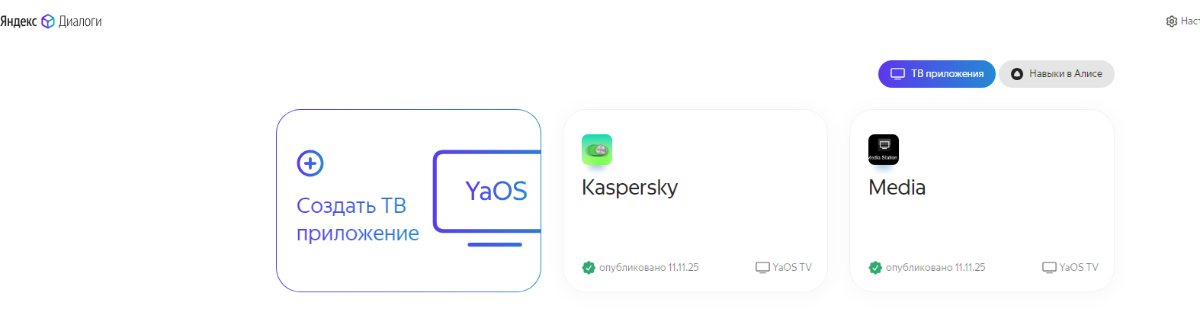
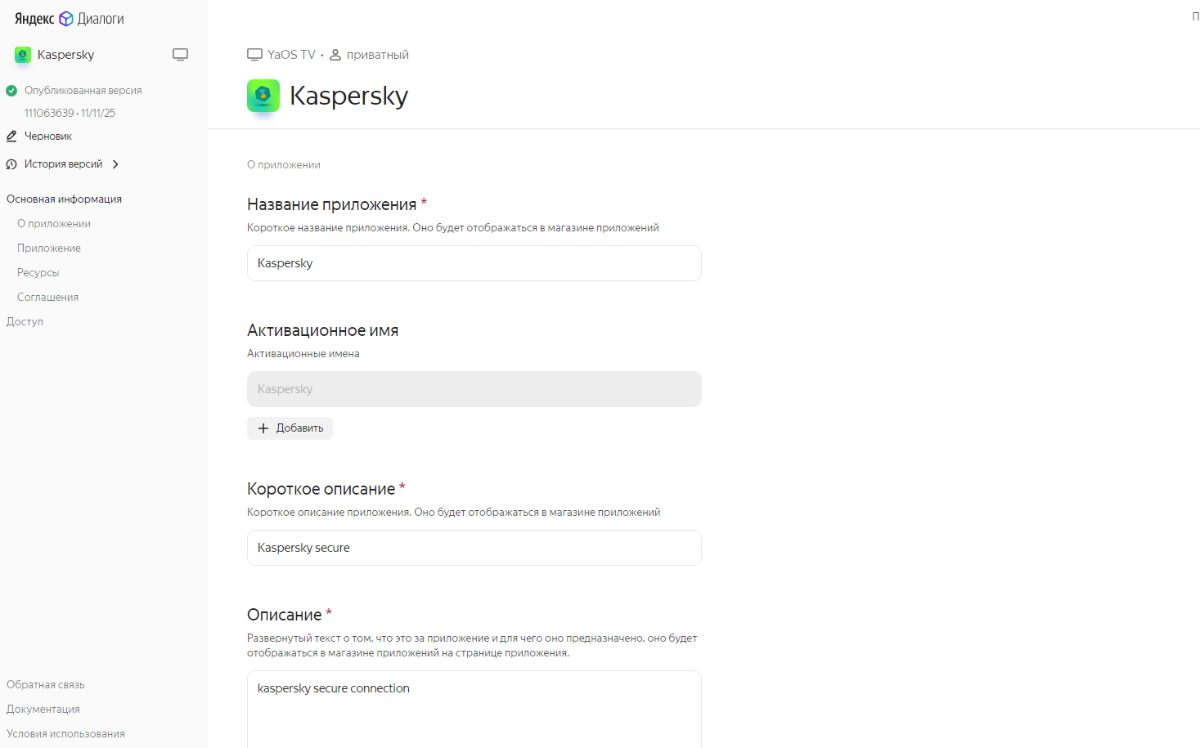
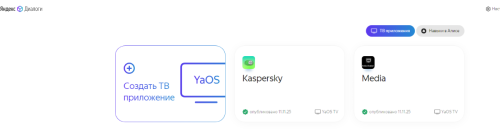
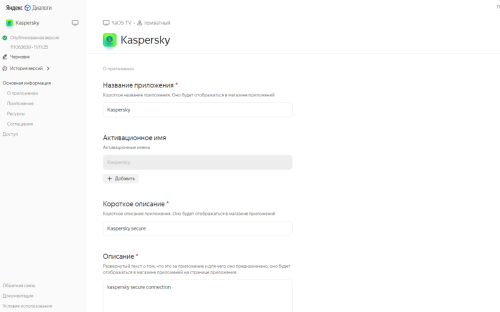
 R2D2 posted a topic in Kaspersky Secure ConnectionВсем здравствуйте! Кто пользуется в общим и целом лицензией купленной после 2 июля, где пока нету файла конфигурации для роутера, и пользуется яндекс модулем, станцией с hdmi и др., есть выход из ситуации. С недавнего времени, яндекс позволил публиковать частные приложения, которые видите только Вы, на сайте Яндекс Диалоги. Если администрация не против, приложу инструкцию(не моя, с 4ПДА). Коротко, вы закидывается файл APK, он появляется у вас в приложениях, только для вас, на вашем яндекс устройстве, у меня конкретно это Яндекс Модуль 2. Но у Яндекса строгие правила в частности разрешений, которое приложение просит от устройства и просто так secure connection не пропускает, пока вы не пересоберёте приложение и не удалите от туда эти разрешения: INSTALL_PACKAGES; REQUEST_INSTALL_PACKAGES; REQUEST_DELETE_PACKAGES; UPDATE_PACKAGES_WITHOUT_USER_ACTION; ENFORCE_UPDATE_OWNERSHIP; BIND_DEVICE_ADMIN Либо уже есть готовый пересобранный APK файл Kaspersky Secure Connection который пропускает Яндекс, если администрация не против, могу тоже выложить сюда.
-
 Vladimir Serbia posted a topic in Kaspersky Password ManagerHello, I have four Gmail accounts that I use across three browsers: Chrome, Firefox, and Brave. In all browsers, I have the extension installed. Until recently, I had a feature where, when I opened the page https://accounts.google.com/, an icon for Kaspersky Password Manager would appear in the field where I needed to enter the email address and then the password. After clicking on that icon, a list of all my four accounts would appear, allowing me to select the one I needed. The password field would then be automatically filled in. Some time ago, I lost that icon, and it only happens on accounts.google.com. On other websites, the icon is still present, and everything fills in automatically. I should note that since I have four accounts, the auto-fill function was disabled. In other words, Kaspersky Password Manager did not automatically fill in the input field but gave me the option to choose. I’ve tried changing the settings, entering full addresses, enabling auto-login, but nothing worked. I don’t want to copy and paste credentials every time I log in. I am sending you an example of a website where the icon appears and the site https://accounts.google.com where the icon is missing.
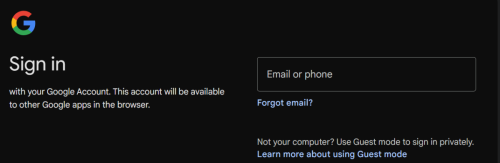
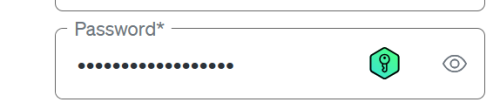
-
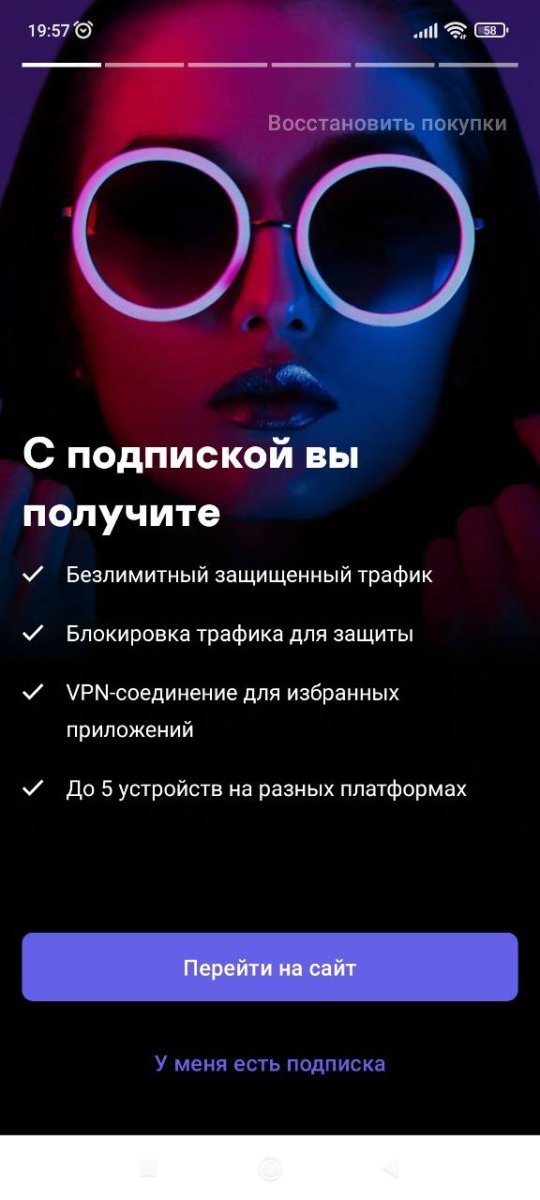
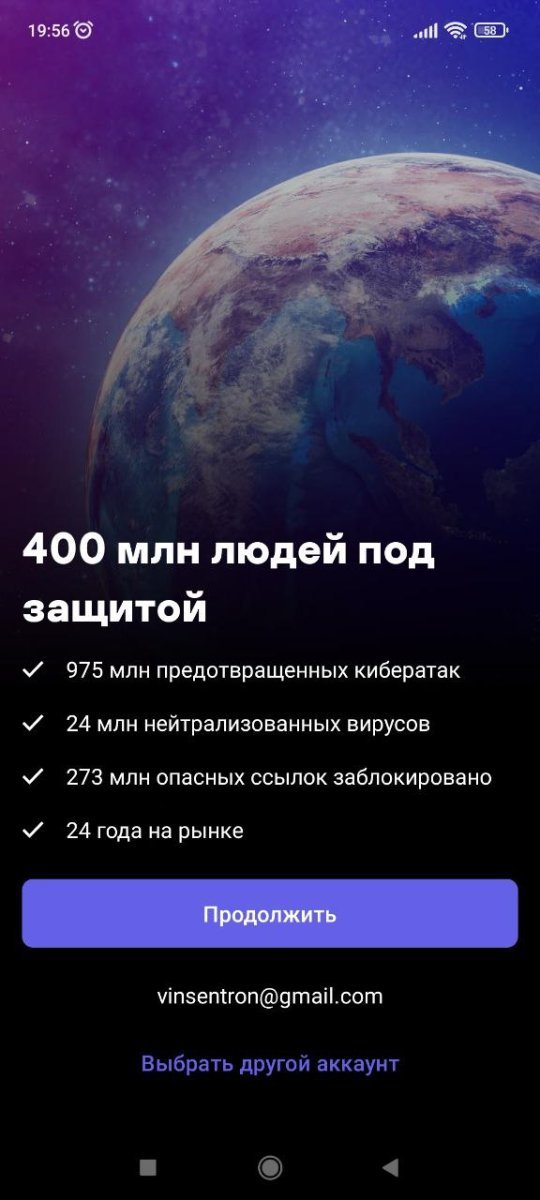
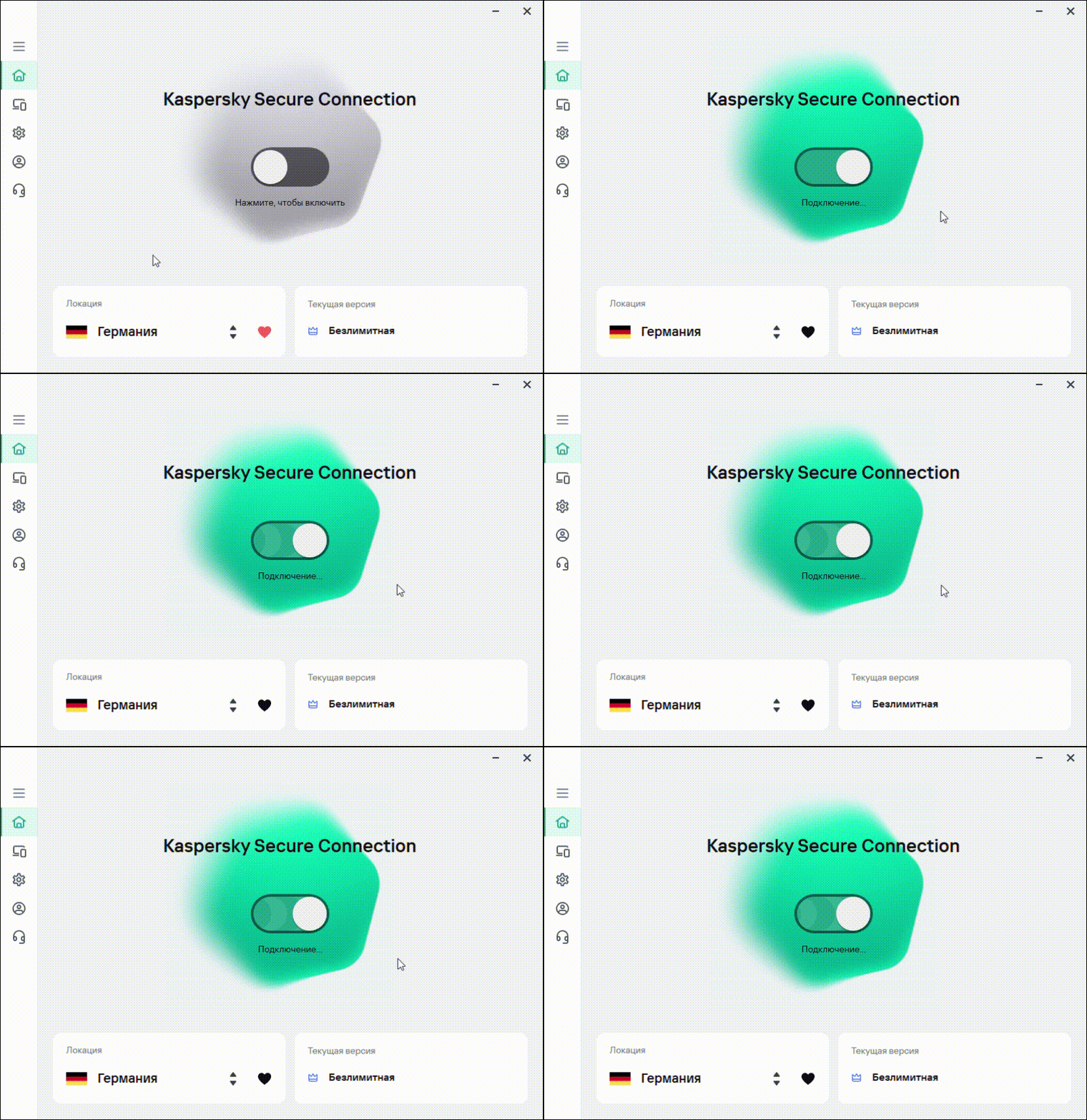
 VinsKron posted a topic in Kaspersky Secure ConnectionПрограмма работала корректно на ПК Windows 10, но после обновления (27.11.2025) программа при попытке подключения зависает на анимации подключения при попытке подключится к любому из серверов. (стала версия 21.23.6.614-2 (a)) Иногда подключение срабатывает, но к сайтам не удается подключится, как будто нет подключения к Интернету. На телефонах Android проблема идентична. (с версией 11.126.4.14659-2) На одном из подключенных телефонов приложение не распознает подключенную к аккаунту подписку и выводит данные окна (с версией 11.128.4.14926) В личном кабинете все 5 устройств отображаются и подписка является активной. Переустановка приложения не дала результата.

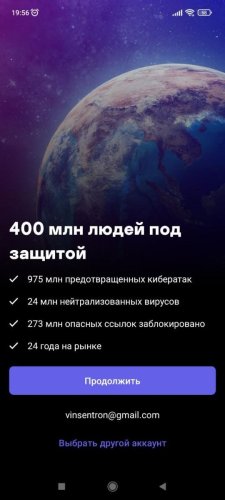
-
 Guest posted a topic in Kaspersky: Basic, Standard, Plus, PremiumHello! I was wondering but can you add a recovery environment option for Kaspersky plus/premium? This would be able to remove the following: Worms Trojan Horses Ransomware Spyware Adware Keyloggers Rootkits Botnets Logic Bombs File Infectors Polymorphic Viruses Macro Viruses Boot Sector Viruses Browser Hijackers Mobile Malware Polymorphic Malware Multipartite Viruses Armored Viruses Memory Resident Viruses Macro-based Malware Stealth Viruses MBR (Master Boot Record) Viruses Browser Exploits Fileless Malware Scareware Cryptojacking Advanced Persistent Threats (APTs) Exploit Kits Social Engineering Attacks Internet of Things (IoT) Malware Man-in-the-Middle (MitM) Attacks Pharming Fake Antivirus Software Spyware Browser Redirect Virus Clickjacking Remote Access Trojans (RATs) Exploit Ransomware Scamware SMS or Text Message Malware Zero-day Attacks Dropper Malware Grayware Scareware BIOS/UEFI Rootkits DNS Changer Malware Watering Hole Attacks Crypto-Malware Steganographic Malware AI-Powered Malware Malvertising Form Grabbers IoT Botnets Sandbox-Evasion Malware Click Fraud Point-of-Sale (POS) Malware File Crypters Network Sniffers Firmware Malware Browser Password Stealers Memory Scrapers Extortionware Mac Malware Voice Phishing (Vishing) BIOS Infectors Firmware Infectors AI-Powered Attacks Browser Extension Malware Advanced Malware FrameworksMaldoc (Malicious Document) Camfecting (Webcam Hacking) Mobile Banking Trojans DNS Tunneling Stealer Trojans Crypto Stealers Formjacking POS RAM Scrappers SMS Trojans Banking Trojans Crypto Ransomware Drive-by Downloads Fake Apps SMS Worms Browser Helper Object (BHO) Malware Scareware Trojans Email Spamming Botnets SQL Injection Attacks Cross-Site Scripting (XSS) Attacks Password Cracking Tools Virtual Machine Escape Malware Bootkit Malware Mobile Spyware Clipboard Hijackers Browser Password Managers Exploitation Malicious Browser Toolbars File Encryption Malware IoT Firmware Vulnerabilities POS Keyloggers Biometric Spoofing Attacks Supply Chain AttacksJavaScript Malware DNS Hijacking Email Phishing APT (Advanced Persistent Threat) Macro Obfuscation Techniques Evasive Malware Memory Manipulation Malware HTTPS/SSL Stripping Credential Stuffing Malware Droppers Firmware Backdoors Wi-Fi Hacking Malware Web Shell Malware Fake Updates DNS Hijacking Reverse Engineering Malware Advanced Fileless Malware Memory Injection Attacks Malware Persistence Techniques Botnet-based DDoS Attacks Steganography-based Malware Crypto-Mining Malware Voice Assistant Exploits Malicious USB Devices DNS Poisoning Browser CryptojackingRAT (Remote Access Trojan) Keystroke Injection Attacks Crypto-Stealing Trojans Memory Scanning Malware Mobile Remote Access Trojans (MRATs) Cryptojacking Botnets Browser Crypto-Mining Worms Bluetooth Hacking Malware Social Media Malware POS Malware Frameworks Credential Harvesting Malware PowerShell-based Malware SMS Phishing (Smishing) Mac Firmware Malware IoT Botnet Command-and-Control (C&C) Servers In-memory Malware Audio Malware Man-in-the-Browser Attacks Malicious AI-generated Content Malware Droppers via Malvertising Mobile Spyware Frameworks Drone Hijacking Malware Wi-Fi Sniffing Malware Point-of-Sale Malware as a Service (MaaS) Ad Fraud Botnets Voice Recognition Malware Ransomworms Memory Cache Attacks Cryptojacking Trojans Wearable Device Malware Stealthy Hardware Implants Mac Sandbox Escapes Industrial Control System (ICS) Malware Bluetooth Worms Ad Fraud Malware Voice Assistant Eavesdropping GPS Spoofing Techniques Smart TV Malware AI-driven Spear Phishing Software Supply Chain Malware Drone Surveillance Malware Optical Malware Print Spooler Exploits Automotive Malware Cloud-based Malware Password-Stealing Botnets Phishing Kits Malware Sandbox Evasion Techniques GPS Spoofing MalwareVirtualization-based Malware Voice Assistant Manipulation Fitness Tracker Exploits Social Media Botnets Digital Wallet Malware Self-Replicating Mobile Malware Genetic Malware Variants SIM Card Hijacking Malware Data Exfiltration Malware E-commerce Platform Exploits Adware Bundlers Smart Home Device Hijacking Distributed Denial of Service (DDoS) Botnets Cryptocurrency Exchange Exploits AI-driven Deepfake Malware Web Skimming Malware Insider Threat Malware Machine-to-Machine (M2M) Malware Industrial Espionage Malware Banking Trojan Networks Mobile BotnetsMacro-less Malware Credential Stealing Malware Secure Boot Exploits Voice Assistant Voice Cloning Genetic Algorithm Malware Medical Device Malware Automated Malware Generation Tools Cloud Service Exploits Mobile App Code Injection Vehicle-to-Vehicle (V2V) Malware Digital Certificate Abuse Zero-Click Exploits Deep Packet Inspection (DPI) Malware Memory Residency Malware Anti-Analysis Techniques Social Engineering Malware IoT Device Firmware Backdoors IoT Botnet as a Service (BaaS) Infrastructure-as-Code (IaC) Malware Hidden Cryptocurrency Miners Malware Targeting Virtual Reality (VR) Platforms Malicious USB Rubber Ducky DNSSEC Attacks Electric Grid Malware Automated Botnet Creation Tools IoT Device Identity Spoofing Counter-AV Techniques Malware Campaign Automation Malware Targeting Cloud Containers Exploits Leveraging AI Models Voice Command Injection Attacks Malware Targeting Voice Assistants Supply Chain Manipulation Malware AI-based Polymorphic Malware Wearable Device Data Theft Covert Communication Channels Print Spooler Exploitation Techniques Machine Learning Poisoning Attacks Augmented Reality (AR) Malware Genome Data Exploitation Quantum Computing-based Malware Malware Evading Behavioural Analysis Adware as a Service (AaaS) Quantum Cryptography Exploits Cryptocurrency Malware Mining Pools Malware Leveraging Blockchain Technology Hardware-based BIOS Attacks Mobile Botnets for Cryptojacking Evasive Code Obfuscation Biometric Data Spoofing Phishing as a Service (PaaS) Web Scraping Malware Driver Exploits Unpatchable Zero-day Exploits And many many more! This would be an amazing feature to add please take this into consideration thanks for reading!
-
 Jand posted a topic in Kaspersky Secure ConnectionНи чего не работает, только Российский сервер!А зачем тогда нужен Kaspersky Secure Connection? Или это новая политика каперского? Литва еще работает, но только при подключении к Литве - это Бостон, США.
-
 Britta posted a topic in Kaspersky VPNHi, I use Secure Connect / VPN for 18 months and never had issues. For hours now, I am not able to connect. The App "connects" - but then the internet is dead. Restarted the app, restarted the computer, tried different countries. Any tips?
-
-
 Bahaa Noseir replied to Bahaa Noseir's topic in Kaspersky Rescue DiskOS Name Microsoft Windows 11 Pro Version 10.0.26200 Build 26200 Other OS Description Not Available OS Manufacturer Microsoft Corporation System Name - System Manufacturer Dell Inc. System Model Precision Tower 5810 System Type x64-based PC System SKU 0617 Processor Intel(R) Xeon(R) CPU E5-2678 v3 @ 2.50GHz, 2501 Mhz, 12 Core(s), 24 Logical Processor(s) BIOS Version/Date Dell Inc. A34, 10/19/2020 SMBIOS Version 2.8 Embedded Controller Version 255.255 BIOS Mode UEFI BaseBoard Manufacturer Dell Inc. BaseBoard Product 0K240Y BaseBoard Version A01 Platform Role Desktop Secure Boot State On PCR7 Configuration Binding Possible Windows Directory C:\WINDOWS System Directory C:\WINDOWS\system32 Boot Device \Device\HarddiskVolume4 Locale Egypt Hardware Abstraction Layer Version = "10.0.26100.1" User Name -\Bahaa Noseir Time Zone Egypt Daylight Time Installed Physical Memory (RAM) 32.0 GB Total Physical Memory 31.9 GB Available Physical Memory 17.6 GB Total Virtual Memory 61.2 GB Available Virtual Memory 47.0 GB Page File Space 29.3 GB Page File C:\pagefile.sys Kernel DMA Protection Off Virtualization-based security Not enabled App Control for Business policy Enforced App Control for Business user mode policy Off Automatic Device Encryption Support Meets prerequisites Hyper-V - VM Monitor Mode Extensions Yes Hyper-V - Second Level Address Translation Extensions Yes Hyper-V - Virtualization Enabled in Firmware Yes Hyper-V - Data Execution Protection Yes
-
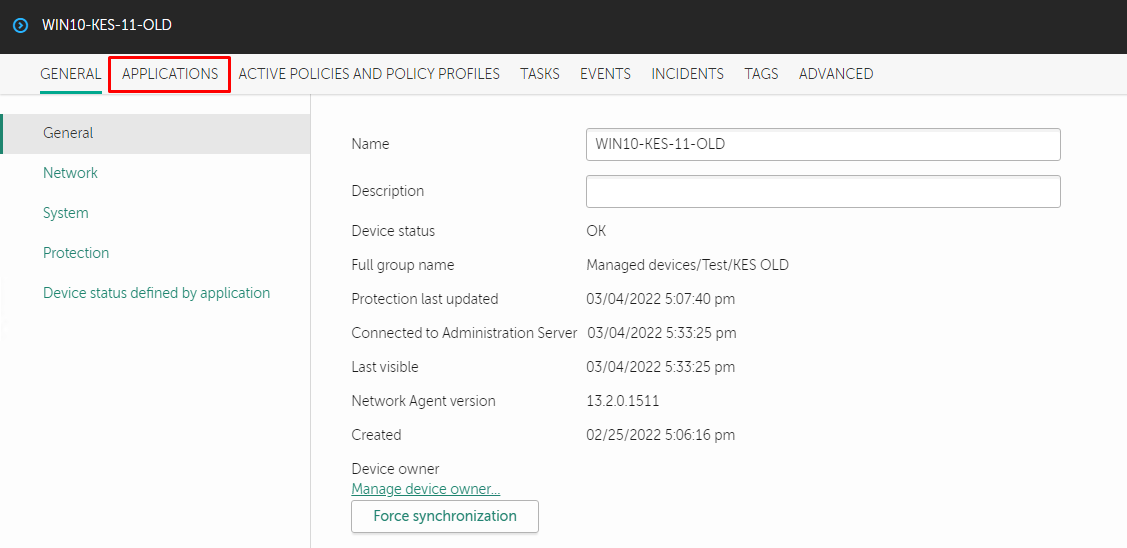
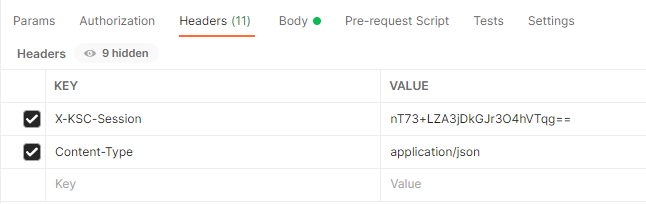
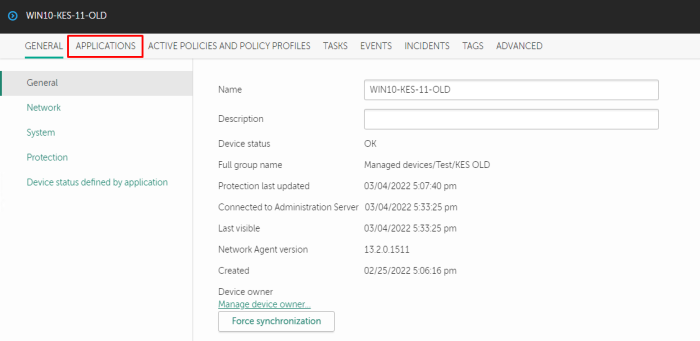
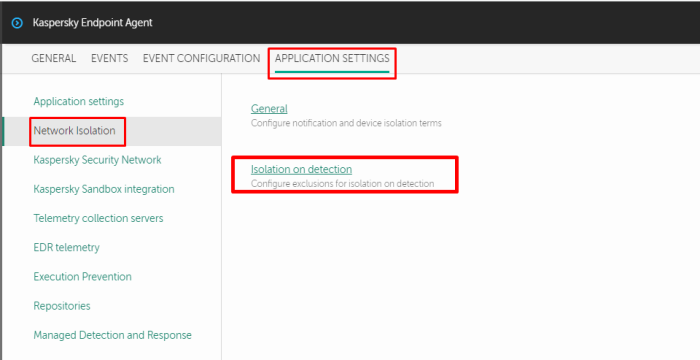
 Antipova Anna posted a topic in Advice and solutions for Kaspersky Security CenterAdvice and Solutions (Forum Knowledgebase) Disclaimer. Read before using materials. Description and cautions The article is giving some use cases examples of KSC API calls to ease one's start using the API. In that KB we are looking at host isolation with KES/KEA scenario. For the Windows version of cURL, you need to specify that the arguments need to be escaped with "\", otherwise there will be an error. For example: 'Authorization: KSCBasic user=\"YXBpLXVzZXI=\", pass=\"cGFzc3dvcmQ=\", internal=\"1\"' Details Prerequisites internal user: api-user Example KSC address - 127.0.0.1 (the address can also be external) API Port - 13299 (default) User: api-user (intrental KSC user), base64: YXBpLXVzZXI= Password: password, base64: cGFzc3dvcmQ= Credentials: User Password api-user password Base64: YXBpLXVzZXI= cGFzc3dvcmQ= Authentication, type: Authenticated session, other types: KSC Open API description Requests are in cUrl and http formats, as an alternative it is also possible to use Python library (KlAkOAPI Python package) Login Start connection to KSC (Session::StartSession) Session::StartSession curl --location --request POST 'https://127.0.0.1:13299/api/v1.0/Session.StartSession' \ --header 'Authorization: KSCBasic user="YXBpLXVzZXI=", pass="cGFzc3dvcmQ=", internal="1"' Username and password should be encoded to base64 format as part of a secure HTTPS session. For example, https://www.base64encode.org/ can be used for encoding. Response { "PxgRetVal": "nsPbUpP1oAVZlM1lODEbg8A==" } Use this token in request header Find Host Find host by filter string (HostGroup::FindHosts) Filter string, contains a condition over host attributes, see also Search filter syntax. We use "KLHST_WKS_DN" - Host display name HostGroup::FindHosts POST /api/v1.0/HostGroup.FindHosts HTTP/1.1 Host: localhost:13299 X-KSC-Session: nH4iKWCdxuBJWO5U4ATKSew== Content-Type: application/json Content-Length: 170 { "vecFieldsToReturn": [ "KLHST_WKS_HOSTNAME", "KLHST_WKS_DN" ], "lMaxLifeTime": 1200, "wstrFilter": "(KLHST_WKS_DN=\"WIN10-*\")" } Response ID Response {"strAccessor":"ppYeO5rmkvKcMUm8vQzOK2","PxgRetVal":18} Copy Accessor for next request (ChunkAccessor::GetItemsChunk) ChunkAccessor::GetItemsChunk curl -L -X POST "https://127.0.0.1:13299/api/v1.0/ChunkAccessor.GetItemsChunk" -H "X-KSC-Session: noOxgI9Ny7O5Whg/97qvcVg==" -H "Content-Type: application/json" --data-raw "{ \"strAccessor\":\"fb07haDqXIKZbQzyDsMwx1\", \"nStart\": 0, \"nCount\": 100 }" Response info about host: Response { "pChunk": { "KLCSP_ITERATOR_ARRAY": [ { "type": "params", "value": { "KLHST_WKS_DN": "WIN10-OPTIMUM-1", "KLHST_WKS_HOSTNAME": "c0816918-fbc5-4fbc-8fed-6f245756120e" } }, { "type": "params", "value": { "KLHST_WKS_DN": "WIN10-KES-11-OLD", "KLHST_WKS_HOSTNAME": "ab365e11-a1c7-492b-a981-e84402b33a8f" } } ] }, ........ "PxgRetVal": 18 } Copy value "KLHST_WKS_HOSTNAME" for next request KEA Isolation HostGroup.GetHostInfo Acquire specified host attributes. (HostGroup::GetHostInfo) strHostName (wstring) host name, a unique server-generated string (see KLHST_WKS_HOSTNAME attribute). It is NOT the same as computer network name (DNS-, FQDN-, NetBIOS-name) pFields2Return (array) array of names of host attributes to return. See List of host attributes for attribute names HostGroup.GetHostInfo POST /api/v1.0/HostGroup.GetHostInfo HTTP/1.1 Host: localhost:13299 X-KSC-Session: nH4iKWCdxuBJWO5U4ATKSew== Content-Type: application/json Content-Length: 185 { "strHostName":"ab365e11-a1c7-492b-a981-e84402b33a8f", "pFields2Return": [ "KLHST_WKS_HOSTNAME", "KLHST_WKS_DN", "KLHST_APP_INFO" ] } HostGroup.SS_GetNames Get section names from host settings storage. (HostGroup::SS_GetNames) Parameters values should be taken from the previous response. HostGroup::SS_GetNames POST /api/v1.0/HostGroup.SS_GetNames HTTP/1.1 Host: localhost:13299 X-KSC-Session: nqH6Qma75t/wBcQm8vlyqvQ== Content-Type: application/json Content-Length: 148 { "strHostName":"ab365e11-a1c7-492b-a981-e84402b33a8f", "strType":"SS_SETTINGS", "strProduct":"SOYUZ", "strVersion":"4.0.0.0" } Response: Response { "PxgRetVal": [ ".KLNAG_SECTION_REBOOT_REQUEST", "85", "AccountLogonSettings", "ApplicationSettings", "AutoStartEntriesNotifySettings", "ConnectionSettings", "CreateProcessSettings", "FileChangeNotificationSettsEdr", "KLEVP_NF_SECTION", "KsnServiceSettings", "LoadImageSettingsEdr", "MaintenanceSettings", "MdrServiceSettings", "MessageBrokerSettings", "NetworkConnectionSettingsEdr", "NetworkIsolationProfilesSetts", "NetworkIsolationSettings", #copy this field setting "PasswordSettings", "PreventionSettings", "ProductPermissionSettings", "QuarantineSettings", "SandboxSettings", "SelfDefenceSettings", "UserModeApiMonitorSrvSettings", "WMIActivitySettings", "WindowsEventLogSettingsEdr", "WindowsRegistrySettings" ] } With NWC web console KSC create local network exteption for VPN: 1) Open host properties → Applications → KEA 2) Open tab APP Settings → Network Isolation → Isolation on detection 3) Add rule for RDP → click "OK" → click "Save" HostGroup.SS_Read Read data from host settings storage. (HostGroup::SS_Read) Parameters values should be taken from two previous responses HostGroup::SS_Read POST /api/v1.0/HostGroup.SS_Read HTTP/1.1 Host: localhost:13299 X-KSC-Session: nqc+0P0UI+Wzuu+FREB74yQ== Content-Type: application/json Content-Length: 194 { "strHostName":"ab365e11-a1c7-492b-a981-e84402b33a8f", "strType":"SS_SETTINGS", "strProduct":"SOYUZ", "strVersion":"4.0.0.0", "strSection":"NetworkIsolationSettings" } Response info about Network Isolation with RDP rule exception: Response { "PxgRetVal": { "BaseSettings": { "type": "params", "value": { "Revision": { "type": "long", "value": 0 }, "__VersionInfo": [ 1, 0 ] } }, "Enable": false, "Exclusions": [ { "type": "params", "value": { "Description": "Custom (user-defined)", "Name": "Custom (user-defined)", "Rules": [ { "type": "params", "value": { "AppProtocolName": "RDP", "Applications": [], "Direction": 3, "Enable": true, "LocalAddress": "", "LocalPort": { "type": "params", "value": { "MaxPort": 3389, "MinPort": 3389, "__VersionInfo": [ 1, 0 ] } }, "Protocol": 0, "RemoteAddress": "", "RemotePort": { "type": "params", "value": { "MaxPort": 0, "MinPort": 0, "__VersionInfo": [ 1, 0 ] } }, "UseApplications": false, "UseLocalAddress": false, "UseLocalPort": true, "UseProtocol": false, "UseRemoteAddress": false, "UseRemotePort": false, "__VersionInfo": [ 1, 1 ] } } ], "__VersionInfo": [ 1, 0 ] } } ], "IsolationTimeout": 1800, "NotifyUser": true, "UseIsolationTimeout": true, "__VersionInfo": [ 1, 2 ] } } Copy all response for next request. HostGroup.SS_Write Write data to host settings storage for isolation workstation with RDP rule. (HostGroup::SS_Write) 1) Use previous value parameters 2) for nOption use 7 7 - "Clear", replaces existing section contents with pData, i.e. existing section contents will deleted and variables from pData will be written to the section. 3) for pSettings past previous response and change "Enable": true HostGroup::SS_Write POST /api/v1.0/HostGroup.SS_Write HTTP/1.1 Host: localhost:13299 X-KSC-Session: nbpsiiOAAxiDWfMSVkgciWQ== Content-Type: application/json Content-Length: 1066 { "strHostName":"bdcae680-eeaa-4279-a822-92a0d3e01dfb", "strType":"SS_SETTINGS", "strProduct":"SOYUZ", "strVersion":"4.0.0.0", "strSection":"NetworkIsolationSettings", "nOption":7, "pSettings":{ "BaseSettings": { "type": "params", "value": { "Revision": { "type": "long", "value": 0 }, "__VersionInfo": [ 1, 0 ] } }, "Enable": true, #Isolation ON "Exclusions": [ { "type": "params", "value": { "Description": "Custom (user-defined)", "Name": "Custom (user-defined)", "Rules": [ { "type": "params", "value": { "AppProtocolName": "RDP", #custom rule for RDP "Applications": [], "Direction": 3, "Enable": true, "LocalAddress": "", "LocalPort": { "type": "params", "value": { "MaxPort": 3389, "MinPort": 3389, "__VersionInfo": [ 1, 0 ] } }, "Protocol": 0, "RemoteAddress": "", "RemotePort": { "type": "params", "value": { "MaxPort": 0, "MinPort": 0, "__VersionInfo": [ 1, 0 ] } }, "UseApplications": false, "UseLocalAddress": false, "UseLocalPort": true, "UseProtocol": false, "UseRemoteAddress": false, "UseRemotePort": false, "__VersionInfo": [ 1, 1 ] } } ], "__VersionInfo": [ 1, 0 ] } } ], "IsolationTimeout": 1800, "NotifyUser": true, "UseIsolationTimeout": true, "__VersionInfo": [ 1, 2 ] } } Response Response { } Host isolated successfully. For off isolation you must change for pSettings past previous response and change "Enable": false KES Isolation (11.7 and upper) FindHost Find Host with previous method and copy value "KLHST_WKS_HOSTNAME" For example: "KLHST_WKS_DN":"KEDRO-1","KLHST_WKS_HOSTNAME":"a20da5de-49e5-469a-92ea-41b5adb74ea4" SrvView Find srvview data by filter string (SrvView::ResetIterator) "wstrViewName" - check List of supported srvviews. "vecFieldsToReturn" - check https://support.kaspersky.com/help/KSC/13.1/KSCAPI/a00307.html SrvView::ResetIterator POST /api/v1.0/SrvView.ResetIterator HTTP/1.1 Host: localhost:13299 X-KSC-Session: nXo75DRoFMRjNp2jwByKlfg== Content-Type: application/json Content-Length: 614 { "wstrViewName": "HostTasksSrvView", "vecFieldsToReturn": [ "nState", "strTask", "TASK_NAME", "txtDisplayName", "TASKID_PRODUCT_NAME", "TASKID_PRODUCT_VERSION", "bCannotBeDeleted", "bSystem" ], "vecFieldsToOrder": [ { "type": "params", "value": { "Name": "TASK_NAME", "Asc": "true" } } ], "lifetimeSec": 100, "pParams": { "strHostId": "a20da5de-49e5-469a-92ea-41b5adb74ea4" }, "wstrFilter": "" } Response ID Response {"wstrIteratorId":"67D74142AE0FA1A3D05CD696B957902B"} GetRecordRange from Response data (SrvView.GetRecordRange) SrvView.GetRecordRange curl -L -X POST "https://127.0.0.1:13299/api/v1.0/SrvView.GetRecordRange" -H "X-KSC-Session: noOxgI9Ny7O5Whg/97qvcVg==" -H "Content-Type: application/json" --data-raw "{ \"wstrIteratorId\":\"67D74142AE0FA1A3D05CD696B957902B\", \"nStart\": 0, \"nEnd\": 100 }" Copy value "strTask" for Task "xdr_networkisolation_start" and "xdr_networkisolation_stop" For example: Isolation ON => "TASK_NAME":"xdr_networkisolation_start" .... "strTask":"_LOCAL_2212c5ce-c23d-4c55-8bca-656221d5f056" Isolation OFF => "TASK_NAME":"xdr_networkisolation_stop .... "strTask":"_LOCAL_f0395954-c011-445c-b2e3-0a1074a2cf8d" Isolation ON GetHostTasks Return server specific identity to acquire and manage host tasks. (HostGroup::GetHostTasks) HostGroup.GetHostTasks POST /api/v1.0/HostGroup.GetHostTasks HTTP/1.1 Host: localhost:13299 X-KSC-Session: nXo75DRoFMRjNp2jwByKlfg== Content-Type: application/json Content-Length: 58 { "strHostName":"a20da5de-49e5-469a-92ea-41b5adb74ea4" } Response: Response {"PxgRetVal":"8122017D5C4081753E8FDE94244DC1AF"} HostTasks GetTaskData Acquire task settings. (HostTasks::GetTaskData) strSrvObjId - server object ID that got from HostGroup.GetHostTasks strTask - storage identifier of the task (such as returned by HostTasks.AddTask) HostTasks::GetTaskData POST /api/v1.0/HostTasks.GetTaskData HTTP/1.1 Host: localhost:13299 X-KSC-Session: nXo75DRoFMRjNp2jwByKlfg== Content-Type: application/json Content-Length: 112 { "strTask":"_LOCAL_2212c5ce-c23d-4c55-8bca-656221d5f056", "strSrvObjId":"8122017D5C4081753E8FDE94244DC1AF" } Response: Response {"PxgRetVal":{"EVENT_TYPE":"PRTS_EVENT_NONE","FILTER_EVENTS_COMPONENT_NAME":"","FILTER_EVENTS_INSTANCE_ID":"","FILTER_EVENTS_PRODUCT_NAME":"","FILTER_EVENTS_VERSION":"","TASKID_COMPONENT_NAME":"Connector","TASKID_INSTANCE_ID":"","TASKID_PRODUCT_NAME":"KES","TASKID_VERSION":"11.0.0.0","TASKSCH_FIRST_EXECUTION_TIME":{"type":"datetime","value":"1970-01-01T00:00:00Z"},"TASKSCH_FIRST_EXECUTION_TIME_SEC":0,"TASKSCH_LIFETIME":{"type":"datetime","value":""},"TASKSCH_MS_PERIOD":0,"TASKSCH_RUN_MISSED_FLAG":false,"TASKSCH_TYPE":0,"TASK_ADDITIONAL_PARAMS":{"type":"params","value":{"CompatibilityInfo":{"type":"params","value":{"MinimalPluginVersion":"11.7.0.0"}},"PRTS_TASK_EXT_SHEDULE_FLAGS":0,"exclusionRules":[{"type":"params","value":{"applications":{"type":"params","value":{"enabled":false,"paths":[]}},"dataSource":1,"localPorts":{"type":"params","value":{"enabled":true,"portRange":[{"type":"params","value":{"end":53,"start":53}}]}},"name":"DNS","protocol":{"type":"params","value":{"enabled":true,"id":6}},"remoteAddress":{"type":"params","value":{"enabled":false,"ip":{"type":"params","value":{"octets":{"type":"binary","value":""},"zoneIPv6":""}}}},"remotePorts":{"type":"params","value":{"enabled":false,"portRange":[]}}}},{"type":"params","value":{"applications":{"type":"params","value":{"enabled":false,"paths":[]}},"dataSource":1,"localPorts":{"type":"params","value":{"enabled":true,"portRange":[{"type":"params","value":{"end":53,"start":53}}]}},"name":"DNS","protocol":{"type":"params","value":{"enabled":true,"id":17}},"remoteAddress":{"type":"params","value":{"enabled":false,"ip":{"type":"params","value":{"octets":{"type":"binary","value":""},"zoneIPv6":""}}}},"remotePorts":{"type":"params","value":{"enabled":false,"portRange":[]}}}},{"type":"params","value":{"applications":{"type":"params","value":{"enabled":true,"paths":["%systemroot%\\system32\\dns.exe"]}},"dataSource":1,"localPorts":{"type":"params","value":{"enabled":true,"portRange":[{"type":"params","value":{"end":65535,"start":49152}}]}},"name":"Large numbered TCP ports, randomly assigned by the RPC service","protocol":{"type":"params","value":{"enabled":true,"id":6}},"remoteAddress":{"type":"params","value":{"enabled":false,"ip":{"type":"params","value":{"octets":{"type":"binary","value":""},"zoneIPv6":""}}}},"remotePorts":{"type":"params","value":{"enabled":false,"portRange":[]}}}},{"type":"params","value":{"applications":{"type":"params","value":{"enabled":true,"paths":["%systemroot%\\system32\\svchost.exe"]}},"dataSource":1,"localPorts":{"type":"params","value":{"enabled":true,"portRange":[{"type":"params","value":{"end":135,"start":135}}]}},"name":"RPC Endpoint Mapper","protocol":{"type":"params","value":{"enabled":true,"id":6}},"remoteAddress":{"type":"params","value":{"enabled":false,"ip":{"type":"params","value":{"octets":{"type":"binary","value":""},"zoneIPv6":""}}}},"remotePorts":{"type":"params","value":{"enabled":false,"portRange":[]}}}},{"type":"params","value":{"applications":{"type":"params","value":{"enabled":false,"paths":[]}},"dataSource":0,"localPorts":{"type":"params","value":{"enabled":false,"portRange":[]}},"name":"DNS client","protocol":{"type":"params","value":{"enabled":true,"id":6}},"remoteAddress":{"type":"params","value":{"enabled":false,"ip":{"type":"params","value":{"octets":{"type":"binary","value":""},"zoneIPv6":""}}}},"remotePorts":{"type":"params","value":{"enabled":true,"portRange":[{"type":"params","value":{"end":53,"start":53}}]}}}},{"type":"params","value":{"applications":{"type":"params","value":{"enabled":false,"paths":[]}},"dataSource":0,"localPorts":{"type":"params","value":{"enabled":false,"portRange":[]}},"name":"DNS client","protocol":{"type":"params","value":{"enabled":true,"id":17}},"remoteAddress":{"type":"params","value":{"enabled":false,"ip":{"type":"params","value":{"octets":{"type":"binary","value":""},"zoneIPv6":""}}}},"remotePorts":{"type":"params","value":{"enabled":true,"portRange":[{"type":"params","value":{"end":53,"start":53}}]}}}},{"type":"params","value":{"applications":{"type":"params","value":{"enabled":false,"paths":[]}},"dataSource":2,"localPorts":{"type":"params","value":{"enabled":true,"portRange":[{"type":"params","value":{"end":68,"start":68}}]}},"name":"DHCP server","protocol":{"type":"params","value":{"enabled":true,"id":17}},"remoteAddress":{"type":"params","value":{"enabled":false,"ip":{"type":"params","value":{"octets":{"type":"binary","value":""},"zoneIPv6":""}}}},"remotePorts":{"type":"params","value":{"enabled":true,"portRange":[{"type":"params","value":{"end":67,"start":67}}]}}}},{"type":"params","value":{"applications":{"type":"params","value":{"enabled":false,"paths":[]}},"dataSource":2,"localPorts":{"type":"params","value":{"enabled":true,"portRange":[{"type":"params","value":{"end":67,"start":67}}]}},"name":"DHCP client","protocol":{"type":"params","value":{"enabled":true,"id":17}},"remoteAddress":{"type":"params","value":{"enabled":false,"ip":{"type":"params","value":{"octets":{"type":"binary","value":""},"zoneIPv6":""}}}},"remotePorts":{"type":"params","value":{"enabled":true,"portRange":[{"type":"params","value":{"end":68,"start":68}}]}}}},{"type":"params","value":{"applications":{"type":"params","value":{"enabled":false,"paths":[]}},"dataSource":1,"localPorts":{"type":"params","value":{"enabled":true,"portRange":[{"type":"params","value":{"end":2535,"start":2535}}]}},"name":"MADCAP","protocol":{"type":"params","value":{"enabled":true,"id":17}},"remoteAddress":{"type":"params","value":{"enabled":false,"ip":{"type":"params","value":{"octets":{"type":"binary","value":""},"zoneIPv6":""}}}},"remotePorts":{"type":"params","value":{"enabled":false,"portRange":[]}}}},{"type":"params","value":{"applications":{"type":"params","value":{"enabled":false,"paths":[]}},"dataSource":1,"localPorts":{"type":"params","value":{"enabled":true,"portRange":[{"type":"params","value":{"end":647,"start":647}}]}},"name":"DHCP failover","protocol":{"type":"params","value":{"enabled":true,"id":6}},"remoteAddress":{"type":"params","value":{"enabled":false,"ip":{"type":"params","value":{"octets":{"type":"binary","value":""},"zoneIPv6":""}}}},"remotePorts":{"type":"params","value":{"enabled":false,"portRange":[]}}}}],"isolationDuration":3600000,"klprts-TaskStorageId":"_LOCAL_2d076fbe-7e60-4a99-9177-173076a5a2b1","ksc_settings_compatibility::TaskUniqueId":"89621cce@xdr_networkisolation_start@NetworkIsolationStart","responseId":{"type":"long","value":7998665773575485050}}},"TASK_CLASS_ID":0,"TASK_DEL_AFTER_RUN_FLAG":false,"TASK_INFO_PARAMS":{"type":"params","value":{"DisplayName":"Network isolation","klprts-TaskCannotBeDeleted":true,"klprts-TaskScheduleSubtype":256}},"TASK_LAST_EXEC_TIME":{"type":"datetime","value":"1970-01-01T00:00:00Z"},"TASK_LAST_EXEC_TIME_SEC":0,"TASK_MAX_EXEC_TIME":0,"TASK_NAME":"xdr_networkisolation_start","TASK_PREP_START":0,"TASK_PRIORITY":1,"TASK_START_DELTA":0,"TASK_UNIQUE_ID":"_LOCAL_2212c5ce-c23d-4c55-8bca-656221d5f056"}} Copy some of value from response and change parameters on next request with Network isolation exclusions RDP protocol (for example): exclusionRules { "type": "params", "value": { "applications": { "type": "params", "value": { "enabled": true, "paths": [] } }, "dataSource": 2, #inbound and outbound "localPorts": { "type": "params", "value": { "enabled": true, "portRange": [ { "type": "params", "value": { "end": 3389, #port "start": 3389 #port } } ] } }, "name": "RDP ANY", #name "protocol": { "type": "params", "value": { "enabled": true, "id": 0 #TCP and UDP } }, "remoteAddress": { "type": "params", "value": { "enabled": false, "ip": { "type": "params", "value": { "octets": { "type": "binary", "value": "" }, "zoneIPv6": "" } } } }, "remotePorts": { "type": "params", "value": { "enabled": false, "portRange": [] } } } } UpdateTask Modify task settings. ( HostTasks::UpdateTask) HostTasks::UpdateTask Collapse source POST /api/v1.0/HostTasks.UpdateTask HTTP/1.1 Host: localhost:13299 X-KSC-Session: n18Zfc+1hPeedqD07uM96/A== Content-Type: application/json Content-Length: 32796 { "strTask": "_LOCAL_2212c5ce-c23d-4c55-8bca-656221d5f056", "strSrvObjId": "46A9BEBC82C3FB1121050247A0697ECC", "pData": { "TASKID_COMPONENT_NAME": "Connector", "TASKID_PRODUCT_NAME": "KES", "TASKID_VERSION": "11.0.0.0", "TASKSCH_TYPE": 5, "TASK_ADDITIONAL_PARAMS": { "type": "params", "value": { "CompatibilityInfo": { "type": "params", "value": { "MinimalPluginVersion": "11.8.0.0" } }, "PRTS_TASK_EXT_SHEDULE_FLAGS": 0, "exclusionRules": [ { "type": "params", "value": { "applications": { "type": "params", "value": { "enabled": true, "paths": [] } }, "dataSource": 2, "localPorts": { "type": "params", "value": { "enabled": true, "portRange": [ { "type": "params", "value": { "end": 3389, "start": 3389 } } ] } }, "name": "RDP ANY", "protocol": { "type": "params", "value": { "enabled": true, "id": 0 } }, "remoteAddress": { "type": "params", "value": { "enabled": false, "ip": { "type": "params", "value": { "octets": { "type": "binary", "value": "" }, "zoneIPv6": "" } } } }, "remotePorts": { "type": "params", "value": { "enabled": false, "portRange": [] } } } } ], "isolationDuration":28800000, "klprts-TaskStorageId":"_LOCAL_2212c5ce-c23d-4c55-8bca-656221d5f056", "ksc_settings_compatibility::TaskUniqueId":"89621cce@xdr_networkisolation_start@NetworkIsolationStart", "responseId":{"type":"long","value":4294967295}}}, "TASK_CLASS_ID":0, "TASK_DEL_AFTER_RUN_FLAG":false, "TASK_INFO_PARAMS": {"type":"params","value":{ "DisplayName":"Network isolation", "klprts-TaskCannotBeDeleted":true, "klprts-TaskScheduleSubtype":512} }, "TASK_NAME":"xdr_networkisolation_start", "TASK_PREP_START":0, "TASK_PRIORITY":1, "TASK_START_DELTA":0, "TASK_UNIQUE_ID":"_LOCAL_2212c5ce-c23d-4c55-8bca-656221d5f056" } } Response Response { } Host isolated successful with allowed RDP session. Isolation OFF For example: Isolation OFF => "TASK_NAME":"xdr_networkisolation_stop .... "strTask":"_LOCAL_f0395954-c011-445c-b2e3-0a1074a2cf8d" GetHostTasks Return server specific identity to acquire and manage host tasks. (HostGroup::GetHostTasks) HostGroup.GetHostTasks POST /api/v1.0/HostGroup.GetHostTasks HTTP/1.1 Host: localhost:13299 X-KSC-Session: nXo75DRoFMRjNp2jwByKlfg== Content-Type: application/json Content-Length: 58 { "strHostName":"a20da5de-49e5-469a-92ea-41b5adb74ea4" } Response: Response {"PxgRetVal":"8122017D5C4081753E8FDE94244DC1AF"} HostTasks GetTaskData Acquire task settings. (HostTasks::GetTaskData) strSrvObjId - server object ID that got from HostGroup.GetHostTasks strTask - storage identifier of the task (such as returned by HostTasks.AddTask) HostTasks::GetTaskData POST /api/v1.0/HostTasks.GetTaskData HTTP/1.1 Host: localhost:13299 X-KSC-Session: nXo75DRoFMRjNp2jwByKlfg== Content-Type: application/json Content-Length: 112 { "strTask":"_LOCAL_f0395954-c011-445c-b2e3-0a1074a2cf8d", "strSrvObjId":"8122017D5C4081753E8FDE94244DC1AF" } Response: Response {"PxgRetVal":{"EVENT_TYPE":"PRTS_EVENT_NONE","FILTER_EVENTS_COMPONENT_NAME":"","FILTER_EVENTS_INSTANCE_ID":"","FILTER_EVENTS_PRODUCT_NAME":"","FILTER_EVENTS_VERSION":"","TASKID_COMPONENT_NAME":"Connector","TASKID_INSTANCE_ID":"","TASKID_PRODUCT_NAME":"KES","TASKID_VERSION":"11.0.0.0","TASKSCH_FIRST_EXECUTION_TIME":{"type":"datetime","value":"1970-01-01T00:00:00Z"},"TASKSCH_FIRST_EXECUTION_TIME_SEC":0,"TASKSCH_LIFETIME":{"type":"datetime","value":""},"TASKSCH_MS_PERIOD":0,"TASKSCH_RUN_MISSED_FLAG":false,"TASKSCH_TYPE":0,"TASK_ADDITIONAL_PARAMS":{"type":"params","value":{"CompatibilityInfo":{"type":"params","value":{"MinimalPluginVersion":"11.8.0.0"}},"PRTS_TASK_EXT_SHEDULE_FLAGS":0,"klprts-TaskStorageId":"_LOCAL_f0395954-c011-445c-b2e3-0a1074a2cf8d","ksc_settings_compatibility::TaskUniqueId":"59e0cc70@xdr_networkisolation_stop@NetworkIsolationStop","responseId":{"type":"long","value":4294967295}}},"TASK_CLASS_ID":0,"TASK_DEL_AFTER_RUN_FLAG":false,"TASK_INFO_PARAMS":{"type":"params","value":{"DisplayName":"Termination of network isolation","klprts-TaskCannotBeDeleted":true,"klprts-TaskScheduleSubtype":256}},"TASK_LAST_EXEC_TIME":{"type":"datetime","value":"1970-01-01T00:00:00Z"},"TASK_LAST_EXEC_TIME_SEC":0,"TASK_MAX_EXEC_TIME":0,"TASK_NAME":"xdr_networkisolation_stop","TASK_PREP_START":0,"TASK_PRIORITY":1,"TASK_START_DELTA":0,"TASK_UNIQUE_ID":"_LOCAL_f0395954-c011-445c-b2e3-0a1074a2cf8d"}} Copy some value from response and change parameters on the next request with Network isolation exclusions. UpdateTask Modify task settings. ( HostTasks::UpdateTask) POST /api/v1.0/HostTasks.UpdateTask HTTP/1.1 Host: localhost:13299 X-KSC-Session: n18Zfc+1hPeedqD07uM96/A== Content-Type: application/json Content-Length: 32796 { "strTask": "_LOCAL_f0395954-c011-445c-b2e3-0a1074a2cf8d", "strSrvObjId": "A06A16B837CC0E73BD3BCCDAA98A3129", "pData": { "TASKID_COMPONENT_NAME": "Connector", "TASKID_PRODUCT_NAME": "KES", "TASKID_VERSION": "11.0.0.0", "TASKSCH_MS_PERIOD": 0, "TASKSCH_TYPE": 5, #change "TASK_ADDITIONAL_PARAMS": { "type": "params", "value": { "CompatibilityInfo": { "type": "params", "value": { "MinimalPluginVersion": "11.8.0.0" } }, "PRTS_TASK_EXT_SHEDULE_FLAGS": 0, "klprts-TaskStorageId": "_LOCAL_f0395954-c011-445c-b2e3-0a1074a2cf8d", "ksc_settings_compatibility::TaskUniqueId": "59e0cc70@xdr_networkisolation_stop@NetworkIsolationStop", "responseId": { "type": "long", "value": 4294967295 } } }, "TASK_CLASS_ID": 0, "TASK_DEL_AFTER_RUN_FLAG": false, "TASK_INFO_PARAMS": { "type": "params", "value": { "DisplayName": "Termination of network isolation", "klprts-TaskCannotBeDeleted": true, "klprts-TaskScheduleSubtype": 512 #change } }, "TASK_NAME": "xdr_networkisolation_stop", "TASK_PREP_START": 0, "TASK_PRIORITY": 1, "TASK_START_DELTA": 0, "TASK_UNIQUE_ID": "_LOCAL_f0395954-c011-445c-b2e3-0a1074a2cf8d" } } Response Response { } Host unblocked successfully. End Session to KSC (Session::EndSession) Session::EndSession curl --location --request POST 'https://127.0.0.1:13299/api/v1.0/Session.EndSession' --header 'X-KSC-Session: nsPbUpP1oAVZlM1lODEbg8A==' #PxgRetVal from Session.StartSession

-
 Rudolf1111 posted a topic in Für PrivatanwenderGuten Tag, ich habe mir Testweise ein Monatsabo Secure Connection geholt und alles hatproblemlos funktioniert. Um es auf das Jahresabo umzustellen musste ich es Kündigen und ein neues Abo (mit gleicher Emailadresse ) abschliesen. Seit der Umstellung habe ich nur noch 8 Server zur auswahl und diese funktionieren nicht. habe auch schon mehrfach alle Geräte entfernt und sogar die Software vom Gerät deinstalliert um es neu zu installieren... es hat nichts gebracht. Der support ist nicht zu erreichen. wer kann helfen
-
 Usein posted a topic in Kaspersky Secure ConnectionЗдравствуйте! Приложение Kaspersky Secure Connection начало отключать Wi-Fi при подключении к серверу. В начале данная проблема наблюдалась только на ноутбуке, однако уже и на смартфон распространилась. Удаление на ноутбуке через Reg Organizer и установка программы заново проблему не решила. Ноутбук ASUS ROG Strix G513IC_G513IC Процессор AMD Ryzen 7 4800H with Radeon Graphics (2.90 GHz) Оперативная память 8,00 ГБ (доступно: 7,42 ГБ) Тип системы 64-разрядная операционная система, процессор x64 Выпуск Windows 11 Домашняя Версия 24H2 Сборка ОС 26100.6899 Смартфон Redmi Note 9S Версия Android 12 SKQ1.211019.001
-
 Miki posted a topic in Kaspersky: Basic, Standard, Plus, PremiumI enabled virtualisation in UEFI BIOS and in kaspersky premium it still says that virutalisation is not avalible