Search the Community
Showing results for 'Secure Keyboard Input is enabled'.
Found 5453 results
-
 Pete.M replied to Pete.M's topic in Kaspersky: Basic, Standard, Plus, PremiumSorry, I did not mean to hurt anybody. Please take my apology if this is the case. While it's totally true that I do not understand the internals of Kaspersky, I am pretty familiar with encryption protocols like HTTPS or POP3S and associated industry standards, best practices and certificate handling. I'm sure Kaspersky follows such practices, just like any other antivirus product or any other scanners that need to 'break' an encrypted channel. The problem I see is very clear and understandable, and Thunderbird behaves exactly the way it should, following industry standards. And it happened exactly on August 28 when Kaspersky's (fake) server certificate expired. Like a doctor, I'd like to have a clear diagnosis, an explanation for the things happened, and then a clear solution to the problem. I don't like to 'try this, try that', and the like. The windows PC having this issues is not my personal PC; it belongs to an elderly person who I am supporting, living about 50 km away, so it is not easy for me to 'try this, try that'. Kaspersky has been running on this PC since 2015 without any issues ... until August 28 this year when said certificate expired. The only clear diagnosis we have so far is that the Kaspersky installation is not at the latest level, for whatever reason. I will take care of this and then we see from there whether or not that solves the problem or whether I have to go to technical support. Thanks anyway for all your input here, I appreciate it!
-
 Enaleven posted a topic in Kaspersky Secure ConnectionДобрый день. Хотелось бы уточнить некоторые моменты по работе программы Насколько мне простому пользователю известно: В данный момент программа использует протокол WireGuard, безопасность которого находится под большим вопросом, с учетом достаточно среднего шифрования данных на уровне Tls 2, а так же замедляется и блокируется с помощью DPI, замедление и блокировка при этом могут быть не в рамках правого поля РФ, так как блокировки происходят просто по наличию данного протокола в принципе, что сказывается не только на блокировке ресурсов не входящих в список официально заблокированных, но так же на качестве самой оказываемой услуге по безопасности и скорости. Вопросы: 1. Планируется ли делать что нибудь с этим или программа так и будет работать только на этом протоколе отныне. 2. Будут ли какие либо переговоры с РКН по улучшению ситуации с блокировками касаемо данного продутка.
-
 felloweirdo posted a topic in Kaspersky Secure ConnectionДобрый день. На выходных (8-9 ноября) у меня внезапно перестал грузиться YouTube на всех серверах, помимо, как ни странно, России. На протяжении прошлой недели я без проблем смотрела YouTube под Великобританией, но 8 числа и приложение на смартфоне (что с WI-FI, что с мобильным интернетом), и сайт на ноутбуке перестали прогружаться. Я попробовала попереключаться на другие сервера и выяснила, что YouTube работает только при подключении к российскому серверу. Меня это, конечно, обрадовало (уже лучше, чем ничего), но хотелось бы разобраться, что случилось с остальными серверами. Далеко не все видео доступны для просмотра на российском сервере. При этом, как я поняла, все сервера вполне себе рабочие. Например, под той же Великобританией я спокойно использую ChatGPT. Однозначно, что что-то не так с серверами, дело не в YouTube и не в провайдере (как я уже написала выше, я переключалась на мобильный интернет). В чём может крыться проблема?
-
 den79 posted a topic in Kaspersky Secure ConnectionДобрый день. С включенным ВПН (Нидерланды) не запускается Телеграм. Хотя Ютуб работает. Точка в Геленджике, сеть выделенная. У соседа в этой же сети работает Телеграм с бесплатным ВПН.
-
 Jand posted a topic in Kaspersky Secure ConnectionУ многих приложение перестало работать по вине касперского более чем через 30 дней. Все переходы на любые инфраструктуры это внутренние дела касперского. Пользователи остались обмануты касперским.Дайте четкое пояснение, И ВЕРНИТЕ ДЕНЬГИ ОБМАНУТЫХ ПОЛЬЗОВАТЕЛЕЙ.
-

-
 Maher posted a topic in Kaspersky VPNHello, I’ve been facing a persistent issue with Kaspersky VPN Secure Connection on Windows 11. Whenever I enable Split Tunneling (for example, activating VPN only for Discord), some online games such as Battlefield and other titles freeze or get stuck at the loading screen after clicking “Ready”. Here are the details: Windows version: Windows 11 (latest updates installed) VPN: Kaspersky VPN Secure Connection (latest version) ISP: Turkcell / Superonline (Turkey) I tested the same configuration with another VPN that supports Split Tunneling — and everything worked perfectly fine. This problem seems to appear only when Kaspersky VPN is running. I have already: Tried disabling all Kaspersky protection features temporarily. Reinstalled the VPN. Reset network settings and cleared DNS. Tried different servers and protocols. This same problem happened to me a few months ago and it resolved itself automatically after an update, but now it’s back again. I am quite experienced with networking and system configuration, and I’ve verified that the issue is not related to Windows Firewall, routing, or game servers. It’s definitely connected to the Kaspersky VPN Split Tunneling behavior. Please investigate this issue or let me know if any logs or diagnostic traces would help.
-
 hega333 posted a topic in Kaspersky Total SecurityAfter installing Kaspersky, all USB input devices (keyboard & mouse) stopped working immediately after booting into Windows. Windows itself boots fine, but since no input devices work, I cannot log in. The issue started after attempting to install Kaspersky. During installation, it gave a message stating that Avira was still installed, even though it had been removed two years ago. I manually checked the registry and deleted two Avira-related entries, but one entry could not be removed. I continued with the Kaspersky installation anyway, and then both of my monitors went gray, and several DLL errors appeared. After restarting the PC, USB devices stopped working completely in Windows, even though they still work in BIOS and in the Windows Recovery menu. Steps Already Attempted (None Worked): 1. BIOS & Hardware Checks: - Keyboard and mouse work in BIOS, so this is not a hardware issue. - Legacy USB Support is already enabled in BIOS, so USB ports are not blocked at the motherboard level. - Tried multiple USB ports (front, back, USB 2.0, USB 3.0), but none work in Windows. - No PS/2 ports available, so that option is ruled out. 2. Windows Recovery & Safe Mode Attempts: - Booted into Advanced Startup (Recovery Mode), and USB devices work there. - Booted into Safe Mode (F4), but USB devices do not work. - Booted into Safe Mode with Networking (F5), but USB devices do not work. - Booted into Safe Mode with Command Prompt (F6), but USB devices do not work. - Attempted “Startup Repair” in Recovery Mode, but it did nothing. - Tried “Reset This PC” with “Keep My Files,” but it failed with the error “Could not reset this PC, no changes were made.” 3. Kaspersky Removal Attempts (Failed Due to No Input): - Tried opening Command Prompt in Safe Mode to uninstall Kaspersky, but no input devices work, so I couldn’t type commands. - Manually checked Kaspersky’s installation folders using Command Prompt in Recovery Mode: - C:\Program Files\Kaspersky Lab does not exist. - C:\ProgramData\Kaspersky Lab does not exist. - Manually checked Windows registry for Kaspersky-related services (klflt, klkbdflt, klmouflt, avp, etc.), but none were found. 4. USB Driver Repair Attempts (Did Not Work): - Tried enabling USB drivers manually via Registry in Command Prompt: reg add "HKEY_LOCAL_MACHINE\SYSTEM\CurrentControlSet\Services\USBHUB3" /v Start /t REG_DWORD /d 3 /f reg add "HKEY_LOCAL_MACHINE\SYSTEM\CurrentControlSet\Services\usbhub" /v Start /t REG_DWORD /d 3 /f reg add "HKEY_LOCAL_MACHINE\SYSTEM\CurrentControlSet\Services\usbxhci" /v Start /t REG_DWORD /d 3 /f reg add "HKEY_LOCAL_MACHINE\SYSTEM\CurrentControlSet\Services\usbehci" /v Start /t REG_DWORD /d 3 /f reg add "HKEY_LOCAL_MACHINE\SYSTEM\CurrentControlSet\Services\USBSTOR" /v Start /t REG_DWORD /d 3 /f None of these commands fixed the issue. - Tried forcing USB driver reinstallation using DISM & pnputil in Command Prompt, but it did nothing. - Checked disk partitions (diskpart) to confirm Windows installation drive was correct, but there was confusion with the drive letters (C: and X: were mismatched). Current Situation: - Windows still boots fine, but I cannot log in because keyboard and mouse do not work. - Recovery Mode recognizes USB, but Safe Mode and normal Windows do not. - Kaspersky is not listed in Program Files, ProgramData, or the registry, but the issue clearly started right after installing Kaspersky. - Resetting Windows fails, so I cannot even attempt a repair install from inside Windows. --- What I Need from Support: - How to fully remove Kaspersky (including any hidden services) without being able to log in. - How to manually enable USB drivers from Recovery Mode. - How to fix the "Reset This PC" failure in case a repair install is required.
-
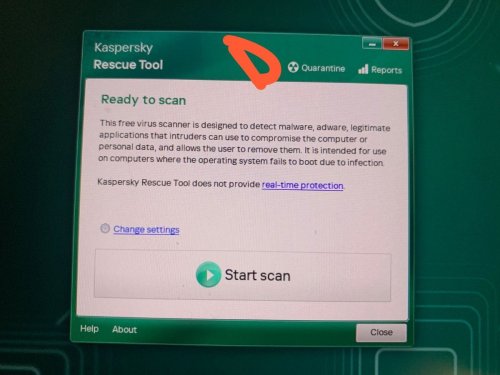
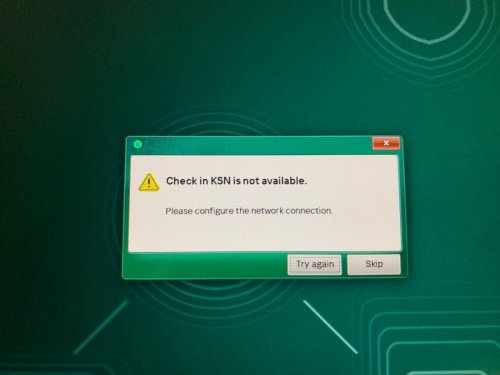
 dubailaptop posted a topic in Kaspersky Rescue DiskI'm trying to recover my keyboard, mouse, speakers, which aren't working after uninstalling kapersky. So i booted with kapersky rescue tool. But the tools option is just not showing I'm running windows 11 Please help, I've spent hours and hours on this with no luck this is 2024 kapersky rescue tool, the 2018 version was showing black screen on my laptop
-
 Cavey posted a topic in Kaspersky: Basic, Standard, Plus, PremiumHey there. I have a subscription to Kaspersky Plus that is expiring 12 days from now. 30 days before the end of the subscription date, I received both an email and an application pop-up asking me to renew. I instead bought a new subscription activation code direct from Amazon. In the past, I would enter this activation code within the application and it would immediately update my subscription to the length of the new subscription and then add any time remaining, but this time the application said it would store the new code in my account and the devices would be moved over when the current subscription expires. I had no problem with this, so I went ahead and added the code. I can see the new subscription on my web account listed as inactive/no device. I have some questions about this: 1. If I have stored a new activation code, why am I receiving emails and pop-ups on an almost daily basis warning me that I need to renew? 2. Are the devices going to automatically be added to this new subscription when the current one ends (as stated when I input the code) or am I going to be expected to add them somehow? And if so, how do I go about doing that? 3. Is there some way I can move them across right now (even if it means losing my remaining 12 days), because the constant warnings are starting to drive me insane. Thanks in advance for any help you can offer.
-
Cavey replied to Cavey's topic in Kaspersky: Basic, Standard, Plus, PremiumNo, I put it in, it said the code was accepted and added to my account and it would switch the devices over when the previous subscription ends, but in the application it still says to add an activation code, but when I try to add it it tells me that this code is already stored on my account. On the web portal the 2 subscriptions are listed as 2 separate entries, like this: And I originally clicked on 'Save activation code' and input the activation code, which is said was now stored on my account, but as you can see, there is no mention of it and it is still telling me to renew.


-
Jand posted a topic in Kaspersky Secure ConnectionКогда сервис Kaspersky Secure Connection будет работать?Когда будет подключатся ко всем серверам? Когда начнут исправлять проблемы за место того что бы выдавать глупые предупреждения на форуме? СЕРВИС НЕ РАБОТАЕТ с ноября 2025 стабильно. Может вы проясните ситуацию? Техподдержка сделать ни чего не может, деньги ни кто возмещать не хочет.
-
 MrBrandt posted a topic in Kaspersky FreeI found myself without a working keyboard or mouse after installing Kaspersky Free. LUCKILY, the mouse worked when I unplugged it since it's wired and wireless. I scoured the internet for a solution to my problem and quickly learned that has been an issue with Kaspersky since as early as 2016!? I saw that while keyboard input seemed, blocked, I was still able to communicate between PC and keyboard adjusting volume and opening calculator, for example. Moving forward, I tried uninstalling the devices multiple times and reinstalling them (after system restart), I tried modifying the registry, I tried running several different scans... ZERO luck. Then I thought, "Maybe disable Kaspersky?" Still nothing. I uninstalled, restarted, nothing. Windows troubleshoot was unable to fix my "driver error". I caved and called Kaspersky - this seemed promising since the rep sounded friendly! Alas, they told me the problem was not due to Kaspersky (I KNOW it was since that was the only significant change I made to my system), they could not help me and that I might need to contact Microsoft (ROFL, no)... Solution: Hold the shift key and restart the PC. Select a restore point from before installing Kaspersky. Wait about 10 minutes (will vary by system). Thanks for nothing, rep! ZERO effort. I hope you are shown this and not reprimanded, but at least LEARN to apply yourself to help customers. Call Ref #: 14316475
-
 Аллам posted a topic in Kaspersky Secure ConnectionДобрый день, последнее обновление ksaper secure connection работает очень плохо, YouTube не работает, Udemy не работает, эти сайты постоянно загружаются, но ничего не отображается. Версия приложения: 21.23.6.614-3 (a)
-
Dmitriy_Oxotov posted a topic in Kaspersky Secure ConnectionWin 11 / Версия 25H2 (сборка OC 26200.7623) Kaspersky Secure Connection / 21.23.6.614-1 При выборе региона "Казахстан" - Не работает YouTube / BattleNet . Проблема появилась 21.01.2026. С других регионов заходит без проблем.
-
 Alexander161 posted a topic in Kaspersky Secure ConnectionСо вчерашнего дня перестали работать старые настройки wireguard, настройки убрали но они продолжали работать, когда вы добавите настройки wireguard для настроек в роутер???
-
 vpp posted a topic in Kaspersky Security for Mail ServerДобрый день Как сделать так, чтобы касперский пробрасывал порты для POP IMAP дальше на почтовый сервер? Это на уровне таблиц самого линукса каспера правильно делать?
-
 Alej Alda posted a topic in Kaspersky Security CenterI have deployed a KSC linux 16.2 Im receiving this message in Trusted Zone of Virtual servers (VS1, VS2) child policy. The forced inheritance is enabled in parent policy, but the Trusted Zone in unblocked in it (KSC PP) VS1's trusted zone can be modified, VS2's trusted zone doesn't.


-
 LinuxSuperior posted a topic in Kaspersky: Basic, Standard, Plus, PremiumHi; I had weird issue today. I own Kaspersky Plus in my Android today i saw i have 300MB free limit i used to have unlimited. When i open the app it told me install new vpn for Android so i did it. My issue is when i open Kaspersky VPN program on my phone it tells me delete the app because Ksapersky has in-built vpn secure connection. Android version of app: 11.113.4.11962
-
 Frank_L posted a topic in Für PrivatanwenderGezwungermaßen den VPN auf "Kaspersky VPN Secure Connection" umgestellt da die Vorgängerversion nur noch 300 MB/Tag zu gelassen hatte. Doch jetzt funktionieren diverse Apps nicht mehr im Tunnel, vor allem die für die es Wichtig wäre wie Heizungsteuerung, Videoüberwachung... und selbst der Googlekalender funktioniert nicht mehr. Abgesehen von dieser Scheiße wird eine Verbindung zum VPN Server in Frankfurt nicht hergestellt.
-
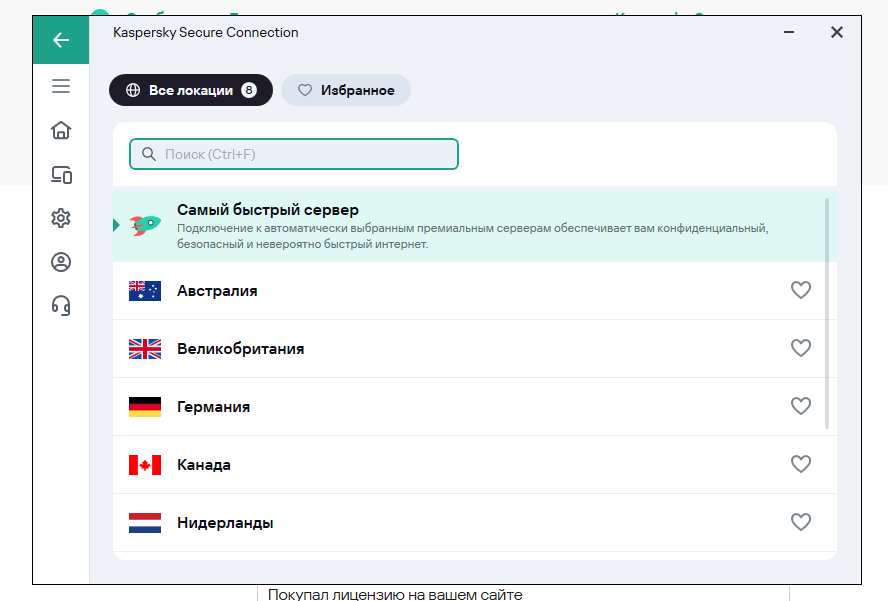
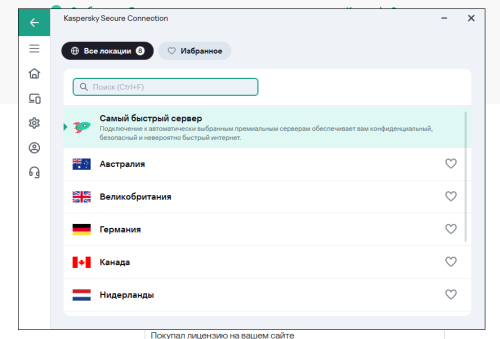
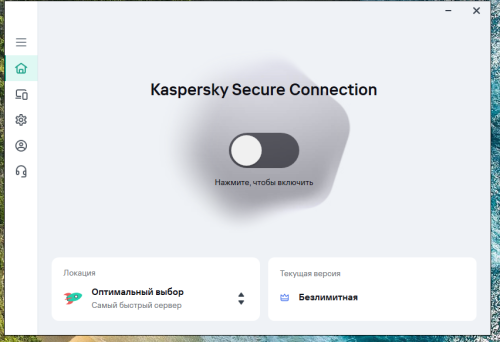
 AOD posted a topic in Kaspersky Secure ConnectionКупил подписку на официальном сайте, за приличные деньги. И данное приложение не работает должным образом, вместо 110 локаций показывает 8 пробных локаций которые не работают и не подключается к ним. До этого брал у товарища подписку и все нормально работало, показывало 110 доступных локаций и практический моментально подключалось к любой локации и все работало. При этом на телефоне тоже не работает данная прога. Тут я решил купить свою подписку и нечего не работает. Подскажите решение проблемы.
-
 Banna6699 posted a topic in Kaspersky: Basic, Standard, Plus, PremiumHello all, My Kaspersky subscription is expiring soon and I was about to make a purchase for a new license however I hit a snag. I reside in Thailand, however all my finances like banks and credit cards are all US based. When I tried to enter my billing information there was no option to choose the US as the region for the credit card origin. Is there a way to resolve this? I tried doing this for the global store. Thank you for your time
-
 Егор1993 posted a topic in Kaspersky Secure Connectionверните деньге заказ за впн не работает? 4G9WVXTH3QP
-
 S.E. posted a topic in Kaspersky: Basic, Standard, Plus, PremiumHi, I'm not sure wether this is the right forum or the right english term for it, but I have a problem with that little window that opens whenever I try to enter something into a searchbar. As seen in the screenshot, it completely blocks a large part underneath the searchbar for no apparent reason. A lot of the time it blocks auto completion or other stuff for several seconds, making the work process slower. I think I don't have to be reminded that the secure keyboard input is active everytime I want to enter something. Is there a means to have that box toggled off?

-
 RDB posted a topic in Kaspersky: Basic, Standard, Plus, PremiumI am not able to use expedia with secure keyboard. I am not able to type in the destinations under flight section as the system forces me to use Kaspersky secured keyboard for some reason! and that keyboard just doesn't work! Has anyone else faced this problem? even after disabling it from kaspersky privacy settings and restarting the browser, I am still struggling with this problem. Any solutions?